1
•MORE
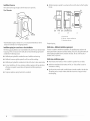
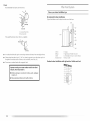
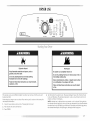
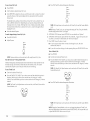
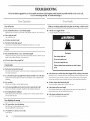
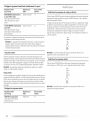
Steam Refresh Preset Cycle Settings
• _ESS
Timed Cycles
Load Type
Default
RAPID
Medium
REFRESH Small Load
Temperature*
Default Time
(Minutes)*
15
DRYNESS
Helps to smooth out wrinkles and
reduce odors from loads consisting
of
NOTE: ]Dryness Level selections
cannot
be used with
the Timed
or Steam Cycles.
one to four dry items.
CUSTOM
REFRESH
Helps to smooth
Medium
out wrinkles
20
Timed
Modifiers
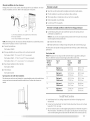
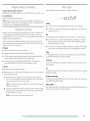
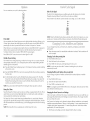
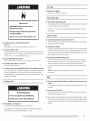
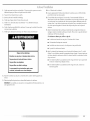
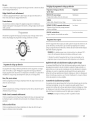
Use the TEMPERATURE
the desired temperature
left in the dryer for an extended
period.
*]emperature
Cycle
in loads
and Timed Cycle Adjust
are selectable
only for the Custom
button
setting
to select temperatures
illuminates.
Cycles.
Press TEMP
until
Refresh Cycle.
•
NOTE: The Custom Refresh cycle has a minimum
dry time of 15 minutes and a maximum
dry time of 40 minutes. Only the Medium and High temperature
settings can be used for
the Custom
for the Timed
•
M
I;IUM
ow
• Xr_A
LOW
Refresh cycle.
FLUFF
Timed
Cycles
TEMP
AD UST_IM_D
CYCLES
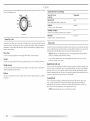
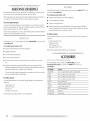
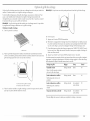
Use Timed Cycles to select a specific amount of drying time and a drying temperature.
When
a Timed Cycle is selected, the Estimated Time Remaining display shows the actual time
remaining in your cycle. You can change the actual time in the cycle by pressing the Timed
Cycle Adjust up or down arrows. See "Changing
Cycles, Modifiers
and Options."
NOTE: Timed
Timed
Cycles
may also be used with
the dryer rack. See "Drying
Rack Option."
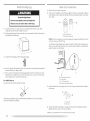
Dry
NOTE: ]emperature
Preset
Cycle
Default Time
(Minutes)
TIMED DRY
Heavyweight,
clothes
High
40
bulky
Rubber-backed
Olefin,
When
Sensor
Dry
Cycle
Time*
(Minutes)
20 - 30
Modifiers
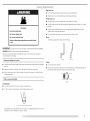
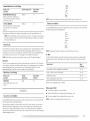
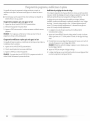
Use the DRYNESS button to select dryness levels for the Sensor Dry Cycles.
until the desired [Dryness setting illuminates.
Press [DRYNESS
The preset dryness setting is Normal when a Sensor [Dry Cycle is selected. You can select a
different dryness level, depending on your load, by pressing Dryness and choosing More,
Normal, I.ess or [::)amp. Selecting More, Normal, kess or Damp automatically
adjusts the
dryness level at which the dryer will shut off. Once a dryness level is set, it cannot be changed
without
stopping the cycle.
curtains,
using
tablecloths
20 - 30
rugs
polypropylene,
*Reset cycle
items, work
the Sensor Dry Cycles.
Type of Load
Plastic - Shower
Default
Temperature
be used with
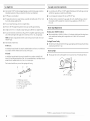
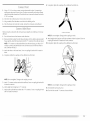
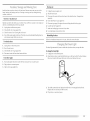
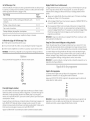
Use the Air Fluff Modifier for items that require drying without heat such as rubber, plastic
and heat-sensitive
fabrics. This table shows examples of items that can be dried using Air
Fluff.
Settings
Timed Cycles
Load Type
cannot
Air Fluff
Use this cycle to complete
drying if items are still damp after a Sensor Dry Cycle. Timed Dry
is also useful for drying heavyweight
and bulky items, such as bedspreads and work clothes.
[ightweight
garments, such as exercise wear, can be dried using Timed [Dry on a low
temperature
setting. Timed [Dry can also be used with the Drying Rack.
Timed
modifiers
to complete
40 - 50
sheer nylon
drying,
10 -20
if needed.
Air Fluff
•
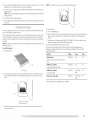
Check that coverings
•
Shake and fluff pillows
•
Dry item completely.
are securely
stitched.
by hand periodically
Foam rubber
NOTE: Air Fluff is not available
with
pillows
during
are slow
Sensor Dry Cycles.
the cycle.
to dry.