1
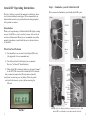
 3) Displays sun and moon data for each image, including moon
phase, moon rise and set, sunrise and set, and moon and sun
position in the sky at the time the image was taken.
Appendix A
SD Card Requirements
SD cards are sized in GB (Gigabytes); the bigger the number the
more images that can be saved on the card. Attack IR will work
with card sizes from 1 GB to 32 GB.
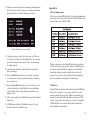
Trophy Room data screen example
4)
Categorizes images as buck, doe, fawn, bear, etc. There are
28 categories to select from. For whitetail deer you can enter
point count and give deer a name to allow easy monitoring
of trophy animals.
5) Automatically calculates the buck/doe/fawn ratios based
upon your images.
6)Includes CuddeCharts with which you can analyze your images
to determine peak movement patterns based upon sun and moon phase and position.
7)Includes Crystal Ball with which you can use the data you’ve collected and analyzed with CuddeCharts to predict future activity. Think of this as the traditional moon tables, only tailored to you.
8) Allow you to rapidly view Cuddeback images taken in Guard Duty mode.
9)Is FREE and works with all Cuddeback cameras. You can download it at www.cuddeback.com.
13
We have extensively tested Attack IR with most major brands
of SD cards, however, low quality cards are available that may
not operate in Attack IR. We recommend you use SanDisk
brand cards which are readily available at stores that sell
cameras. You can also order cards directly from Cuddeback.
See www.cuddeback.com/products for information.
USB Devices
Attack IR will only function with small form factor USB Flash
Devices. If you decide to use a larger form factor you will
need an optional extension cable. While we have made every attempt to assure Attack IR works with most brands of USB devices, it is possible some brands may not work. Compatible USB Flash Drives are available direct from Cuddeback at
www.cuddeback.com/products.
14