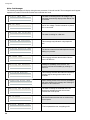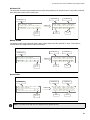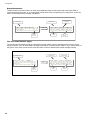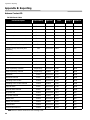
Download Mircom FA-300 Series Installation manual
Transcript
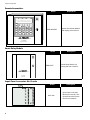
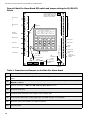
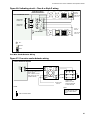
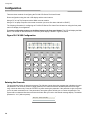
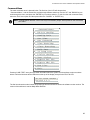
Configuration Configuration There are three methods of configuring the FA-300 LCD Series Fire Alarm Panels: Direct configuration using the main LCD display and the menu buttons. Using a PC or Lap Top Computer with a UIMA converter module. Using a PC or laptop computer with remote connection (must use fire alarm with built-in UDACT). The following information for configuring an FA-300 LCD Series Fire Alarm Panel is based on using the front panel main LCD display for configuration. To access configuration mode press the Menu button on the front panel display. The LCD will display the Main Menu. The function of different buttons on the front panel display is shown in Figure 23, below. Figure 25: FA-300 Configuration SYSTEM NORMAL 18:01 MON 2003-04-05 A.C. ON SYSTEM RESET SIGNAL SILENCE 1 FIRE DRILL 4 BUZZER SILENCE 7 LAMP TEST * ALARM SUPV 2 TRBL 3 ENTER ABC 5 GHI DEF 6 MENU JKL 8 PRS 0 TUV QZ CPU FAIL MNO 9 CANCEL WXY # INFO Entering the Passcode The programming section is passcode protected. The following image shows the message that is displayed to enter the passcode. The minimum number of digits allowed is four and the maximum allowable passcode is ten digits long; numerical values only. Press the “ENTER” key after entering the passcode. If the passcode is right, it will take you to the main command menu. If the passcode is wrong the system will ask you to re-enter the passcode. The system will be exhausted after three retries and will then take you back to the Normal message display. The default password is “1111” (without quotes). Enter passcode _ 36