1
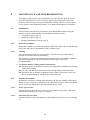
3.2.1
•
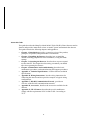
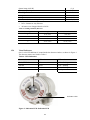
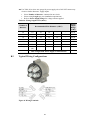
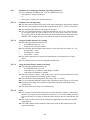
You should only access the wiring compartment to wire or remove the detector or
access RS485 terminals for maintenance.
•
Disconnect or disable external devices, such as automatic extinguishing systems
before carrying out any maintenance.
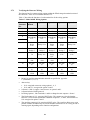
Default Functions Settings
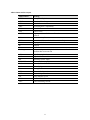
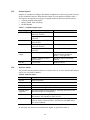
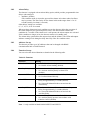
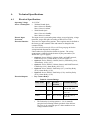
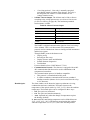
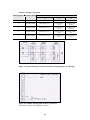
Table 20 lists the default function configuration supplied with the detector.
Table 20: Default Function Values
Function
Notes
Sensitivity
30
Alarm Delay
A
Alarm Latch
No
Auxiliary Relay
No
Automatic BIT
Alarm BIT
Yes
No
Auxiliary BIT
No
In wiring options 1, 2, 3 the Auxiliary Relay is
not available. This function is not used.
EOL
No
In wiring options 1, 2, 3 the Auxiliary Relay is
not available. This function is not used.
Heat Mode
Heat On
•
3.3
Value
Anitflare
In wiring options 1, 2, 3 the Auxiliary Relay is
not available. This function is not used.
Auto
20
The detector starts heating the window for any
temperature below this value (in degrees
Celsius).
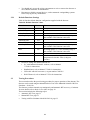
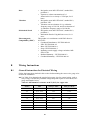
In order to change the default function use:
•
P.C with Industrial Scientific software, refer to Manual
777050 for instructions.
•
Handheld unit, refer to Manual 777060 for instructions.
•
USB cable with 485 converter (1 m) part number 794079-5.
•
HART Protocol, refer to Manual 777030 for instructions.
Testing Procedures
This section describes the proof testing procedure for proper operation of the detector. The
detector can be tested using the Manual Built-in-Test or the Industrial Scientific IR3 Fire
Simulator - 20/20-310.
The detector performs internal test continuously and automatic BIT test every 15 minutes
for more details refer to Built-In-Test (BIT) on page 19.
This section includes the following topics:
• Automatic BIT Test, page 33
• Manual BIT Test. page 33
• Testing with Fire Simulator Model 20/20-310, page 33
32