1
Configuration, Configure IBOS - CashPRO
27
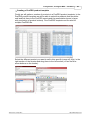
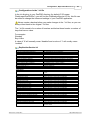
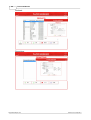
Creating a product
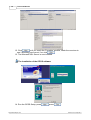
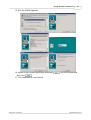
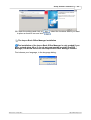
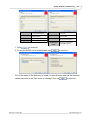
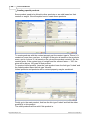
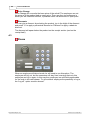
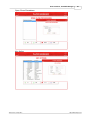
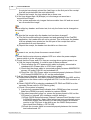
The final thing the PosPRO till needs is products. Products can also be created in
the Inepro Back Office Manager. Go to 'Products' and add a new product.
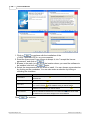
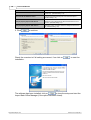
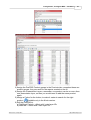
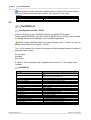
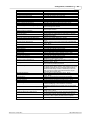
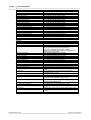
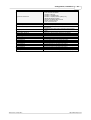
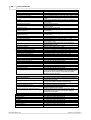
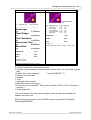
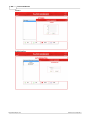
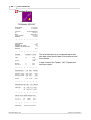
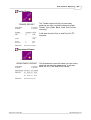
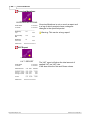
The values of the product are explained in the table below:
Name
Product Code
Terminal Display Name
Name
Product Group
Price
Open Price
Product Type
Link Type
Content Type
Content Factor
Tare
VAT
Second Vat
Description
Selling
Description2
Description3
Description4
Description
A unique code (generated by default using the timestamp as seed)
A short name 14-17 characters so it will fit on the PayCon display
The long name of the product for display on reports
Should always be 'Cashregister/Vending' for the PosPRO till
The price of the product, leave it at 0,00 when using 'open price'
Tick, if the employee should decide for which price this item is sold
Should always be 'till' for the PosPRO till
Is it a normal product, a compound product or part of a compound product
(linked to a compound product) by default set to 'normal'
If you want to specify the content of the product, you can do this here. By
default this is set to 'pieces', it can also be set to 'weight' or 'volume'.
How many of the content type the product consist of
The weight of the product container
Value Added Tax
Second Value Added Tax, if the product could be sold at both a high and a
low VAT rate.
May this product be sold at this moment?
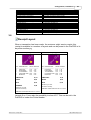
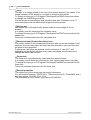
The Link and Content values are used for special products that will be sold based
on their content value or linked to other products.
Version 5.0.1 Inepro B.V.
http://www.inepro.com