1
Chapter 8 Quality of Service (QoS)
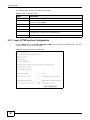
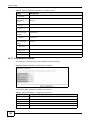
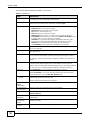
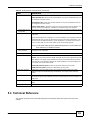
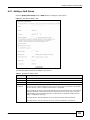
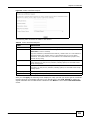
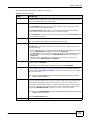
Table 41 QoS Queue Setup: Add (continued)
LABEL
DESCRIPTION
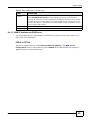
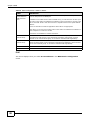
Queue Weight
This displays for ATM and PTM interface queues. Select the weight of this queue.
If two queues have the same precedence, the VDSL Router divides the bandwidth across the
queues according to their weights. Queues with larger weights get more bandwidth than
queues with smaller weights.
Default Queue
Weight
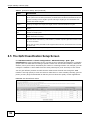
This displays for ATM and PTM interface queues. Specify the VC’s weight for weighed fair
queuing. The higher the weight, the bigger portion of the bandwidth the VC gets.
Shaping Rate
This displays for PTM interface queues. Set the maximum transmission rate for traffic in this
queue.
Shaping Burst
Size
This displays for PTM interface queues. Set the maximum number of cells the queue can
send at the shaping rate.
PTM Priority
This displays for PTM interface queues. Set the queue to low or high priority. This has no
effect at the time of writing.
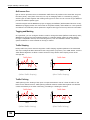
DSL Latency
This displays for ATM and PTM interface queues. Select Path0 (Fast) to use no interleaving
and have faster transmission (a “fast channel”). Suitable only for a good line with little need
for error correction.
At the time of writing the VDSL Router supports fast mode only and interleaved is reserved
for future use.
Apply/Save
Click this button to save your changes.
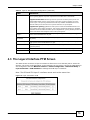
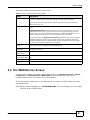
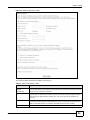
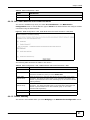
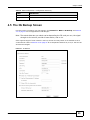
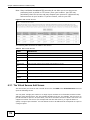
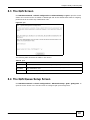
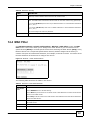
8.5 The QoS Classification Setup Screen
Click Wireless network > Classic configuration > Advanced Setup > QoS > QoS
Classification to open the following screen. Use this screen to manage QoS classifiers. A classifier
groups traffic into data flows according to specific criteria such as the source address, destination
address, source port number, destination port number or incoming interface. For example, you can
configure a classifier to select traffic from the same protocol port (such as Telnet) to form a flow.
You can give different priorities to traffic that the VDSL Router forwards out through the WAN
interface. Give high priority to voice and video to make them run more smoothly. Similarly, give low
priority to many large file downloads so that they do not reduce the quality of other applications.
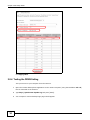
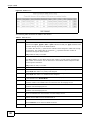
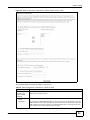
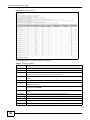
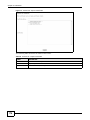
Figure 48 QoS Classification Setup
130
Basic Home Station VDSL2 P8701T User’s Guide