1
HT-SB500
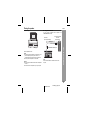
Condensation
Sudden temperature changes, storage or operation in an extremely
humid environment may cause condensation inside the cabinet or on
the transmitter on the remote control.
Condensation can cause the speaker to malfunction. If this happens,
leave the power on until normal operation is possible (about 1 hour).
Wipe off any condensation on the transmitter with a soft cloth before
operating the speaker.
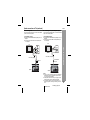
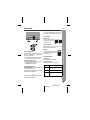
Factory reset, clearing all setting
Can be operated on the remote control only.
Make sure to disconnect all audio input cables attached to the speaker
before performing the factory reset.
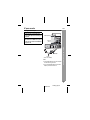
1. Press the ON/STAND-BY button to enter the power stand-by mode.
2. Press and hold the ON/STAND-BY button until “CL” appears.
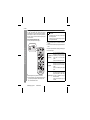
If problem occurs
Caution:
This operation will erase all data stored in memory.
References
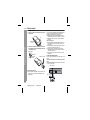
When this product is subjected to strong external interference
(mechanical shock, excessive static electricity, abnormal supply voltage
due to lightning, etc.) or if it is operated incorrectly, it may malfunction.
If such a problem occurs, do the following:
1. Set the speaker to the stand-by mode and turn the power on again.
2. If the speaker is not restored in the previous operation, unplug
and plug in the speaker, and then turn the power on.
23
2009 October 29
HT-SB500_A6_EN_US.fm