1
SECTION 3: SYSTEM SETUP
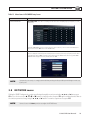
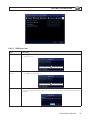
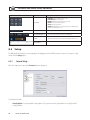
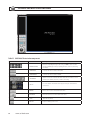
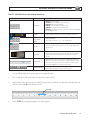
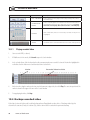
Item
Description
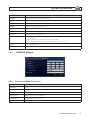
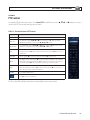
CHANNEL
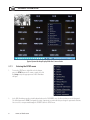
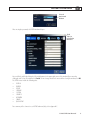
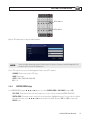
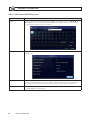
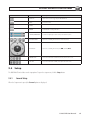
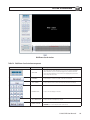
Highlight the field with the p or q buttons, use the t or u buttons to display a channel you want, then press SEL. You can
also highlight and select the submenu button to open the DiSPLAY PROPERTY window.
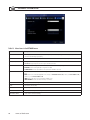
In the DiSPLAY PROPERTY window, use the p, q, t, and u buttons to highlight a parameter, press SEL, use the p, q, t,
and u buttons to change the parameter value, then press SEL. Highlight the OK button and press SEL to confirm the settings
and close the window.
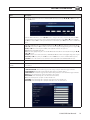
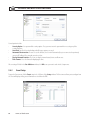
NAME
Specify the channel name. Press SEL to open the virtual keyboard, use the p, q, t, and u buttons and SEL button to enter
the channel name. Highlight the OK button and press SEL to confirm the settings and close the keyboard window. The channel
name can have 10 characters at most.
COVERT
Enable/disable display of the specified video channel in live display mode.
BRIGHTNESS
Change the brightness value of the selected channel. (0 ~ 100)
CONTRAST
Change the contrast value of the selected channel. (0 ~ 100)
HUE
Change the hue value of the selected channel. (0 ~ 100)
SATURATION
Change the saturation value of the selected channel. (0 ~ 100)
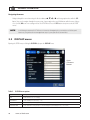
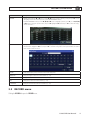
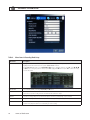
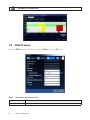
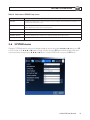
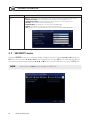
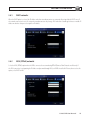
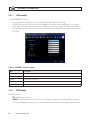
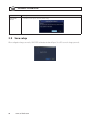
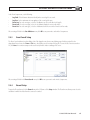
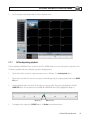
3.3 RECORD menu
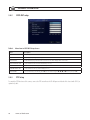
Clicking the RECORD tab opens the RECORD menu.
H.264 DVR User Manual
11