1
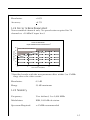
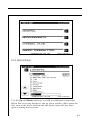
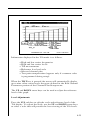
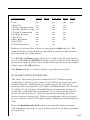
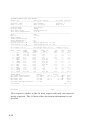
Characteristic
Trunk Head
Extender Fiber Field
1 Area
2 Amp Id
3 Power Configuration
4 Feeder Maker Config
5 Trunk Termination
6 Voltage Setting
7 Rev Pad
8 Rev Equalizer
9 Fwd Pad
10 Fwd Equalizer
yes
yes
yes
yes
yes
yes
yes
yes
yes
yes
yes
yes
yes
yes
yes
yes
yes
yes
yes
yes
yes
yes
yes
yes
yes
yes
yes
yes
yes
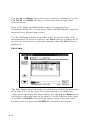
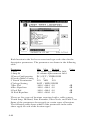
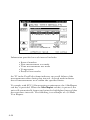
Editing of location files is done by pressing the Edit soft key. The
optional fields will be enabled or disabled according to the location
type selected (see table above).
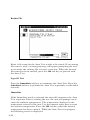
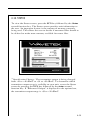
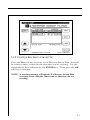
Use the Up and Down arrow soft keys to scroll to the desired parameter. Use the UP and DOWN arrow keys or the numeric entry keypad
to enter the desired value. Once all the desired parameters have been
edited, press the OK soft key.
The Delete soft key is used to delete a specific location file.
4.13.2 How To Perform An Auto Test
The Auto Test mode provides automated FCC 24 hour testing
capabilities. Video & audio carrier levels will be measured for each
enabled channel. Additionally, the following can be selectively
measured for each channel: C/N, Hum, and Modulation. See Section
4.3.3 How To Setup Your Channel Plan for instructions on how to
enable these individual measurements. Tests can be made immediately or at timed intervals, with the instrument sleeping between
tests to conserve battery life. Upon test completion, the test results
can be viewed on the LCD display before printing or downloading to
a PC.
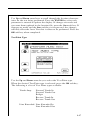
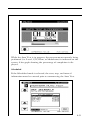
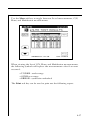
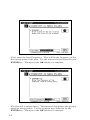
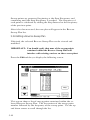
Press the Perform Auto Test soft key to enter the Auto test mode.
The instrument provides a step-by-step procedure on how to perform
an Auto Test.
4-45