1
Operation
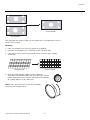
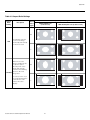
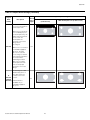
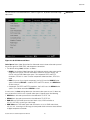
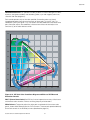
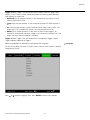
Overscan: Some television programs are produced based on the assumption that older
television sets may not display the outer edges of the broadcast picture area. Overscan
effectively hides these inactive, outer edges of the image. Choose one of the following:
• Off: This setting leaves the image as-is.
• Crop: This setting adds a mask at the left and right edges of the source active image
equal to 3% of the displayed horizontal resolution, and at the top and bottom edges
equal to 3% of the displayed vertical resolution.
• Zoom: This setting adds a factor to the scaling of the source active image so that the
vertical and horizontal resolutions are 106% of the size determined by the aspect ratio
function. Anything outside of the original image area is removed.
4:3
16:9
Zoom
PR
= Source Image Area
Crop
EL
IM
IN
A
R
Off
Y
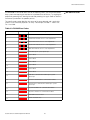
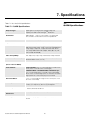
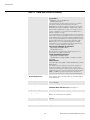
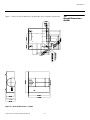
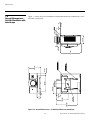
Figure 4-6 illustrates the effect of each overscan setting for each aspect ratio.
= Edge Noise
= Screen (16:9)
Figure 4-6. Overscan Examples
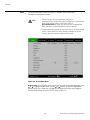
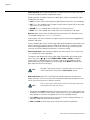
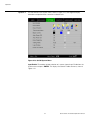
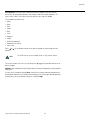
Input Select: To select a video source, press or to highlight Input Select, then press
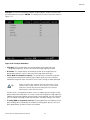
ENTER. This displays the Input Select sub-menu, shown in Figure 4-7.
The default source selection is HDMI 1. All sources that are not available per the source
enable function (refer to Input Enable on page 62) are grayed out.
Q-650i Series Installation/Operation Manual
53