1
Compatibility
PC COMPATIBILITY
Minimum demands: Intel processor 350 MHz, 64 MB RAM
OS Compatibility: Windows 98 SE/ME/2000/XP/Vista
USB 1.1 / USB 2.0
Hardware Connection
EN
1. Make sure your computer is in the operation system.
2. Connect enclosure and computer with USB 2.0 cable. Power LED will be on.
Mac COMPATIBILITY
Minimum demands: Apple G3 Processor, 64 MB RAM
OS Compatibility: Mac OS 10.2 and higher for USB 2.0
Mac OS 9.1 - 10.2
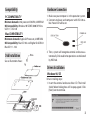
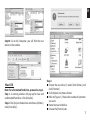
Disk Installation
See as illustration shows:
3. Then, system will recognize external enclosure automatically. Disk read/write operations are indicated
by HDD led.
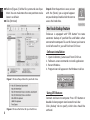
Drivers Installation
Windows 98/ SE
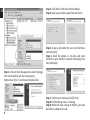
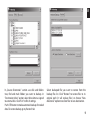
Driver installing steps:
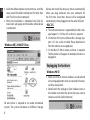
1. Insert the external enclosure driver CD. The Install
shield Wizard dialog box will be pop-upped. Click
[Next] icon to continue.
3