1
Controls and Functions
5.
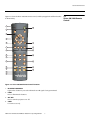
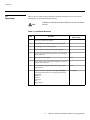
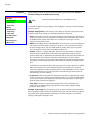
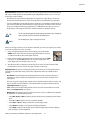
Cursor Keys ( , , , )
Use these buttons to select items or settings, adjust settings or switch display patterns.
When no menus are present on-screen, the UP and DOWN buttons toggle through the
available aspect ratios, in this order:
UP Button = Anamorphic - Standard (4:3) - Letterbox - IntelliWide - Cinema - IntelliWide
2.35
DOWN Button = IntelliWide 2.35 - Cinema - IntelliWide - Letterbox - Standard (4:3) Anamorphic
Note
IntelliWide 2.35 is available only on CineWide-equipped projectors. For
more information about aspect ratios, refer to Table 4-1.
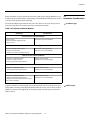
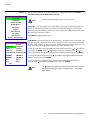
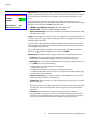
Likewise, the LEFT and RIGHT buttons toggle through the different source inputs, in this
order:
LEFT Button = DVI 2 - DVI 1 - HD/RGB2 - HD/RGB 1 - Component SD - S-Video 2 - S-Video
1 - Composite
RIGHT Button = Composite - S-Video 1 - S-Video 2 - Component SD - HD/RGB 1 - HD/RGB
2 - DVI 1 - DVI 2
6.
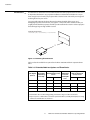
ENTER
Press to select a highlighted menu item or confirm a changed setting.
7.
MENU
Press this button to access the OSD controls, or to exit the current menu and return to
the previous one.
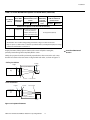
Memory Preset Buttons:
8.
ISF NT (Night)
Press to recall settings for the current input from the “ISF Night” memory preset.
9.
ISF DAY
Press to recall settings for the current input from the “ISF Day” memory preset.
10. CUST 1
Press to recall settings for the current input from the “Custom 1” memory preset.
11. CUST 2
Press to recall settings for the current input from the “Custom 2” memory preset.
10
Vidikron Vision Model 90t and Model 100t Owner’s Operating Manual