1
Controls and Functions
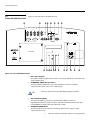
5.
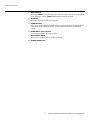
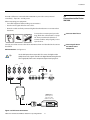
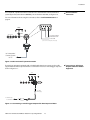
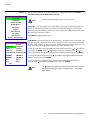
12-VOLT (750 mA) TRIGGER OUTPUTS
Connection for up to three (3), 12-volt trigger-controlled devices. These can be
retractable screens, screen masks or the Vidikron CineWide with AutoScope system.
6.
S-VIDEO 1 / S-VIDEO 2
Two, standard S-Video inputs for connecting a DVD player, satellite receiver or Super
VHS (S-VHS) VCR.
7.
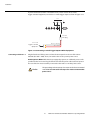
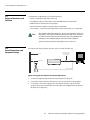
IR
Wired input from an external remote control or infrared receiver. It is a 3.5-mm, mini
phono jack, wired as follows:
Ring = +5V
Tip = IR Input
Sleeve = Ground
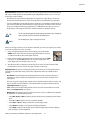
Note
When an external remote control or infrared receiver is connected to the
wired IR input, the IR sensors on the projector are disabled.
8.
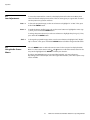
RS-232 CONTROL PORT
A female, 9-pin D-sub connector for interfacing with a PC or home theater
automation/control system.
9.
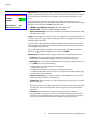
VACUUM FLUORESCENT DISPLAY
Can be used instead of the On-Screen Display (OSD). Displays currently-selected menu
or – if no menu is selected – the current source, signal format (NTSC or PAL), input
resolution and aspect ratio.
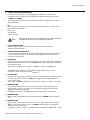
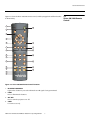
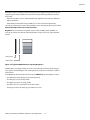
10. UP BUTTON
Use to direct select aspect ratios or move the menu cursor up in the On-Screen Display.
When no menus are present on-screen, the UP button toggles you through aspect ratios
in the following order:
Anamorphic - Standard (4:3) - Letterbox - IntelliWide - Cinema - IntelliWide 2.35
(IntelliWide 2.35 is available only on CineWide-equipped projectors. For more
information about aspect ratios, refer to Table 4-1.)
11. LEFT BUTTON
Used to direct select inputs or move the menu cursor left in the On Screen Display. When
no menu is present on-screen, the LEFT button toggles you through the different
sources, in this order:
DVI 2 - DVI 1 - HD/RGB2 - HD/RGB1 - Component SD - S-Video 2 - S-Video 1 - Composite
12. DOWN BUTTON
Use to direct select aspect ratios or move the menu cursor down in the On-Screen
Display. When no menu is present on-screen, this button toggles you through the
different aspect ratios, in this order:
IntelliWide 2.35 - Cinema - IntelliWide - Letterbox - Standard (4:3) - Anamorphic
13. ENTER BUTTON
When an item is highlighted on the On-Screen Display, the ENTER button selects the
item.
14. RIGHT BUTTON
Used to direct select inputs or move the menu cursor right in the On Screen Display.
When no menus are present on-screen, the RIGHT button toggles you through the
different sources, in this order:
Composite - S-Video 1 - S-Video 2 - Component SD - HD/RGB 1 - HD/RGB 2 - DVI 1 - DVI 2
Vidikron Vision Model 90t and Model 100t Owner’s Operating Manual
7