1
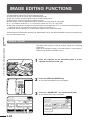
IMAGE EDITING FUNCTIONS
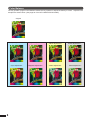
MULTI-PAGE ENLARGEMENT
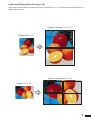
This function is used to enlarge an original image to a size larger than 11"
x 17" and print divided images onto multiple sheets of copy paper.
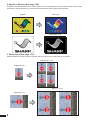
(Refer to the samples on page 3 to see the effect on copy images in relation
to the MULTI-PAGE ENLARGEMENT.)
CHAPTER
3
SPECIAL
MODES
READY TO
SPECIAL FUNCTIONS Image editing functions
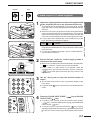
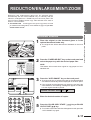
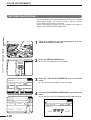
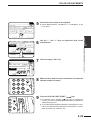
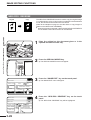
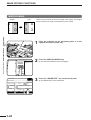
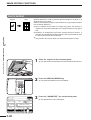
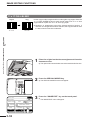
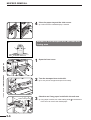
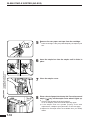
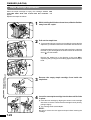
1
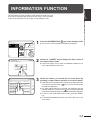
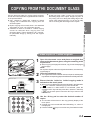
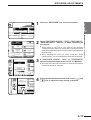
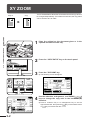
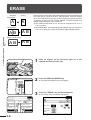
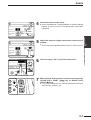
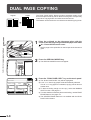
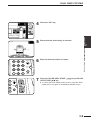
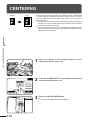
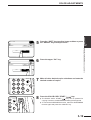
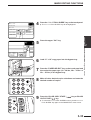
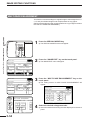
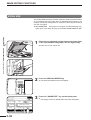
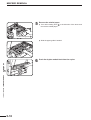
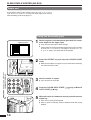
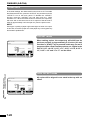
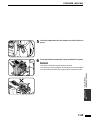
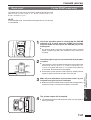
Press the SPECIAL MODES key.
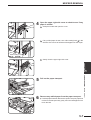
2
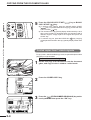
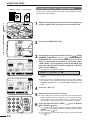
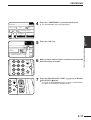
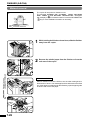
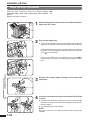
Press the “IMAGE EDIT” key on the touch panel.
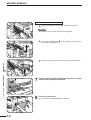
3
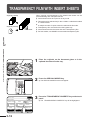
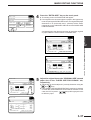
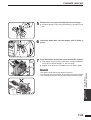
Press the “MULTI-PAGE ENLARGEMENT” key on the
touch panel.
●
The SPECIAL MODES screen will appear.
2-SIDED
COPY
READY TO COPY.
SPECIAL MODES
MARGIN SHIFT
CENTERING
OK
ERASE
TRANSPARENCY INSERTS
COLOR
ADJUSTMENTS
IMAGE EDIT
AUTO
EXPOSURE
AUTO
8/12 11
PAPER SELECT
100%
COPY RATIO
READY TO COPY.
OK
SPECIAL MODES
IMAGE EDIT
PHOTO REPEAT
NEG./POS.
REVERSE
11 17
FULL-BLEED
●
OK
MIRROR
IMAGE
MULTI-PAGE
ENLARGEMENT
OUTPUT
3-34
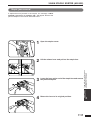
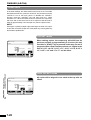
MULTI-PAGE ENLARGEMENT
ENLARGEMENT SIZE ORIGINAL
11 1
22 17 22 34
8/12 1
34 44 44 68
8/12 1
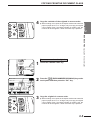
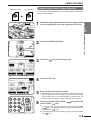
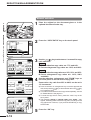
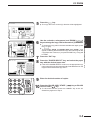
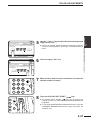
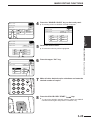
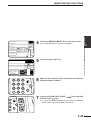
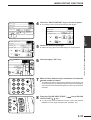
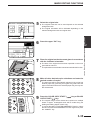
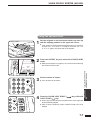
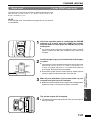
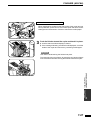
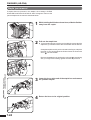
The setting screen for MULTI-PAGE ENLARGEMENT will
appear.
PLEASE SELECT ENLARGEMENT SIZE AND
ORIGINAL SIZE.
SPECIAL MODES
EXTRA SIZE
2-SIDED
COPY
The IMAGE EDIT menu will appear.
DUAL PAGE
COPY
COVERS
SINGLE COLOR
●
OK
CANCEL
OK
MULTI-PAGE ENLARGEMENT
ENLARGEMENT SIZE ORIGINAL SIZE & ORIENTATION
11 17
22 17 22 34
8/12 14
34 44 44 68
8/12 11
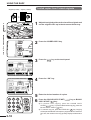
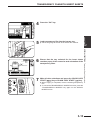
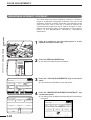
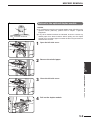
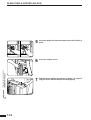
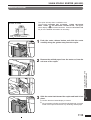
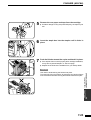
4
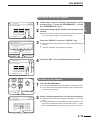
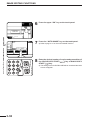
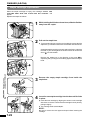
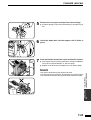
Select the desired enlargement size.
●
Select the desired size among the sizes displayed on the touch
panel.