1
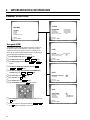
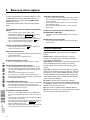
Front of the set
8
m
P r/q
Sr/q
5
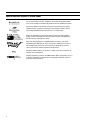
Power switch : To switch off the machine
Beware: If you switch off with the power switch, TIMER-recordings are not possible!
Standby : To switch off, interrupt a function, interrupt a programmed recording (TIMER)
Programme number : To select programme number up or down
Volume: To regulate the volume
Record: To record the programme selected
H
Rewind : During STOP and STANDBY: rewind, during PLAYBACK: reverse scanning
I
Forward wind: During STOP and STANDBY: forward wind, during PLAYBACK: forward scanning
G
Playback : To play a recorded cassette
?
Pause/Stop: To stop the tape, except while a TIMER-recording is being made
AUDIO
Audio input socket left/right stereo
VIDEO
Video input socket : To connect a camcorder or videogames
w
Headphones socket: To connect headphones
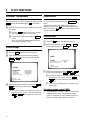
Back of the set
2
EXT. 1
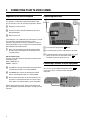
Aerial input socket: To connect the aerial cable
Scart socket: To connect a satellite receiver, decoder, video recorder, etc.