1
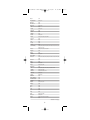
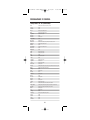
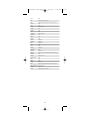
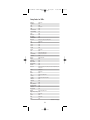
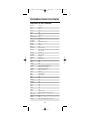
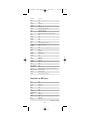
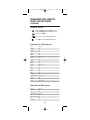
Millennium 4 Mnl M4094 rev
Next Level
Philips
Proscan
RCA
RadioShack
Samsung
Sony
Star Choice
Toshiba
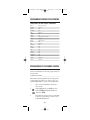
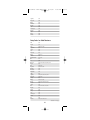
12/27/02
11:00 AM
0869, 0892
0749, 1076
0392
0566, 0392
0869
1109
0639
0869
0749
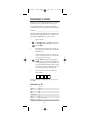
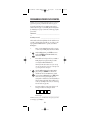
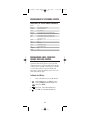
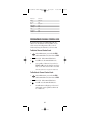
PROGRAMMING CHANNEL CONTROL LOCK
By activating this feature, the Millennium 4 will only
allow access to the channel control capabilities of your
cable converter. This will guarantee that you do not
inadvertently change the channel on your TV or VCR.
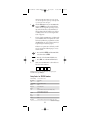
To Activate Channel Control Lock:
1.
On the Millennium 4, press and hold SETUP
until the LED blinks twice, then release SETUP.
2.
Enter 9 - 9 - 6. The LED will blink twice.
3.
Press CH+ once. The LED will blink twice.
4.
Now, regardless of what mode you select (i.e.,
TV, VCR, or CBL), only the channel control capability of your cable converter will be accessible.
NOTE: This feature does not affect the Audio mode.
To De-Activate Channel Control Lock:
1.
On the Millennium 4, press and hold SETUP
until the LED blinks twice, then release SETUP.
2.
Enter 9 - 9 - 6. The LED will blink twice.
3.
Press CH- once. The LED will blink twice.
4.
The Millennium 4 will again provide TV and
VCR channel control capabilities while in the
TV or VCR mode.
21
Page 21