1
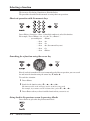
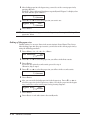
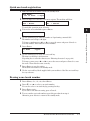
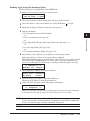
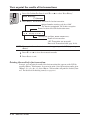
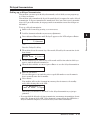
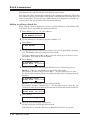
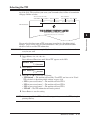
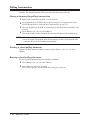
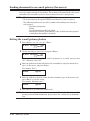
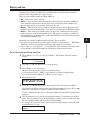
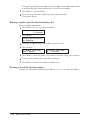
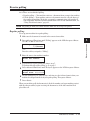
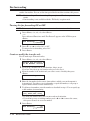
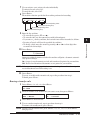
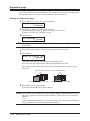
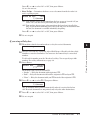
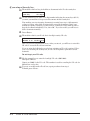
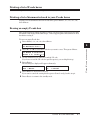
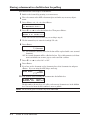
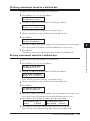
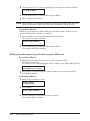
Reviewing or canceling parts of a broadcast You also can review or cancel certain numbers within a broadcast: 1 Press <Job Confirm./Fax Cancel>, then <Enter>. 2 Press <q> or <p> to scroll through currently stored broadcast commands. 1 C01:Broadcast / //Cancel 3 When the command you want to cancel is shown, skip to step 6. If you want to review individual numbers within this broadcast, go on to step 4 without pressing <Cancel>. 4 To review individual numbers within this broadcast, press <u> to see the first number. The machine shows: 9-5550388 / //Cancel 2 3 4 faxes 5 6 Press <Cancel>, <Cancel>. The next number will appear and if you want to cancel this number, press <Cancel> twice. If you want to cancel a different number, go back to step 5. 6 Sending 5 Press <q> or <p> until you find the number you want to cancel. 7 8 If you want to go back to reviewing or canceling another command, press <t>. To stop reviewing or canceling commands, press <Reset>. 9 10 Printing a delayed command list Your machine can print a command list which tells you: •The command’s identification number •The phone number, or Remote location •The start time (this appears in a DD,HH:MM format) •By “Note” if the command is a specified function. To print a delayed command list, press <Menu>, <5>, <1>, <0>, <6>, then <Enter>. 11 12 13 14 Printing a stored document Your machine can print out each document stored for delayed transmission. To print a stored document, you will need to know the document’s command number, which you can obtain by either reviewing the commands or printing a delayed command list. (See above.) 1 Press <Menu>, <4>, <3>, <5>, then <Enter>. Select Comm. No. C01:123-4567 2 Press <q> or <p> to select the command number. 3 Press <Enter>. Sending faxes 4-9 A