1
11.2
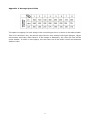
PTZ Settings
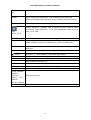
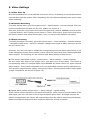
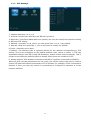
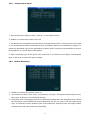
1. Channel selection 1-4 or 1-8
2. Protocol: Divided into PELCO-D and PELCO-P protocol
3. Baud rate: 1200/2400/4800/9600 four options, the user can modify baud rates according
to different PTZ setting.
4. Data bit: Generally it is 8, where you can select from 1 to 8 - 8 by default.
5. Stop bit: Stop bit is generally 1, you do not need to modify the default.
6 Check: Generally set to None.
7 Address: The address code is inputted directly by the address corresponding to PTZ
setting. This must correspond to the default address code, which is mostly 1; PTZ has
adjustable address code DIP (using DIP Switiches, please consult camera manual). This is
needed to set different address codes to identify when there are numbers of PTZ.
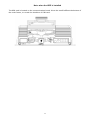
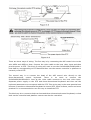
8. Wiring method: PTZ cathode connected to RS485-A, negative connected to RS485-B.
When the PTZ relevant parameters are set ready, the remote control can only be used to
control PTZ after the channel connected to PTZ is selected, for example, PTZ is connected to
Channel 2, then you can only control it by switching to 2-channel to maximize it on the
monitor interface.
42