1
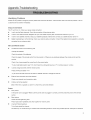
Appendix-Tr0ublesh00ting
Identifying
Problems
If there are any problems
Customer
Setup
Service
using the product,
If the list below does not solve the problem,
call our
Center immediately.
and Connection
The TV won't turn on. Check
your power cable connection.
•
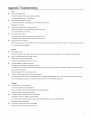
I can't view the Basic channels.
•
I want to view cable channels.
•
I want to view satellite
•
Digital broadcasting
connected
The Remote
Change
Check
the connection
of the antenna
cable.
Register with your local cable company
channels.
Setup your Satellite
is not functioning.
to your antenna
Menu and Remote
•
please first consult the list below.
parabola
Check your antenna
then connect
antenna
then connect
cable connection.
Check
their receiver
your satellite
to your TV.
receiver
to the TV.
if the digital channel
selection
is correctly
between
control and the
cable.
Control
Control
isn't functioning
well.
the batteries.
Check the polarity of the batteries.
Check the angle of the remote
control from the product or if there are any obstacles
the remote
product.
Check if you have pressed
the correct key for the correct option.
Try to a bright light position near TV's which
•
I cannot change
Press [TV/AV]
channels
External
Check
•
a strong
light source on TV <remote
receiver
to change
receiver>
window.
with the remote control.
and select <TV>.
Try to use the remote
•
transmit
control for the cable or satellite
input channels
your external
the channel.
cannot be selected.
input connection
cable.
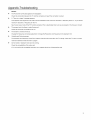
A Menu cannot be selected.
Check if the menu is grayed out, and if it is, that menu cannot be selected.
Screen
•
Poor picture
Is the power cord unplugged?
Make sure the power cable is plugged
in correctly,
and then press the power of the remote
control.
•
Black picture
Check
the LED light being blue.
Press input button repeatedly
•
Lined and flickering
and check caption for mode in panel.
picture.
Try to finely adjust the channel.
Are there any TV waves
flowing
or cordless
radio transmitting
stations?
Avoid using cordless
phones,
hairdryers
or electrical
32