1
Performance tuning
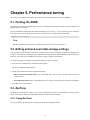
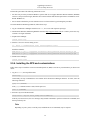
Increasing the values of write_timeout and write_delay to some multiple of the polling period (by default, 5 minutes)
will decrease the number of random IOPS due to writing performance data.
5.7. Configuring the messaging system
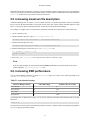
You can configure several aspects of the messaging system by making changes to the messaging.conf configuration
file.
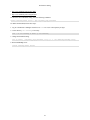
After making a change, you must:
• Drop any queues modified
• Restart the processes that consume messages from the modified queues
To drop queues, use the zenqdelete script:
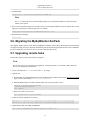
$ zenqdelete zenoss.queues.zep.rawevents
To get queue names, use rabbitmqctl:
$ rabbitmqctl list_queues -p /zenoss
5.7.1. Message persistence
You can configure whether messages published to a given exchange:
• Exist only in memory (and are lost if Rabbit fails), or
• Are persisted to disk (and recoverable)
Non-persistent messages are much faster, and do not consume disk space if a queue backs up.
To change default message persistence, edit the value of the following line in messaging.conf:
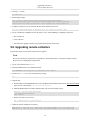
exchange.default.delivery_mode = Value
where possible values are:
• 1 - Do not persist to disk
• 2 - Persist to disk (the default value)
Examples
To prevent unprocessed events from being saved to disk before being processed by zeneventd, uncomment the line:
# exchange.$RawZenEvents.delivery_mode = 1
To prevent processed events from being saved to disk before being de-duped and persisted by zeneventserver,
uncomment the line:
# exchange.$ZepZenEvents.delivery_mode = 1
To prevent heartbeats from being saved to disk before being handled by zeneventserver, uncomment the line:
# exchange.$Heartbeats.delivery_mode = 1
5.7.2. Message compression
You can configure whether messages published to a given exchange should be compressed. To change default message
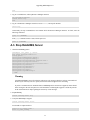
compression, edit the value of the following line:
38