1
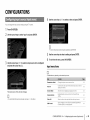
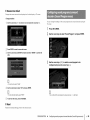
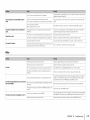
@ Zone2
Configures
Set
Function
the Zone2
settings.
Configures
the functions
that make
the unit easier
to use.
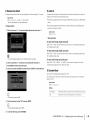
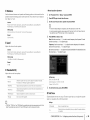
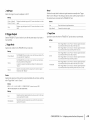
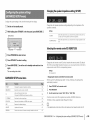
17 Max Volume
Sets the Zone2
maximum
volume
to prevent
excessive
loudness.
Setting range
-30.0 dB to +15.0 dB (5.0 dB increments), +16.5 dB
Default
+16,5 dB
• This setting is available only when "Power Amp Assign" (p.91) is set to "7ch +1ZONE".
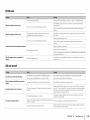
17 Initial Volume
Sets the Zone2
@ Display
initial volume
for when
the unit
is turned
on.
Configures
Set
the settings
related
to the front
display
and TV screen
display.
Settings
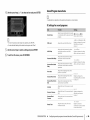
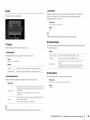
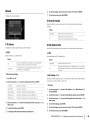
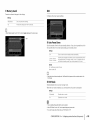
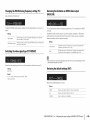
17 Dimmer
Off (default)
Sets the level at the volume level of the unit when it last entered standby
mode.
On
Sets at Mute or the specified volume level (-80 dB to +16.5 dB, 0.5 dB
increments).
(This setting works only when the initial volume is set lower than "Max Volume".)
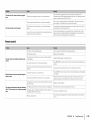
Adjusts
(Front Display)
the brightness
of the front display.
Setting range
-4 to 0 (higher to brighten)
Default
0
• This setting is available only when "Power Amp Assign" (p.91) is set to "7ch +1ZONE".
• The front display may become dark when "ECO Mode" (p.102) is set to "On".
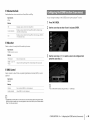
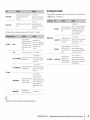
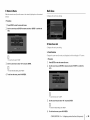
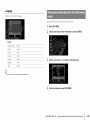
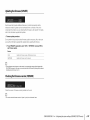
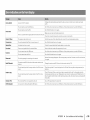
Zone Rename
Changes
the zone
You can change
Set"
name
(for Zone2)
the zone
name
displayed
in the same
on the front display
manner
as "Zone
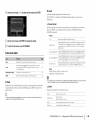
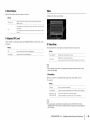
Short Message
or TV screen.
Rename"
in "Main
Zone
(p.99).
(such
Party
(RX-V773
Selects
only)
switching
to display
short
messages
and volume
on the TV screen
when
the unit is operated
adjustment).
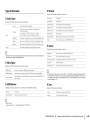
Settings
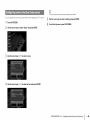
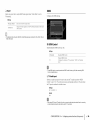
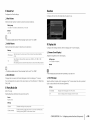
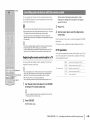
Mode Set
Enables/disables
whether
as input selection
to the party
mode
(p.76).
On (default)
Displays short messages
Off
Does not display
on the TV screen.
short messages
on the TV screen.
Choice
Target: Zone 2
Settings
Disable
Disables switching
Enable (default)
Enables switching
mode by pressing
to the party mode.
to the party mode. You can turn on/off the party
PARTY on the remote control.
CONFIGURATIONS
•
Configuring
various functions(Setup
menu)
En100