1
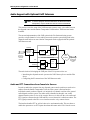
Installing the Station Transponder Units on Site
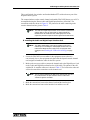
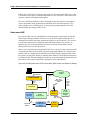
Setting Receive Levels at the VoIP Server
Note
This procedure will be easier to perform if you temporarily connect
an Station Transponder Unit to the network at the VoIP Server
location. If this is not possible, you must arrange for an assistant to
make the required measurements on site and relay them back to
the location of the server.
Note
If the system is going to have radios installed as a permanent
backup to the VoIP intercom cards, check that jumper JP-14 has a
summing jumper in all of the Station Transponder Units (this is
standard). See Communications Mode on page 64.
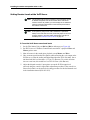
♦ To set the VoIP Server sound card levels
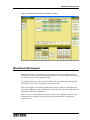
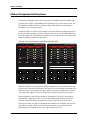
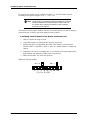
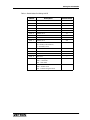
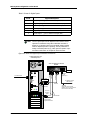
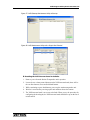
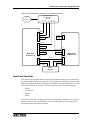
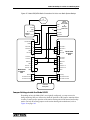
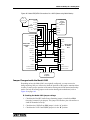
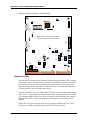
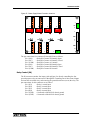
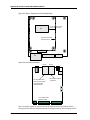
1. Set the FSA Station Unit pots R63 and R64 at mid range (see Figure 44).
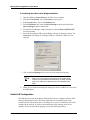
2. Set IP-FSA server’s Windows Control Panel sound mixer’s playback Wave and
Master gains to max.
3. Mute all sources in the sound mixer playback except Master and Wave.
4. Have someone speak into the FSA Station while measuring the voice output at the
IP-FSA server, after the Audio and Digital Input Interface (P/N 950-0690). Into a
600 ohm load, this level should be 1.1 Vpp (-15 dBu rms). For a 60% deviation
sine wave test tone, this would be a level of 0.28 Vrms (-8.8 dBu rms).
5. Adjust the dispatch console’s input gain to accept the IP-FSA output level
observed using the console’s input audio adjustment procedure. If the console is a
Zetron Series 4000, see the audio level setting procedure for the dual channel card
in the installation manual (P/N 025-9533).
120
025-9581M