1
SJN9609a Page 1 Tuesday, June 13, 2000 10:03 AM
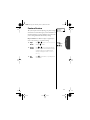
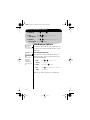
First Things First
Read this before you do anything else.
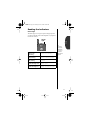
• Determine if your phone is preactivated.
If you received your Sprint PCS Phone™ by Motorola in the mail
or purchased it at a Sprint PCS Center, your phone may already
be activated. If so, it simply needs to be unlocked before you
begin using it. See the next page for help unlocking your phone.
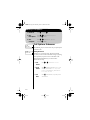
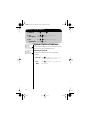
Activating Your Phone
If your phone isn’t pre-activated, you may call from your new
Sprint PCS Phone by Motorola to get activated.
1. Charge
Battery
Fully charge your battery. See page 14 for help
installing and charging batteries.
2. Turn ON
Phone
Press ¡ to turn the phone ON.
Press «, ¤, ª while in a Sprint PCS
3. Call
Sprint PCS Service Area. You will be connected to a
Sprint PCS Customer Advocate who will
guide you through the activation process.
You can also reach Sprint PCS Customer Care from any other
phone by calling 1-888-715-4588.
Please turn the page for more important information.
1
SJN9609a Page 2 Tuesday, June 13, 2000 10:03 AM
First Things First
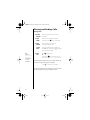
What you should know before you call:
• This call typically takes about 30 minutes, but may take
longer at peak times.
• Your Sprint PCS Phone by Motorola will be ready for use
about an hour after the call is completed.
What you should have handy:
• Your new Sprint PCS Phone by Motorola.
• The original packaging for your new phone.
• Your billing address.
• Your Social Security number or Tax ID number.
• Your driver’s license number.
• Pen and paper to write down your new Sprint PCS
Phone Number.
During this call, a Sprint PCS Customer Advocate will help you
select your Sprint PCS Service Plan and will request billing
information. Once you’ve made all your selections, they’ll guide
you through the activation process.
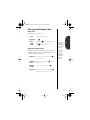
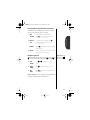
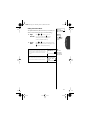
Unlocking Your Phone
Just follow these simple steps to unlock your phone:
1. Turn ON
Phone
Press ¡ to turn the phone ON.
2. Enter Code Enter your four-digit code.
If you don’t remember your code, try using the last four digits of
your Sprint PCS Phone Number or the last four digits of your
Social Security Number or Tax ID Number. If that doesn’t work,
take your phone to the nearest Sprint PCS Center for assistance.
2
SJN9609a Page 3 Tuesday, June 13, 2000 10:03 AM
First Things First
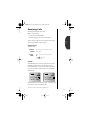
Sprint PCS Web Site
You can find detailed answers to questions about your
Sprint PCS account online by visiting the Sprint PCS Web Site
at www.sprintpcs.com.
Once you enter our web site, click on the “Manage” heading to
access information about your account, purchase accessories or
send text messages to other Sprint PCS customers.
The “Learn” heading lets you explore information on
Sprint PCS digital clarity, different service plans, and network
coverage areas.
Automated Billing Information
Up-to-date, automated billing information on your
Sprint PCS account is available by dialing «, › from
your Sprint PCS Phone.
By following the voice prompts, you will be able to hear the
balance due, payments received, billing cycle and minutes used
since your last billing cycle.
Information received through «, › will be updated
approximately every 48 hours. There is no charge for this call,
and call time is not subtracted from your available plan
minutes.
One More Important Detail
Our services are provided to you under certain terms and
conditions – all of which are listed in the brochure included
in the box your phone came in. Please take a moment to
read them.
Thank you for choosing this Sprint PCS Phone by Motorola.
3
SJN9609a Page 4 Tuesday, June 13, 2000 10:03 AM
Contents
Introduction
First Things First. . . . . . . . . . . . . . . . . . . . . . . . . . . . . . 1
Welcome to Sprint PCS. . . . . . . . . . . . . . . . . . . . . . . . . 6
Guide Overview . . . . . . . . . . . . . . . . . . . . . . . . . . . . . . . 7
Safety Information . . . . . . . . . . . . . . . . . . . . . . . . . . . . 8
Getting Started
Package Contents . . . . . . . . . . . . . . . . . . . . . . . . . . . . 12
Introduction to Batteries . . . . . . . . . . . . . . . . . . . . . . 14
Installing Batteries . . . . . . . . . . . . . . . . . . . . . . . . . . . 15
Charging Batteries . . . . . . . . . . . . . . . . . . . . . . . . . . . 17
Sprint PCS Phone Overview . . . . . . . . . . . . . . . . . . . . 22
Using the Smart Button . . . . . . . . . . . . . . . . . . . . . . . 23
The Basics
Turning Your Sprint PCS Phone by Motorola On . . . 24
Roaming with Your Sprint PCS Phone . . . . . . . . . . . 26
Reading the Indicators. . . . . . . . . . . . . . . . . . . . . . . . 28
Placing and Ending Calls . . . . . . . . . . . . . . . . . . . . . 31
Redialing Numbers . . . . . . . . . . . . . . . . . . . . . . . . . . 34
Receiving Calls . . . . . . . . . . . . . . . . . . . . . . . . . . . . . . 36
Basic Tone Controls . . . . . . . . . . . . . . . . . . . . . . . . . . 38
Your Sprint PCS Phone & Its Shortcuts . . . . . . . . . . . 40
Memory
Introduction . . . . . . . . . . . . . . . . . . . . . . . . . . . . . . . . 42
Making the Most of Memory . . . . . . . . . . . . . . . . . . . 43
Storing . . . . . . . . . . . . . . . . . . . . . . . . . . . . . . . . . . . . 44
Recalling. . . . . . . . . . . . . . . . . . . . . . . . . . . . . . . . . . . 46
Pause Dialing . . . . . . . . . . . . . . . . . . . . . . . . . . . . . . . 54
Using Calling Cards . . . . . . . . . . . . . . . . . . . . . . . . . . 56
4
SJN9609a Page 5 Tuesday, June 13, 2000 10:03 AM
Messaging
Introduction. . . . . . . . . . . . . . . . . . . . . . . . . . . . . . . . .58
Receiving Messages . . . . . . . . . . . . . . . . . . . . . . . . . . .59
Viewing Your Caller IDs . . . . . . . . . . . . . . . . . . . . . . . .60
Checking Your Voicemail. . . . . . . . . . . . . . . . . . . . . . .62
Reading Your Messages . . . . . . . . . . . . . . . . . . . . . . . .64
Contents
The Works
Introducing the Menu Features. . . . . . . . . . . . . . . . . .66
The Internal Phone Book . . . . . . . . . . . . . . . . . . . . . .68
Store and recall numbers
Using Call Timers . . . . . . . . . . . . . . . . . . . . . . . . . . . .76
Monitor the length of your calls
Setting Tone Controls. . . . . . . . . . . . . . . . . . . . . . . . . .82
Adjust your phone’s tone controls
Lock/Security Features. . . . . . . . . . . . . . . . . . . . . . . . .92
Control access to your phone
Phone Options . . . . . . . . . . . . . . . . . . . . . . . . . . . . . .100
Personalize your phone’s operation
Experiencing Sprint PCS Wireless WebSM . . . . . . . . .120
Use your phone to access the Internet and more
Reference Information
Motorola Original™ Accessory Options . . . . . . . . . . .135
Troubleshooting. . . . . . . . . . . . . . . . . . . . . . . . . . . . .138
Glossary . . . . . . . . . . . . . . . . . . . . . . . . . . . . . . . . . . .142
Index . . . . . . . . . . . . . . . . . . . . . . . . . . . . . . . . . . . . .156
5
SJN9609a Page 6 Tuesday, June 13, 2000 10:03 AM
Welcome to Sprint PCS ®
Sprint PCS built the only all-digital, all-PCS nationwide
network from the ground up for clearer calls, serving more than
300 major metropolitan areas. We’ve built our network to give
you what we believe you really want from a wireless phone: clear
sound, private conversations and time-saving features. But
Sprint Personal Communication Services® also has the
potential to do something more far-reaching–simplify your life.
Our advanced technology is designed to grow with your
communications needs so that one day you may be able to
rely entirely on your Sprint PCS Phone™ by Motorola to stay
in touch.
This guide will introduce you to our technology and your new
Sprint PCS Phone by Motorola, through easy-to-follow
instructions. For additional help, just stop by any Sprint PCS
Center or call Sprint PCS Customer Care.
Sprint PCS Customer Care
Sprint PCS Customer Advocates will answer 24 hours a day and
will be happy to assist you.
• Calling with your new Sprint PCS Phone:
Press «, ¤, ª.
• Calling from any other phone:
Call 1-888-211-4PCS (4727).
Thank you for choosing Sprint PCS!
6
SJN9609a Page 7 Tuesday, June 13, 2000 10:03 AM
Guide Overview
We’ve designed this guide to take you step-by-step through each
feature of your new Sprint PCS Phone by Motorola. We’ll show
you what key to press and what happens when you press it.
Follow along and you’ll find it’s as easy as 1-2-3.
Getting Started
Once the box is open, this section will show you where to begin.
We will explain what came with your new phone and show you
how to use the battery. Turn to page 12 to get started.
The Basics
What do all those buttons and lights mean? How do I make my
first phone call? In this section, we’ll answer those questions and
teach you everything necessary to start using your new phone.
Begin learning “The Basics” on page 24.
Memory
Read “Memory,” beginning on page 42, and we will explain
how to make the most of your new phone’s Internal Phone
Book. You will save time with dialing shortcuts and memory
features that make it easy to place quick calls.
Messaging*
This Sprint PCS Phone supports messaging services including
Caller ID. It can even receive numeric pages and Sprint PCS
Wireless WebSM messages just like a pager and tell you when you
have Voicemail.* Turn to page 58 to begin “Messaging.”
Using Sprint PCS Wireless WebSM Services*
With the Sprint PCS Wireless Web and a wireless Internet-ready
Phone, you can browse specially designed text versions of
popular Internet sites, receive customized information updates
from providers such as Yahoo!® at the times you specify or
connect to the Internet or your company’s Intranet with a laptop
PC or handheld computing device and a Sprint PCS Wireless
Web Connection Kit. See page 120.
* Sprint PCS Wireless Web services may not be available in certain service areas
managed by Sprint PCS affiliates.
7
SJN9609a Page 8 Tuesday, June 13, 2000 10:03 AM
Safety Information
Important: Read this information before using your wireless handheld
phone.
Exposure
to Radio
Frequency
Signals
Your wireless handheld portable telephone is a low power radio transmitter
and receiver. When it is ON, it receives and also sends out radio frequency
(RF) signals. In August 1996, The Federal Communications Commission
(FCC) adopted RF exposure guidelines with safety levels for handheld
wireless phones. Those guidelines are consistent with safety standards
previously set by both U.S. and international standards bodies:
• American National Standards Institute (ANSI) IEEE. C95.1
(1992).
• National Council on Radiation Protection and Measurements
(NCRP). Report 86.
• International Commission on Non-Ionizing Radiation Protection
(ICNIRP). (1996).
• Ministry of Health (Canada). Safety Code 6.
Those standards were based on comprehensive and periodic evaluations of
the relevant scientific literature. For example, over 120 scientists, engineers,
and physicians from universities, government health agencies, and
industry reviewed the available body of research to develop the ANSI
Standard (C95.1).
The design of your phone complies with the FCC guidelines (and those
standards). For additional information concerning exposure to radio
frequency signals, see the statement by the FDA at the end of this user guide.
To maintain compliance with FCC RF exposure guidelines, if you wear a
handset on your body, use the Motorola-supplied or approved carrying case,
holster, or other body-worn accessory. If you do not use a body-worn
accessory, ensure the antenna is at least one inch (2.5 centimeters) from
your body when transmitting. Use of non-Motorola accessories may violate
FCC RF exposure guidelines.
Antenna
Care
8
Use only the supplied or an approved replacement antenna. Unauthorized
antennas, modifications, or attachments could damage the phone and
may violate FCC regulations.
SJN9609a Page 9 Tuesday, June 13, 2000 10:03 AM
Safety Information
Normal Operation:
Hold the phone as you would any other telephone, with the antenna
pointed up and over your shoulder.
Phone
Operation
Tips on Efficient Operation:
Observe the following guidelines to operate your phone most efficiently:
• Extend your antenna fully, if applicable.
• Do not touch the antenna unnecessarily when the phone is in use.
Contact with the antenna affects call quality and may cause the
phone to operate at a higher power level than otherwise needed.
Caution: All batteries can cause property damage, injury, or burns if a
conductive material, such as jewelry, keys or beaded chains, touches
exposed terminals. The material may complete an electrical circuit and
become quite hot. To protect against such unwanted current drain, exercise
care in handling any charged battery, particularly when placing it inside
your pocket, purse, or other container with metal objects. When the battery
is detached from the phone, your batteries are packed with a protective
battery cover; please use this cover for storing your batteries when not in use.
Check the laws and regulations on the use of wireless telephones in the
areas where you drive. Always obey them. Observe the following guidelines
when using your phone while driving:
Batteries
Driving
• Give full attention to driving–driving safely is your first responsibility;
• Use hands-free operation, if available;
• Pull off the road and park before making or answering a call if
driving conditions so require.
Most modern electronic equipment is shielded from RF signals. However,
certain electronic equipment may not be shielded against the RF signals
from your wireless phone.
Electronic
Devices
Pacemakers
The Health Industry Manufacturers Association recommends that a
minimum separation of six (6”) inches be maintained between a
handheld wireless phone and a pacemaker to avoid potential interference
with the pacemaker. These recommendations are consistent with the
independent research by and recommendations of Wireless Technology
Research.
9
SJN9609a Page 10 Tuesday, June 13, 2000 10:03 AM
Safety Information
Persons with pacemakers:
• Should ALWAYS keep the phone more than six inches from their
pacemaker when the phone is turned ON;
• Should not carry the phone in a breast pocket;
• Should use the ear opposite the pacemaker to minimize the
potential for interference.
• Should turn the phone OFF immediately if you have any reason to
suspect that interference is taking place.
Hearing Aids
Some digital wireless phones may interfere with some hearing aids. In the
event of such interference, you may want to consult your hearing aid
manufacturer to discuss alternatives.
Other Medical Devices
If you use any other personal medical device, consult the manufacturer of
your device to determine if they are adequately shielded from external RF
energy. Your physician may be able to assist you in obtaining this
information.
Turn your phone OFF in health care facilities when any regulations posted
in these areas instruct you to do so. Hospitals or health care facilities
may be using equipment that could be sensitive to external RF energy.
Vehicles
RF signals may affect improperly installed or inadequately shielded
electronic systems in motor vehicles. Check with the manufacturer or its
representative regarding your vehicle. You should also consult the
manufacturer of any equipment that has been added to your vehicle.
Posted
Facilities
Turn your phone OFF in any facility where posted notices so
require.
Aircraft
Switch OFF your phone before boarding an aircraft. Airline regulations
prohibit using your phone while in the air. Check and comply with the
policy of your airline regarding the use of your phone while the aircraft is
on the ground.
Blasting
Areas
To avoid interfering with blasting operations, turn your phone
OFF when in a “blasting area” or in areas posted: “Turn off two-way radio.”
Obey all signs and instructions.
10
SJN9609a Page 11 Tuesday, June 13, 2000 10:03 AM
Safety Information
Turn your phone OFF and do not remove the battery when in any area with
a potentially explosive atmosphere, and obey all signs and instructions.
Sparks from your battery in such areas could cause an explosion or fire
resulting in bodily injury or even death.
Potentially
Explosive
Atmospheres
Areas with a potentially explosive atmosphere are often, but not always,
clearly marked. They include fueling areas such as gasoline stations; below
deck on boats; fuel or chemical transfer or storage facilities; areas where
fuel odors are present (for example, if a gas/propane leak occurs in a car or
home); areas where the air contains chemicals or particles, such as grain,
dust, or metal powders; and any other area where you would normally be
advised to turn off your vehicle engine.
An air bag inflates with great force. DO NOT place objects, including both
installed or portable wireless equipment, in the area over the air bag or in
the air bag deployment area. If in-vehicle wireless equipment is
improperly installed and the air bag inflates, serious injury could result.
Vehicles
Equipped
with Air
Bags
Your Sprint PCS Phone by Motorola is designed for excellent durability
under normal use conditions. Protect your Sprint PCS Phone by Motorola
from water damage that could result from spills or excessive exposure to
rain. Never submerge your wireless phone. This phone is not waterproof.
Equipment
Care
Cleaning of this product should only be done with a damp cloth. The use of
chemical cleaners may harm the finish and integrity of the radio housing
and is not recommended.
Cleaning the
Phone
11
SJN9609a Page 12 Tuesday, June 13, 2000 10:03 AM
Getting Started
Your Sprint PCS Phone by Motorola comes equipped with a
battery and an AC adapter charger to get you up and running.
An exciting line of accessory options can customize your wireless
package for maximum performance and portability.*
This chapter will show you how to get started with your new
Sprint PCS Phone by Motorola and Motorola Original™
accessories.
In this chapter we will explain how to:
• Attach and charge batteries.
• Use chargers like the AC adapter charger and dual-slot
desktop charging base.
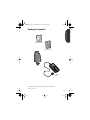
Package Contents*
VIB
Sprint PCS Phone™ by Motorola
V. Series™ V8162 Phone
*Package options may vary.
12
SJN9609a Page 13 Tuesday, June 13, 2000 10:03 AM
Package Contents*
Getting Started
Slim LiIon Battery
Slim Battery Cover
Holster
AC Adapter
Charger
Your phone and accessories may not look exactly as pictured.
* Package options may vary.
13
SJN9609a Page 14 Tuesday, June 13, 2000 10:03 AM
Introduction to Batteries
Each Motorola Original™ battery is shipped in an uncharged
state in with a protective clip on it. Before you can use your
Sprint PCS Phone by Motorola, you will need to remove the clip
from the battery and charge it.
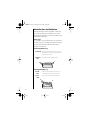
Battery Clips
It is a good idea to save the protective clip to store and carry the
battery when not in use. The clip prevents objects from touching
the battery terminals, thereby reducing the risk of injury or
damage from a short circuit.
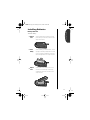
Removing the Battery Clip
1. Press Tab Hold one end of the battery/clip in one hand.
Press down on the tab at the opposite end of the
clip with your other hand.
2. Remove
Clip
Rotate the clip away from the battery.
1.
2.
Attaching the Battery Clip
1. Insert
Side
Insert one end of the battery into the clip, so
that the battery fits the notches on the clip.
2. Click
Latch
Click the other side of the battery into place.
2.
1.
14
SJN9609a Page 15 Tuesday, June 13, 2000 10:03 AM
Installing Batteries
Getting Started
Battery Installation
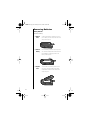
To install a battery:
1. Remove
Cover
Slide the release latch toward the top of the
phone. With your other hand, rotate the cover
away from the phone.
2. Insert
Battery
Insert the battery, printed arrows first, into the
top edge of the battery compartment. Continue
to push the arrows forward gently. Then push
the bottom edge down until it snaps into place.
3. Replace
Cover
Insert the tabs of the battery cover into the
notches on the bottom edge of the battery
compartment. Rotate the cover down until it
snaps into place.
15
SJN9609a Page 16 Tuesday, June 13, 2000 10:03 AM
Removing Batteries
Battery Removal
To remove a battery:
16
1. Remove
Cover
Slide the release latch toward the top of the
phone. With your other hand, rotate the cover
away from the phone.
2. Remove
Battery
Push the battery toward the top of the phone
until the bottom edge comes clear. Rotate the
bottom edge of the battery up and lift the
battery from the phone.
3. Replace
Cover
Insert the tabs of the battery cover into the
notches on the bottom edge of the battery
compartment. Rotate the cover down until it
snaps into place.
SJN9609a Page 17 Tuesday, June 13, 2000 10:03 AM
Charging Batteries
Getting Started
Using the Internal Charger
There is a battery charger built right into your phone. To make
use of the internal charger, you will need one of the two
available adapters, either an AC adapter charger or vehicle
power adapter.
Keep in mind: When the internal charger is in use and the
phone is ON, you can still place and receive calls. However,
talking on the phone requires energy, so your phone may not
charge while the call is in progress.
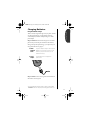
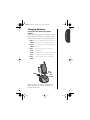
Plug the AC adapter charger or vehicle power
1. Attach
Adapter to adapter into the accessory connector on the
bottom of your phone as shown, with the
Phone
release tab facing up.
2. Plug In
Adapter
Plug the adapter into the appropriate
power source.
SH
PU
TOP
Keep in mind: In some cars, the ignition must be ON to use
the vehicle’s* accessory power.
* The use of wireless devices and their accessories (“devices”) may be prohibited
or restricted in certain areas. Always obey the laws and regulations on the use of
these devices.
17
SJN9609a Page 18 Tuesday, June 13, 2000 10:03 AM
Charging Batteries
The Battery Indicator
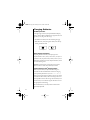
In the upper right corner of your Sprint PCS Phone’s display,
there is a battery indicator filled with three segments. The more
segments you see, the greater the charge.
• The border of the battery icon will flash during charging.
• When the battery is fully charged, the battery icon will stop
flashing and become solid.
High
Low
Battery Storage and Disposal
To prolong the life of batteries, avoid exposing them to
temperatures below -10°C (14°F) or above 45°C (113°F). It is a
good idea to take your phone with you when you leave your car.
Never dispose of batteries in fire. To dispose of batteries, contact
your local recycling center.
Caution: To prevent injuries or burns, do not allow metal
objects to contact or short circuit the battery terminals.
Expert Performance (E•P®)Charging System
The E•P system enables your phone’s built-in charger to
communicate with installed batteries and tailor its charging
cycle to optimize performance. If you see Invalid Battery
when you power up the phone, the built-in charger is not able to
communicate with the battery and cannot charge it. There are
several possible reasons for this message. The most likely one is
that the battery is not a Motorola original and it does not have
the appropriate E•P technology.
We recommend that you use only batteries and accessories
approved by Sprint PCS.
18
SJN9609a Page 19 Tuesday, June 13, 2000 10:03 AM
Charging Batteries
Getting Started
Using the Dual-Slot Desktop Charging Base
(optional)
The dual-slot desktop charging base’s front pocket can charge
batteries while they are attached to your Sprint PCS Phone by
Motorola, and the rear pocket can charge batteries separately.
1. Attach Plug the AC adapter charger into the back of the
Adapter charging base, with the release tab facing up.
2. Plug In Plug the other end of the AC adapter charger into a
Adapter wall socket.
3. Insert
Phone
Insert the phone into the front pocket with a
battery attached.
Monitor To monitor the status of the battery charging in the
Status front pocket, open the phone while charging.
& Insert
Battery
If you like, insert a battery into the rear pocket.
Rear
Pocket
HS
UP
Front
Pocket
Note: If two batteries are loaded in the charging base, the
batteries will charge one at a time, the front pocket first,
followed by the rear pocket.
19
SJN9609a Page 20 Tuesday, June 13, 2000 10:03 AM
Charging Batteries
Dual-Slot Desktop Charging Base Indicators
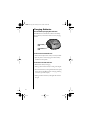
The LED indicators on the left front of the dual-slot desktop
charging base let you know the current state of any charging
batteries.
Rear Pocket
LED
Front Pocket
LED
For the Front Pocket LED Indicator:
• Yellow means the phone with a battery is securely installed.
• Open the phone to see the charging status for the battery
installed in the front pocket.
For the Rear Pocket LED Indicator:
• Red means the battery is charging.
• Flashing yellow means the battery is waiting to be charged.
• Green means the battery is charged within 90% of its capacity
and can be used. An additional hour of charging will bring
your battery up to 100% capacity.
• Flashing red means the battery is damaged and cannot be
charged.
20
SJN9609a Page 21 Tuesday, June 13, 2000 10:03 AM
Charging Batteries
Getting Started
Dual-Slot Desktop Charging Base Times
The time it takes for your battery to obtain a full charge is
affected by a variety of factors, including:
• Temperature Batteries should be at or near room
temperature when charging. To prolong battery life
and charge capacity, avoid exposing your batteries to
temperatures below -10°C (14°F) or above 45°C (113°F).
It is a good idea to take your phone with you when you
leave your car.
• Inactivity New batteries, or batteries that have been stored
for long periods of time, may not charge properly. In these
instances, the battery requires an overnight charge.
• Extended Usage Over extended periods of time, batteries
gradually wear down and require longer charging times.
This is normal. If you charge your battery regularly and
notice a decrease in talktime or an increase in charging
time, then it is probably time to purchase a new battery.
21
SJN9609a Page 22 Tuesday, June 13, 2000 10:03 AM
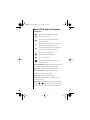
Sprint PCS Phone Overview
Function Keys
¡
ø
Turns your Sprint PCS Phone ON and OFF.
ƒ
Acts as a “shift” key to access the secondary
functions of other keys.
‰
Recalls phone numbers from memory and acts as
the left soft key for Minibrowser navigation.
¬
Stores phone numbers into memory and acts as the
right soft key for Minibrowser navigation.
Ç
º
ª
«
»
Clears characters from the screen.
Opens messaging menus.
Ends phone calls and exits the menu.
Places or answers calls.
Can be used to scroll through memory entries
and menu features.
Alphanumeric Display Displays your input from the keypad,
information recalled from memory and other messages.
Microphone Positioned for convenient conversation.
Retractable Antenna Extend for best performance.
Earpiece Ultra-compact phone speaker.
Headset Jack Connects an optional headset.
Accessory Connector Provides the connection for an
external power supply.
Volume Keys Located left of the display and represented in the
manual by q and Z, these keys adjust the volume and scroll
up and down through memory locations and menu features.
22
SJN9609a Page 23 Tuesday, June 13, 2000 10:03 AM
Using the Smart Button
Getting Started
Easily recognized in this User’s Guide by A and in your
Sprint PCS Phone’s display by § – the smart button puts a
variety of functions at your fingertips.
The Smart Button
Use the smart button’s fingertip convenience for:
Opening the Quick Menu
Press A when your phone is in Standby Mode to display the
Quick Menu with shortcuts to your phone’s most popular
features. See page 40.
Opening the Internal Phone Book
Press A twice to open the Internal Phone Book with all your
names and numbers. Turn to page 46 in “Memory” to learn
more.
Entering the Menu System
Press ƒ then press A to enter your phone’s menu system.
See page 66 for information on navigating the menu system.
Selecting Items in the Menu
The primary use of the smart button is to “select.” Whenever the
phone offers you a choice, such as setting a ringer style, press A
to select. You will see: Press § to Select.
Turning Features ON and OFF
Press A to toggle ON and OFF many menu features, like the call
timers (pg. 76). You will see: Press § to Toggle.
Placing and Ending Calls
Press and hold A to place a call when the number you want to
call is on the display. Press and hold A again to end a call. See
page 31 for information on placing and ending calls.
23
SJN9609a Page 24 Tuesday, June 13, 2000 10:03 AM
The Basics
The next few pages will introduce you to the basic features of
your Sprint PCS Phone by Motorola. In the chapters that follow,
we will explain every one of your phone’s features, including
storing names and numbers, using the call timers, locking the
phone, and more.
In this chapter we will explain how to:
• turn your phone ON.
• use your phone off the Sprint PCS Network (roam).
• read the indicators.
• place, receive and end calls.
• adjust ringer and keypad volume, use shortcuts and more.
Turning On Your
Sprint PCS Phone
Follow these steps to turn your phone ON:
24
1. Extend
Antenna
Extend the antenna completely for best
performance.
2. Open
Phone
Open the phone to expose the keypad.
3. Turn ON
Phone
Press ¡ once to turn the phone ON.
4. Turn OFF
Phone
Press ¡ again to turn the phone OFF.
SJN9609a Page 25 Tuesday, June 13, 2000 10:03 AM
Turning On Your
Sprint PCS Phone
by Motorola
Power Up Display
Basics
Each time you turn your phone ON, your phone performs a
short self-test to make sure it’s operational and then it scans for
service. While the phone scans, the display reads:
Searching..
Digital
When your phone finds the Sprint PCS Network, you will see the
time and date, the
icon, and the Sprint PCS banner.
07/07/00
Sprint PCS
Power Save Mode
If you travel outside the range of the Sprint PCS Network, your
phone continues to search for a signal. To save power, it stops
searching every couple of minutes. You will see: Power Save.
Your phone will automatically begin searching again in a
minute or two – if you would like it to start searching
immediately, just press any key.
Backlight Standby
To conserve energy, your phone turns OFF the backlight when
you have not touched a key for a few seconds. The backlight will
come back ON as soon you press a key or open the phone.
Tip:
You can choose
how long the
backlight
remains ON.
See page 110.
25
SJN9609a Page 26 Tuesday, June 13, 2000 10:03 AM
Roaming with Your
Sprint PCS Phone
by Motorola
You can use your Sprint PCS Phone:
• In any city where Sprint PCS provides service.
• Roaming on other CDMA networks where Sprint PCS has
roaming agreements in place.
When you use your phone outside the Sprint PCS Nationwide
Network, it’s called roaming. If you’re roaming in areas where
agreements are in place with other CDMA carriers, you will pay
the roaming rate plus long-distance charges, where applicable.
Always dial using 11 digits (1+ area code + phone number)
when calling from outside your Sprint PCS Service Area.
In areas where Sprint PCS does not have roaming agreements in
place, you may still be able to make (but not receive) calls using
a credit card. This is called manual roaming.
Roaming Ringer
For an easy way to know if you are on the Sprint PCS Network
before you answer calls, use this feature. See page 87.
Setting your Phone’s Mode
Your phone has two settings that allow you to control how your
phone selects network signals. See Setting Your Phone’s Mode on
page 117.
Call Guard
To make it easy to control roaming, this feature reminds you
when you’re making or receiving a roaming call. See Setting
Call Guard on page 104.
26
SJN9609a Page 27 Tuesday, June 13, 2000 10:03 AM
Roaming with Your
Sprint PCS Phone
by Motorola
Calling Experience
Basics
When using your phone roaming on other CDMA networks, call
quality and many other aspects will be similar to the
Sprint PCS Nationwide Network. For instance, although certain
calling features may not be available, your phone calls will still
be private and secure.
• Some calling features (such as Caller ID and voicemail
message indicator) that are standard within the
Sprint PCS Nationwide Network may not be available.
If you’re on a call and leave a Sprint PCS Service Area, your call
will be dropped. When reentering a Sprint PCS Service Area
while on a roaming call, turn your phone OFF and then ON
again to acquire Sprint PCS Service.
Accessing Sprint PCS Customer Care while Roaming
If you need customer service for any reason while outside the
Sprint PCS Nationwide Network, call 1-888-211-4PCS (4727) to
reach Sprint PCS Customer Care.
27
SJN9609a Page 28 Tuesday, June 13, 2000 10:03 AM
Reading the Indicators
2 3 4
5 6
7 8
9
1
10
Digital (1)
Indicates you are receiving a digital signal.
Signal Strength (2)
Strong
Displays the strength of the connection between your phone and
the wireless network.
In Use (3)
Appears when a call is in progress.
Weak
Roam (4)
Lights up when your phone accesses a wireless service other than
the Sprint PCS Network.
Message (5)
Appears when you receive a numeric page or Sprint PCS
Wireless Web Message. It will disappear after you have viewed
the message.
Voicemail (6)
Indicates that you have received a Voicemail message in your
Voicemail box. It will disappear after you have checked your
Voicemail.
28
SJN9609a Page 29 Tuesday, June 13, 2000 10:03 AM
Reading the Indicators
Alarm (7)
Appears when your phone’s alarm feature is set. See page 84 for
more information.
Battery Level (8)
High
Basics
The three bar segments on the phone’s Battery Level Indicator
show the amount of charge remaining in your battery. The
more bar segments you see, the higher the charge.
For a more detailed battery level reading:
Check
Level
Press ƒ then press ›.
Low
See page 30 for more information.
Clock (9)
When your phone is on the Sprint PCS Network, the display
shows the current time and date. Wherever you are, you will have
the correct local time. You can set your clock for 12- or 24-hour
format. See page 111 for more information.
When you select one of the VibraCall® alert combinations (see
page 86), the following indicators appear in the display:
VibraCall® Alert On (10)
Indicates that your phone’s ringer is turned OFF and the
VibraCall Alert is ON.
Silent Mode (10)
Indicates that all of your phone’s tones are silenced and the
VibraCall alert is ON.
Vibrate Then Ring (10)
Indicates that both the ringer and VibraCall alert are ON.
29
SJN9609a Page 30 Tuesday, June 13, 2000 10:03 AM
Reading the Indicators
Detailed Battery Level Reading
Press ƒ then press ›.
The bar graph in the display represents the battery level. The
higher the graph, the closer the battery is to full charge.
Battery
Battery
Low Charge
Full Charge
Note: When plugged in, the battery level is rounded to
the lowest bar for increased accuracy. When you first attach
the AC adapter charger, the level may fall.
Important: If the phone is being powered externally–from the
vehicle power adapter for example–you will see: Charging.
30
SJN9609a Page 31 Tuesday, June 13, 2000 10:03 AM
Reading the Indicators
Service Light
The Service Light is on top of your phone and lights up when
your phone is ON. The color it flashes depends on your phone’s
current state of service
Red & Green,
alternating
Incoming call or message
Green, flashing
In Service: Sprint PCS Network
Red, flashing
No Service
Yellow, flashing slow
Roaming: digital
Yellow, flashing fast
Roaming: non-home type system
Basics
Service
Light
Tip:
To increase
your phone’s
standby time,
you can turn
the Service
Light OFF. See
page 112.
31
SJN9609a Page 32 Tuesday, June 13, 2000 10:03 AM
Placing and Ending Calls
Placing a Call
1. Extend
Antenna
Extend the antenna completely for best
performance.
2. Open
Phone
Open the phone to expose the keypad.
If necessary, press ¡ to turn the phone ON.
3. Enter
Number
Enter the number you want to call,
for example: 1-847-555-1212.
Correct
Errors
Tip:
If you see:
Press 1 For
Roam Call,
see page 104
for more
information.
4. Place
Call
Press Ç to erase one digit at a time if you
make a mistake. Press and hold Ç to erase the
entire entry and start again.
Press ª to place the call.
or
Press and hold A until you hear a high tone.
You will see: Connecting 1-847-555-1212.
You can dial phone numbers with up to 32 digits, but only the
last twenty-four digits will appear in the display.
Press ‰ to see the rest of the number.
Your phone will display the first 24 digits, then a second screen
will show the digits remaining in the phone number.
32
SJN9609a Page 33 Tuesday, June 13, 2000 10:03 AM
Placing and Ending Calls
Ending a Call
There are three ways to end a call:
Close
Close the phone to end a call.
or Press Key Press
Press and hold A until you hear a high tone.
You will see: Press § to End Call.
Press A again to end the call.
Setting Up Three-Way Calling
Tip:
When you dial
an emergency
number such as
911, your phone
will display
Emergency
Three-Way Calling lets you talk with two people at the same
Mode for ten
time. When you use this feature, you’ll be charged local network minutes. While
in emergency
connection time rates for both calls.
mode, you can
1. Place Call Simply dial the first number and press ª just
as you normally would.
still place and
receive calls
normally.
2. Put Call on When the call connects, press ª to put the
Hold
first party on hold.
3. Dial 2nd
Number
Dial the second number and press ª.
4. Join Calls When the second party answers, press ª
again and begin your three-way call.
33
Basics
or Hold
Smart
Button
º.
SJN9609a Page 34 Tuesday, June 13, 2000 10:03 AM
Redialing Numbers
Automatic Redial
If you attempt to place a call during an instance of extremely
high network traffic, you may hear a fast busy signal and see
Call Failed and Press TALK to Redial. With Automatic
Redial, your Sprint PCS Phone will repeat the call attempt over
the next four minutes. When the call succeeds, your phone will
ring or vibrate until the person you are calling answers.
Auto
Redial
Press ª or press and hold A until you hear a
high tone. You will see: Redialing.
To make this feature even easier, turn Instant Redial ON. Your
phone will instantly redial after a fast busy signal, and you will
not have to push a button. To find out more, see page 107.
Tip:
Your phone
automatically
remembers the
last number
entered. See
page 53 to learn
more.
Redial
Tip:
This feature is
also available
through the
Quick Menu.
See page 40 to
learn more.
Display Last Ten Numbers Dialed
Tip:*
To delete the
displayed entry
in the Last Ten
Numbers list,
press Ç then
¬.
34
If you hear an ordinary busy signal:
1. Hang Up
Press º to hang up.
2. Redial
Press ª to redial or press and hold A.
You will see: Connecting.
Your phone keeps track of the last ten numbers you have dialed.
1. Enter
List
Press ‰ then press ‚,
the last number dialed.
2. Review
List
Press q or Z to scroll through the last calls
made, including the time, date, and number.
3. Call
Number
Press ª or press and hold A to call the
displayed number.You will see: Connecting.
* Feature may not be available on some phones.
‚. You will see
SJN9609a Page 35 Tuesday, June 13, 2000 10:03 AM
Receiving Calls
Your phone must be ON to receive calls.
When a call is incoming:
• an alert will sound and/or vibrate.
• the Service Light (pg. 31) will flash red and green.
Basics
You can choose your phone’s alert, selecting from nine ringer
styles or silent vibration mode. See page 87.
Answering a Call
To answer a call:
1. Extend
Antenna
Extend the antenna completely for best
performance.
2. Open
Phone
Open the phone to expose the keypad.
or
Press ª if the phone
is already open.
Caller ID
Caller ID enables you to see who is calling before you answer.*
The display will show either your caller’s name (if in the
Internal Phone Book) or your caller’s number. If you prefer to
always see your caller’s number, see page 73 to turn Number
Preference ON.
Call From
Smith, Jane
Call From
312-555-1212
The Caller IDs for your last 16 callers will be saved. See page 60
to learn how to view your stored Caller IDs.
*Information may be unavailable if caller has Call Block active.
35
SJN9609a Page 36 Tuesday, June 13, 2000 10:03 AM
Receiving Calls
Ringer/Vibrating Alert Suppress
If an incoming call catches you by surprise, you can silence the
alert by pressing either volume key. Your phone’s ringer or
vibrating alert will remain OFF while the current call lasts. The
caller will still hear ringing and you can still answer the call by
pressing ª.
Suppress When the phone rings or vibrates, press the
Alert
lower volume key.
Note: This feature works the same with a headset. To answer the
call with a headset after you have turned the alert OFF, press
either volume key again or the smart button.
Using Call Forwarding
With Call Forwarding you can have all your incoming calls
forwarded to another number – even if your Sprint PCS Phone
by Motorola is turned OFF. When Call Forwarding is active, you
can still make calls with your Sprint PCS Phone.
To activate Call Forwarding, follow these steps:
1. Begin
Press «, ‡, ¤.
2. Enter
Number
Enter the 10-digit phone number where you
would like your calls forwarded.
3. Send
Request
Press ª. You will hear a tone that confirms
you’ve activated Call Forwarding.
To deactivate Call Forwarding:
Press «, ‡, ¤, ‚, ª.
You will hear a tone to confirm the
deactivation.
36
SJN9609a Page 37 Tuesday, June 13, 2000 10:03 AM
Receiving Calls
Unanswered Call Indicator
There are times when you are unavailable to answer calls. If
your phone is ON, it keeps a count of unanswered calls. For
example, if you miss two calls, your display will show: 2 Calls
Unanswered.
Basics
Clear
Display
Tip:
See page 60 to
learn how to
return the calls
you missed.
Press Ç or press º to clear the display, and
you can begin placing calls again.
Call Waiting
If you’re in the middle of a call and you hear two beeps, that
means you have another incoming call. You will see: Call
Waiting and the name or number of the caller.
Answer
Call
or End
Current
Call
Press ª to answer the call and
automatically place the current call on hold.
Press º to end the current call. Your phone will
then ring and/or vibrate as usual, and then press
ª to answer the second call.
Tip:
See page 73 to
choose to see
the name or
number of the
caller.
37
SJN9609a Page 38 Tuesday, June 13, 2000 10:03 AM
Basic Tone Controls
Vibration Mode
In situations where ringing may not be appropriate, or in noisy
places where you may not hear your phone, select the
VibraCall® alert. Ringing will be replaced by gentle vibrations.
Change
Alert
VibraCall
Alert ON
Press ƒ then press † to switch between
ringing and vibrating alerts.
Silent Mode
For complete discretion, turn Silent Mode ON. All tones will be
silenced. You can dial silently, and the ringer will be replaced by
vibrations.
Silent
Mode ON
Tip:
See page 85 for
the Silent Mode
menu option.
Activate
Silent
Mode
Press ƒ then press and hold † until you see:
Silent Mode On.
Turn OFF
Press ƒ then press † to turn Silent Mode
OFF. Your phone will return to
Ring Only mode.
Muting the Microphone
If you would like privacy while a call is in progress, you may
mute the microphone—you will be able to hear the party on the
other end, but they will not hear you.
38
Mute
Phone
Press ƒ then press fl during a call to mute
the microphone. You will see: Muted.
Unmute
Phone
Press ƒ then press fl again to
resume your conversation.
SJN9609a Page 39 Tuesday, June 13, 2000 10:03 AM
Basic Tone Controls
The upper and lower volume keys are left of the display and can
be used to adjust the earpiece, keypad, and ringer volume. As
you press these keys, the phone’s speaker will demonstrate the
new volume level.
Adjusting Earpiece and Keypad Volume
Basics
The audio feedback your phone gives you when you press a key
is called keypad tones. When your phone is in Standby Mode,
pressing the volume keys adjusts the volume of these tones. To
adjust the volume of your conversation (the earpiece volume)
use the volume keys during a call.
Raise
Volume
Press q to raise the volume.
Lower
Volume
Press Z to lower the volume.
Tip:
See page 85 if
you would like to
silence the
keypad tones.
The bar graph in the display represents the volume level. The
higher the graph, the louder the volume is.
Keypad
Keypad
High Volume
Low Volume
Adjusting Ringer Volume
To adjust ringer volume:
Raise
Volume
Press ƒ then press q to raise the
ringer volume.
Lower
Volume
Press ƒ then press Z to lower the
ringer volume.
Tip:
Lower the
volume all the
way to turn the
ringer OFF. If the
ringer is OFF, the
only indication of
an incoming call
will be the
Service Light
(see page 31).
39
SJN9609a Page 40 Tuesday, June 13, 2000 10:03 AM
Your Phone & Its Shortcuts
Throughout this guide you will see shortcuts that point out
simple ways to reach some of your phone’s features. If you have
owned a phone manufactured by Motorola before, some of these
shortcuts will already be familiar to you.
The Quick Menu
Press the smart button and the Quick Menu opens on the
display. The Quick Menu contains shortcuts to your phone’s
most popular features.
Press q to scroll up
Press a to open the
menu and select
Press Z to scroll down
40
Phone Book
The Internal Phone Book stores your personal
names and numbers. See page 46.
Messaging
If you subscribe to Sprint PCS Wireless Web
Messaging, you can use this shortcut or the one
on page 58.
Launch
Browser
Use this feature to launch the Minibrowser and
access Sprint PCS Wireless Web Service. See
page 120.
Last 10
Dialed
Your phone remembers the last ten numbers you
dialed. Turn to page 34 to learn more.
Set System
Mode
Allows you to choose the type of system your
phone will access. See page 117.
Call Guard
Lets you know if the call you are making is a
roaming call. See page 104.
Main
Menu
Select this option to access your phone’s menu
system. See page 66 to find out more.
Exit
Select this option or press º to exit the Quick
Menu at any time.
SJN9609a Page 41 Tuesday, June 13, 2000 10:03 AM
Your Phone & Its Shortcuts
The Usual Shortcuts
The words “menu,” “batt,” “lock,” “mute,” and “vib” appear
on the ⁄, ›, fi, fl, and † buttons. Press the ƒ
key first, then any one of these buttons, and your phone will
perform that function.
Basics
Enter
Menu
Press ƒ then press ⁄ to enter the menu
system.
Display
Meter
Press ƒ then press › to display the
battery meter.
Lock
Phone
Press ƒ then press fi.
You will see: Lock? Press ¬ to lock.
Mute
Phone
Press ƒ then press fl to toggle mute ON and
OFF during a conversation.
Silence
Ringer
Press ƒ then press † to toggle your phone’s
VibraCall® alert ON and OFF.
Silence
All Tones
Press ƒ then press and hold † to turn ON
Silent Mode.
41
SJN9609a Page 42 Tuesday, June 13, 2000 10:03 AM
Memory
Your Sprint PCS Phone by Motorola has its own Internal Phone
Book. The Internal Phone Book has 99 locations enabling you
to store hundreds of phone numbers for easy access on the go!
In this chapter we will explain how to:
• store names and numbers into the Internal Phone Book.
• recall phone numbers from memory.
• dial quickly with the Super Speed Dial and Turbo Dial®
functions.
• simplify automated calling systems and credit card calls.
Follow these symbols as a guide for using the keys on the side of
your phone.
Press q to scroll up
Press a to select
Press Z to scroll down
42
SJN9609a Page 43 Tuesday, June 13, 2000 10:03 AM
Making the Most of Memory
Numbered 01-99, each memory location allows you to store a
name and as many as four phone numbers. In one location, you
can store the home, mobile, work and fax numbers of a single
contact. To help you find the right number, when you store the
number you assign it an icon:
555-1212
Home
Mobile
Pager
Fax
Memory
Work
Other
Once stored, when you view memory locations, you will see the
name, location and one icon for each number stored.
Name
Smith J.
Location
04
Icons of numbers stored
To organize your Internal Phone Book for convenient recall, try
storing related numbers in groups of ten. For example, store
your ten most frequently called numbers in locations 01-09,
then you can use the Turbo Dial® keys to call them with the
push of a key. You could store business contacts in locations
10-19, family in 20-29, friends in 30-39, and so on.
When you feel ready for more, try the advanced storing features
at the end of the chapter. For instance, pages 54-55 describe how
the Internal Phone Book can help you access automated calling
systems with only a few keystrokes.
43
SJN9609a Page 44 Tuesday, June 13, 2000 10:03 AM
Storing Names and Numbers
Each memory location can store up to four numbers. For a
single contact, you can store every number you need, like home,
wireless, fax and more.
Keep in mind: When you recall entries by name, your phone
displays entries alphabetically. If you store an entry without a
name it will be placed at the back of the Internal Phone Book.
Tip:
‘XX’ is the number
of the lowest
available.
1. Enter
Number
Enter the phone number you want to store.
2. Begin
Storing
Press ¬ to begin storing.
You will see: Location XX?
3. Accept
Location
Press ¬ or « to store the sequence in the
displayed location.
or Enter New Press Ç to erase the location number
and enter a new two-digit location number.
Tip:
The “ § ” symbol
in your display
represents the
smart button a.
or Select
Range of
Ten
Enter a digit and press « to store the
sequence in the first available location
beginning with that digit.
4. Choose
Label
Press q or z to scroll through the icons. From
left to right: Work, Home, Mobile, Pager, Fax,*
or Other. Press ¬ to select the highlighted icon.
5. Store
More
You will see: Enter Next Number. Enter up
to four numbers per location. Press ¬ when
finished entering numbers.
6. Enter
Name
Enter a name to identify the phone number. (See
the next page for help.) Press a or ¬ when
finished. Your phone will confirm by displaying
the information stored.
* Fax calls require the Sprint PCS Wireless Web Connection Kit (sold separately).
44
SJN9609a Page 45 Tuesday, June 13, 2000 10:03 AM
Entering Names
When the display shows Alpha or Press §, you can use the
keypad to produce any letter in the alphabet. Use the letters
printed on the key as a guide. For example, press ¤ to enter
the letters “A,” “B,” or “C” as shown:
press 1 time to insert an "A"
press 2 times to insert a "B"
press 3 times to insert a "C"
press 4 times to insert a "2"
Memory
To enter a name into the Internal Phone Book:
1. Enter
Letter
Toggle
Case
2. Advance
Cursor
Press a key as many times as necessary to enter
a letter. The next letter on the key will appear
with each press.
Press q or z to switch between upper and
lowercase.
After each character, press » to advance the
cursor to the next space.
Clear
Letter
Press Ç to erase a letter if you make
a mistake.
Back
Space
Press « to move the cursor backward if you
would like to insert a letter earlier in the
sequence.
3. Enter
Marks
Press ⁄ to scroll through the available
punctuation marks: <space> 1 . @ / : ' ,
?!-_#*" $ % &+;=\(
) < > [ ].
4. Finish
Storing
Enter up to 24 letters including spaces.
Press a when you are finished. Your phone will
confirm the entry by displaying the
information stored.
Tip:
Use the volume
keys (q or z) to
switch between
upper and lower
case.
45
SJN9609a Page 46 Tuesday, June 13, 2000 10:03 AM
Recalling from Memory
Recalling by Name
Once you have stored entries, you can recall them alphabetically
and immediately place calls.
Tip:
See page 45 for
details on
entering letters.
1. Enter
Press a twice to enter your name directory.
2. Scroll to
Name
Press q or
looking for.
z to scroll to the name you are
or Search for Enter the first letter of the name. The display
Name
will show the name and location of the first
entry beginning with that letter, and an icon for
each number stored in the entry (up to four).
Smith J.
04
46
3. Select
Name
Press a to select the entry for the displayed
name. You will see the first number stored in the
location.
4. Choose
Number
Press q or z to scroll through the numbers
stored in that location. The selected icon will be
highlighted.
5. Place
Call
Press and hold a or press ª to call the
number. You will see: Connecting.
6. End
Call
Press º or close the phone.
or
Press and hold a until you hear a high tone.
You will see: Press § to End Call.
then
Press a again.
SJN9609a Page 47 Tuesday, June 13, 2000 10:03 AM
Recalling from Memory
Recalling by Memory Location
Each entry you store is placed in a memory location numbered
01-99. Once you have stored entries, you can recall them by
memory location.
Press ‰ to begin recalling.
2. Enter
Location
Enter the two-digit memory location of the entry
you are looking for.
3. Choose
Number
If you have stored more than one number in that
location, press a to select the entry, then press
q or z to scroll through the icons.
4. Place
Call
Press and hold a or press ª to call the
number. You will see: Connecting.
5. End
Call
Press º or close the phone.
or
Press and hold a until you hear a high tone.
You will see: Press § to End Call.
then
Press a again.
Memory
1. Begin
47
SJN9609a Page 48 Tuesday, June 13, 2000 10:03 AM
Editing Memory
Editing a Number
If you would like to change a number that you have already
stored, follow these steps.
48
1. Enter
Press a twice to enter your name directory.
2. Scroll to
Name
Press q or z to scroll to the name you are
looking for and press a to select.
3. Select
Number
Press q or z to scroll to the number you
would like to change and press ¬.
You will see: Edit Number?
Press ¬ to begin editing.
4. Edit /Add
Phone
Number
Enter digits. Press Ç to erase one digit at a
time, or press and hold Ç to erase the entire
number.
5. Finish
Number
Press a or ¬ when you finish the phone
number.
6. Select
Icon
If you would like to change the icon, press q or
z to scroll through the icons. Press a to select
the highlighted icon. The display will show the
current location.
7. Keep
Location
If you would like to keep the location number,
press a or ¬. You will see the name
associated with the entry.
or Change
Location
If you would like to change the location
number, press and hold Ç to erase the
location number and enter a new two-digit
number. You will see the name associated with
the entry.
SJN9609a Page 49 Tuesday, June 13, 2000 10:03 AM
8. Edit
Name
Press Ç to erase one letter at a time, or
press and hold Ç to erase the entire name.
Press « to move the cursor backward. (See
page 45 for details on entering names.) Skip
this step to leave the name unchanged.
9. Confirm
Changes
Press a or ¬ when you finish editing the
name. You will see: N Numbers Saved At
XX. (N is the total of numbers stored in the
location and XX is the location number.)
Memory
Adding a Number to an Entry
If you would like to add a number to an entry, select the empty
cursor while viewing the entry.
1. Enter
Press a twice to enter your name directory.
2. Scroll to
Name
Press q or
looking for.
3. Select
Empty
Press q or z to scroll to Empty.
Press ¬ and continue with step 4 on the
previous page.
z to scroll to the name you are
49
SJN9609a Page 50 Tuesday, June 13, 2000 10:03 AM
Erasing Memory Entries
Clearing an Entire Entry
Erasing a memory entry will clear the name and all the
numbers from the location. To erase a memory entry:
1. Enter
Press a twice to enter your name directory.
2. Scroll to
Name
Press q or
looking for.
3. Clear
Entry
Press Ç to clear the entry.
You will see: To Delete Press STO.
4. Confirm
Erase
Press ¬ to confirm that you want to
erase the entry.
z to scroll to the name you are
Clearing a Single Number
If you would like to keep the entry but delete one number from
the entry, follow these steps:
50
1. Enter
Press a twice to enter your name directory.
2. Scroll to
Name
Press q or
looking for.
3. Choose
Number
Press a to select the entry, then press q or z
to scroll to the icon of the number you would
like to delete.
4. Clear
Entry
Press Ç to clear the number.
You will see: To Delete Press STO.
5. Confirm
Erase
Press ¬ to confirm that you want to
erase the number.
z to scroll to the name you are
SJN9609a Page 51 Tuesday, June 13, 2000 10:03 AM
Recall Shortcuts
Speed Dial
If you know the memory location of the number you wish to
call, you can use the Speed Dial function.
Keep in mind: If more than one number is stored in the
location, your phone will dial the first. To change which
number is dialed with Super Speed Dial, see Changing Dialing
Shortcuts on the next page.
Enter the two-digit memory location, 01-99.
2. Place
Call
Press and hold a or press ª to call the
number you selected. The number stored in the
memory location you entered will be dialed. You
will see: Connecting.
Memory
1. Enter
Location
Turbo Dial
The Turbo Dial® keys let you dial numbers stored in locations
01-09 with the push of a button.
Keep in mind: If more than one number is stored in the
location, your phone will dial the first. To change which
number is dialed with Turbo Dial, see Changing Dialing
Shortcuts on the next page.
Turbo
Dial
Press and hold the memory location number of
the entry you want to call, ⁄ through ·,
and your call is placed.
You will see: Connecting.
Your phone’s Priority Call feature gives you unrestricted access
to any number stored in location 01, even if your phone is
locked. To learn how to activate this feature, see page 95.
51
SJN9609a Page 52 Tuesday, June 13, 2000 10:03 AM
Changing Dialing Shortcuts
When you use the Super Speed Dial feature or the Turbo Dial®
keys, your phone uses the first phone number stored in the entry.
This feature allows you to change which number is used for
these dialing shortcuts.
1. Enter
Press a twice to enter your name directory.
2. Scroll to
Name
Press q or z to scroll to the name you are
looking for and press a to select.
3. Select
Number
Press q or z to scroll to the number you want
to make the dialing shortcut for that location
and press ¬ to select. You will see: Edit
Number.
4. Select Set Press Ç. You will see: Set Speed Dial.
Press ¬ to select. You will see: Set.
52
SJN9609a Page 53 Tuesday, June 13, 2000 10:03 AM
Scratchpad
If you need to take a quick note, but you do not want to save the
number, use the Scratchpad. The Scratchpad is helpful if you are
on the phone and your party gives you another number to call.
Enter the number with the keypad.
(The person on the line will hear tones as
you dial.)
2. Store
Number
Press ¬ and continue with step 3 on
page 44.
or End
Call
Press º to end your current call
if necessary.
& Place
Call
Press ª to call the number in the
Scratchpad.
Tip:
Press ‰ at
any time to see
what is on the
Scratchpad.
Tip:
Press and hold
to clear the
Scratchpad.
Memory
1. Enter
Number
Ç
53
SJN9609a Page 54 Tuesday, June 13, 2000 10:03 AM
Pause Dialing
When you call automated systems like Voicemail or bank
by phone, a recorded message may prompt you for PIN
numbers, account numbers, etc. Pause Dialing can make using
automated systems easy by allowing you to store these numbers
in the same memory location as the automated system’s access
number. Separate each set of numbers with a “pause”– a
special character that tells your phone to wait before sending
additional numbers.
Storing a Number with Pause Dialing
The pause occupies a one-digit space in your phone’s memory.
Once you have entered a string of numbers and pauses, store the
string in the same way you store other entries.
Tip:
You can store up
to 32 digits,
including pauses.
Tip:
Store up to 24
characters
including spaces
for a name.
54
1. Enter
Number
Enter the phone number you use to access the
automated system.
2. Insert
Pause
Press ƒ and press ª. You will see: Insert
Pause o. Press a. You will see a pause circle
o inserted into the number entry.
3. Enter
PIN
Enter the next group of numbers, for example,
your PIN number. If the automated system
requires a * or #, enter those symbols, too.
4. Insert
More
Pauses
Repeat steps 2 and 3 as many times as
necessary.
Press ¬. Enter a two-digit location, select an
5. Store
Sequence icon, press Ç, enter a name if you like, and
press ¬ or a when finished. Your phone will
confirm the entry by displaying the information
you stored.
SJN9609a Page 55 Tuesday, June 13, 2000 10:03 AM
Using Pause Dialing
Once stored, you may recall the entry and place the call. All of the
digits you have stored will be recalled, but your phone will only
send the tones for the set of numbers before the first pause.
1. Place
Call
Enter the two-digit memory location of the
Pause Dialing number and press and hold a or
press ª. Your phone will dial the access
number and wait for your input when it
reaches the first pause.
3. End
Call
Memory
2. Send More When the automated system prompts you for
Numbers information, press a or ª to send the next
group of numbers. Repeat this step to send
each group of numbers that you have stored.
Press º, close the phone, or press & hold a
until you hear a high tone and press a again.
Using Memory Linking
Each memory location holds up to 32 digits, including pauses.
Some automated systems, however, may require you to enter
more than 32 digits. If this is required, split the numbers into
two memory locations and recall the second set of digits as you
need them.
1. Recall 2nd Once you have sent the tones from the
Location 1st location, press ‰ and the two-digit
memory location where you stored the
second set of digits.
2. Send
Tones
Press ‰ and ª to send the tones in the 2nd
location. If you have stored a pause in the 2nd
location, your phone will pause as usual when
it reaches the pause character.
55
SJN9609a Page 56 Tuesday, June 13, 2000 10:03 AM
Using Calling Cards
Storing Calling Card Numbers
Number Characters are another way your phone can save you
time in dialing. The Number Character saves a place in the
memory sequence for whatever number you are calling when
you use your calling card. For best results, you may use the
Number Character along with Pause Dialing.
1. Enter
Access
Number
Enter the phone number you use to access the
calling card system, usually a 1-800 phone
number. Skip this step if you only dial 0.
2. Insert
Pause
Press ƒ then press ª. You will see: Insert
Pause o. Press a.
Press ƒ then press ª. Press q or Z to
3. Insert
Number
scroll to Insert Number ‘N. Press a. You will
Character see the number character ‘N inserted into the
sequence.This special character saves a place
for the number you will be
calling when you use your calling card.
Tip:
You can help
protect your
calling card
information with
your phone’s
call restriction
features. See
page 98 for
details.
56
ƒ then ª then a as in step 2.
4. Insert
Pause
Press
5. Enter
Code
When you use your calling card, the system
prompts you for an access code, usually a PIN
code. Enter this number. Repeat steps 4 & 5 if
your card requires more access codes.
Press ¬. Enter a two-digit location, select an
6. Store
Sequence icon, press Ç, enter a name if you like, and
press ¬ or a when finished. Your phone will
confirm the entry by displaying the information
you stored.
SJN9609a Page 57 Tuesday, June 13, 2000 10:03 AM
Placing a Calling Card Call
Once you have stored your calling card information, recall the
information and place the call whenever you want to use your
calling card. Before your phone begins dialing, it will prompt
you for the number you want to call. Once you have entered the
number, your phone will automatically insert the number in
place of the Number Character you stored.
Press ‰ then enter the location number where
your calling card sequence is stored.
2. Enter
Number
Press ª. You will see: Enter Number. Enter
the phone number you are calling.
You may enter the number manually or
recall it by location.
3. Place
Call
Press and hold a to place the call.
Your phone will dial the number to access your
long distance provider, then wait for your input
when it reaches the first pause.
4. Send
More
Numbers
Press a or press ª to send the next group of
numbers when the recording prompts you. The
phone will automatically insert the
number to call at the appropriate spot in the
sequence. Press a to send each set of
numbers until finished.
5. End
Call
Press º, close the phone, or press and hold a
until you hear a high tone, and press a again to
end the call.
Memory
1. Recall
Entry
57
SJN9609a Page 58 Tuesday, June 13, 2000 10:03 AM
Messaging*
The dedicated Message Key provides access to your phone’s
Messaging Menu. Through this menu, you can check
your Voicemail, review numeric pages, read your
Sprint PCS Wireless WebSM Messages,* access Minibrowser
Alerts,** and view the Caller IDs of your most recent callers.
In this chapter we will explain how to:
• view your Caller IDs.
• check your Voicemail.
• read your Sprint PCS Wireless Web Messages.
• explore your options with the Function Menus.
Follow these symbols as a guide for using the keys on your phone.
Press q to scroll up
Press a to select
Press Z to scroll down
Press ø to open
messaging menus
* Sprint PCS Wireless Web Messages may not be available in certain areas managed
by Sprint PCS affiliates.
** May not be available at time of printing.
58
SJN9609a Page 59 Tuesday, June 13, 2000 10:03 AM
Receiving Messages
If your phone is ON and you receive a Voicemail message,
Minibrowser Alert, numeric page or Sprint PCS Wireless WebSM
Message/Update:
• An alert sounds or vibrates:
Your phone will beep or vibrate.
See pages 82 to 91 for more information on your phone’s alerts.
• An indicator appears on the display:
Appears on the second line of the display when you receive a
numeric page or Sprint PCS Wireless WebSM Message. It will stay
on the display until you have read the message.
Tip:
See page 35
for information
on receiving
Caller IDs.
Tip:
For more
information on
Minibrowser
Alerts, see
page 132.
Msg Mem Full Appears in the main display when the message
memory is completely full and your phone is in Standby Mode.
Appears on the top line of the display when you receive a
Voicemail message. It will stay on the display until you have
listened to the message.
• Press ø to open the Messaging Menu:
When you open the Messaging Menu, the icon of the message
type you received will be flashing.
Tip:
Sprint PCS holds
your messages
for a limited time
and will forward
them after you
have made room.
See page 65
to learn how
to delete
messages.
Caller ID
Voicemail
Messages
MiniBrowseAlrt
59
Messaging
Msg Mem Low Appears when your phone’s message memory is
almost full (at approximately 85% capacity).
SJN9609a Page 60 Tuesday, June 13, 2000 10:03 AM
Viewing Your Caller IDs
Your phone supports Caller ID, which lets you see who is calling
before you answer. The Caller IDs for the last 16 different callers
are stored so they can be viewed at any time.
Press ø to open the Messaging Menu.
1. Enter
Messaging
2. Select
Caller ID
Press q or Z to scroll to Caller ID and press
a to select.
You will see a Caller ID icon for each stored Caller ID.
Flashing icons represent Caller IDs that have not been viewed.
Below the icons you will see information for the latest Caller ID:
Selected Caller ID
12:10pm 08/02/00
1-312-555-1212
3. Select
Caller
Number
of times
they called
Time & date of call
Caller‘s phone number
Press q or Z to highlight a Caller ID to view
and press a to view complete
information for that call:
0 2 SH mo im te h J
1-312-555-1212
Caller’s name
Caller’s
phone number
Keep in mind: You will see the caller’s name only if it is stored
in your Internal Phone Book.
A check mark will appear in the corner if you have answered
or returned the call. Press ª to return the call of the displayed
caller. Press ¬ to store the information.
60
SJN9609a Page 61 Tuesday, June 13, 2000 10:03 AM
Caller ID Options
When viewing Caller IDs, press the Message Key to see the
options available for the highlighted Caller ID.
Press ø to open the Caller ID
Function Menu.
4. Access
Options
Exit
Go To
Messaging
Menu
Store To
Memory
Exit
Press q or Z to scroll to one of
the following:
To Msg
Menu
Press a to return your phone to the
Messaging Menu.
Exit
Press a to exit to Standby Mode.
Delete
Message
Press a to delete the currently selected Caller
ID. Press a again to confirm.
Messaging
5. Choose
Function
Delete
Delete All Call Back
Message Messages
Delete
Press a to delete all your Caller IDs.
All Msgs Press a again to confirm.
CallBack Press a to return the call.
Store T o Press a to begin storing the number. See
Mem
page 44 for help storing.
61
SJN9609a Page 62 Tuesday, June 13, 2000 10:03 AM
Checking Your Voicemail
When you receive Voicemail, your phone displays an indicator.
That way, you will be able to check for new Voicemail simply by
glancing at your phone’s display.
Press ø to open the Messaging Menu.
1. Enter
Messaging
Press q or Z to scroll to Voice Mail and
2. Select
Voicemail press a to select.
If you have one or more Voicemail messages, you will see:
12:30pm 09/30/00
You Have
Voicemail
Press Talk to
To listen to your messages, dial your access number. Your phone will
do this automatically with one keypress.
Tip:
Press and hold
ø to call your
Voicemail
number.
Dial
Number
When viewing notifications, press ª or
press & hold a to call your Voicemail box.
See the following page for more options.
If you have no new messages, you will see:
No
Voicemail
62
SJN9609a Page 63 Tuesday, June 13, 2000 10:03 AM
Voicemail Options
When checking Voicemail, press the Message Key to see options
for the highlighted Voicemail notification.
3. Access
Options
Press ø to open the Voicemail
Function Menu.
Exit
Go To
Exit
Messaging
Menu
Call Back
Press q or Z to scroll to one of
the following:
To Msg
Menu
Press a to return your phone to the
Messaging Menu.
Exit
Press a to exit to Standby Mode.
Delete
Message
Press a to delete the currently selected
Voicemail notification. Press a to confirm.
Messaging
4. Choose
Function
Delete
Message
CallBack Press a to dial your Voicemail box number.
63
SJN9609a Page 64 Tuesday, June 13, 2000 10:03 AM
Reading Your Messages
Your phone can receive numeric pages or Sprint PCS
Wireless WebSM Messages* like a pager. The message memory
stores up to 60 messages, depending on the size of each.
Press ø to open the Messaging Menu.
1. Enter
Messaging
Press q or Z to scroll to Messages and
2. Select
Messages press a to select.
Tip:
Flashing icons
represent
messages that
have not been
viewed.
Locked msg
More msgs
to left
Msg
number
Text of
msg
3. Select a
Message
12:34pm 07/07/00
1: F:8475551212
M: Happy B-day!
Selected
message
More msgs
to right
Time & date
of msg
Sender’s
number
More text
Press q or Z to highlight a message to read
and press a to select the message.
Once a message is selected, the following keys will help you
read through your messages:
4. Scroll
Tip:
If the Callback
number matches
one in your
Internal Phone
Book, you will see
the name of the
caller when
you view the
message.
Press a or Z to scroll through the
selected message.
Previous
Message
Press « to go to the previous message.
Next
Message
Press » to go to the next message.
If the message includes a number in parentheses (a
Callback number) you can use the following shortcuts:
Callback
Press ª to dial the Callback number (in
parentheses if included).
Store
Press ¬ to store the Callback number in your
Internal Phone Book.
* May not be available in certain areas managed by Sprint PCS affiliates.
64
SJN9609a Page 65 Tuesday, June 13, 2000 10:03 AM
Message Options
When reading your messages, press the Message Key to see the
options available for the highlighted message.
5. Access
Options
Press ø to open the Message
Function Menu.
Exit
Go To
Messaging
Menu
Exit Delete
Delete All
Message Messages
Lock
Call Back
(Unlock)
Press q or Z to scroll to one of
the following:
To Msg
Menu
Press a to return your phone to the
Messaging Menu.
Exit
Press a to exit to Standby Mode.
Delete
Message
Press a to delete the currently selected
message. Press a again to confirm.
Messaging
6. Choose
Function
Store To
Memory
Delete
Press a to delete all messages.
All Msgs Press a again to confirm.
Lock
Message
Press a to lock or unlock the message.
Lock important messages to protect them from
accidental deletion.
Unlock
Message
Messages must be unlocked before they can
be deleted.
If the message contains a Callback number
(in parentheses), you will also see these options:
CallBack Press a to dial the sender’s number.
Store To Press a to begin storing the number. See
Mem
page 44 for help storing.
65
SJN9609a Page 66 Tuesday, June 13, 2000 10:03 AM
The Works
Introducing the Menu Features
The Sprint PCS Phone by Motorola is loaded with features
that can help make life easier and more productive. The
phone’s user-friendly menu will help you find what you need
quickly and easily. You will see the following icons as you
scroll through the menu and each represents a menu.
Phone Book
Lock/Secure
Timers
Phone Options
Tone Control
Navigating the Menu
You can navigate through the menu system using the three keys
located on the left side of the phone. Use the volume keys to
scroll up and down through the options available on one level,
and the smart button, in the middle, to select.
This manual uses these symbols to instruct you to use the
navigation keys.
Press q to scroll up
Press a to select
Press Z to scroll down
66
SJN9609a Page 67 Tuesday, June 13, 2000 10:03 AM
Road Maps
To help you navigate through the phone’s menu system, chapters
begin with an easy-to-follow visual “road map” – a quick
overview of what you will find in the chapter that follows.
To use the menu system:
1. Enter
Menu
Press ƒ then press
a.
2. Scroll
through
Menu
Press z or q to
scroll through the
menu’s top level,
shown on the right.
3. Exit
Menu
Press º to exit the
menu.
Phone
Book
pg. 68
Timers
pg. 76
Tone
Control
pg. 82
Lock
Secure
pg. 92
The Works
Phone
Options
pg. 100
Previous User Compatibility
If you are already familiar with previous phones manufactured
by Motorola, you may prefer to use your Sprint PCS Phone’s «
and » keys to scroll through the menu system.
In the Works
In the chapters that follow, detailed instructions describe the
operation of each feature. We will explain everything you need to
know about your new phone, including how to access and use a
feature and what happens when you do.
67
SJN9609a Page 68 Tuesday, June 13, 2000 10:03 AM
Internal Phone Book
In “Using Memory” you learned how to store and recall phone
numbers with the Internal Phone Book. You can access the
same features, along with some other interesting features, using
your phone’s convenient menu system.
In this chapter we will explain how to:
• recall and store phone numbers using the menu system.
• edit your memory information.
• add numbers to existing entries.
• view your own phone number.
Follow these symbols as a guide for using the keys on the side of
your phone.
Press q to scroll up
Press a to select
Press Z to scroll down
68
SJN9609a Page 69 Tuesday, June 13, 2000 10:03 AM
Road Map
Press ƒ then press a to enter the menu system.
Start:
Phone
Book
Recall By
Name
pg. 70
pg. 68
Recall By
Location
pg. 71
Phone Book
Status
pg. 71
Store New
Number
pg. 72
Edit
Memory
pg. 74
View My
Number
pg. 73
Number
Prefer Off
pg. 73
Phone Book
To Main
Menu
69
SJN9609a Page 70 Tuesday, June 13, 2000 10:03 AM
Getting to Phone Book...
1. Enter Menu
Press ƒ then press a.
2. Enter
Phone Book
Press A to select to Phone Book.
Recall By
Name
Recalling By Name
Once you have stored entries, you can recall them alphabetically
with the Phone Book menu. Find the name, choose the number,
and instantly place a call.
3. Begin
Recalling
Press a to select Recall By Name.
You will see: Enter 1st Letter.
Press the appropriate digit key as many times as
4. Enter
First Letter necessary to enter the first letter of the name.
(See page 45 for help entering letters.) You will
see the first entry with that letter.
Tip:
Press a while
scrolling through
the icons to go to
another entry.
70
& Find
Name
If necessary, press q or Z to scroll to
the name you are looking for.
5. Select
Number
Press a to select the entry, then press q or z
to scroll through the numbers stored in that
location.
6. Place
Call
Press and hold a or press ª to call the
number. You will see: Connecting.
7. End
Call
Press º or close the phone.
or
Press and hold a until you hear a high tone.
You will see: Press § to End Call.
then
Press a again.
SJN9609a Page 71 Tuesday, June 13, 2000 10:03 AM
Recalling By Location
Each entry you store is placed in a memory location numbered
01-99. Once you have stored the entry, you can use this feature to
recall it by the number of the location.
Press q or Z to scroll to Recall By
Location and press a to select.
You will see Location——.
4. Enter
Location
Enter the two-digit memory location of the
number you are looking for. You will see the
name, location number, and an icon for each
number stored in the entry.
5. Select
Number
Press a to select the entry, then press q or z
to scroll through the icons of the numbers stored
in that location.
6. Place
Call
Press and hold a or press ª to call the
number. You will see: Connecting.
7. End
Call
Press º or close the phone.
or
Press and hold a until you hear a high tone.
You will see: Press § to End Call.
then
Press a again.
Phone Book Status
You can use this feature to see how many of your Internal Phone
Book’s 99 locations have been used.
3. Select
Feature
Press q or Z to scroll to Phone Book
Status and press a to select.
You will see: XX In Use XX Empty.
4. Exit
Menu
Press º to exit menu, or you may scroll to
other features.
Tip:
To place a quick
call just enter
the two-digit
location and
press .
ª
Tip:
Press a while
scrolling through
the icons to go to
another entry.
Phone Book
3. Begin
Recalling
Recall By
Location
Phone Book
Status
71
SJN9609a Page 72 Tuesday, June 13, 2000 10:03 AM
Getting to Phone Book...
1. Enter Menu
Press ƒ then press a.
2. Enter
Phone Book
Press A to select to Phone Book.
Store New
Number
Tip:
‘XX’ is the number
of the lowest
available
location.
Tip:
If you like, use an
icon more than
once in the same
entry. For instance,
you could have two
Work numbers and
two Wireless
numbers in the
same entry.
Tip:
If the name or
number is already
in the Internal
Phone Book, you
will see:
Duplicate
Name or Number.
72
Storing a New Number
This feature allows you to create a new entry in the Internal
Phone Book. To add a number to an existing entry, turn to
Editing a Memory Location on page 74.
3. Begin
Storing
Press q or Z to scroll to Store New
Number and press a to select.
You will see: Enter Number.
4. Enter
Number
Enter the number you want to store and
press a. You will see: Location XX?
5. Enter
Location
Press ¬ or « to store the number in the
displayed location or enter a new two-digit
location.
or Select
Range of
Ten
Enter the first digit of the memory location and
press « to store it in the first available
location beginning with that digit.
6. Choose
Label
Press q or z to scroll through the icons. From
left to right: Work, Home, Mobile, Pager, Fax, or
Other. Press a or ¬ to select the highlighted
icon.
7. Store
More
You will see: Enter Next Number. Enter up to
four numbers per location. Press ¬ when
finished.
8. Enter
Name
Enter a name to identify the phone number(s) or
continue with step 9. See page 45 for details on
entering names.
SJN9609a Page 73 Tuesday, June 13, 2000 10:03 AM
9. Store
Number
10. Exit
Menu
Press ¬ or a. Your phone will confirm by
displaying: N Numbers Saved At XX.
Press º to exit menu, or you may scroll to
other features.
Viewing Your
Sprint PCS Phone Number
View My
Number
Use this feature to view your phone’s currently active number.
3. View
Number
Press q or Z to scroll to View My
Number and press a to select. The display
will show the currently active number.
4. Exit
Menu
Press º to exit the menu, or you may scroll to
other features.
Number Preference
When Placing Calls:
Shortcut:
Press ‰, ».
Number
Prefer Off
If you prefer to see the number (Connecting 555-1212)
instead of the name (Connecting Jane Smith) when you
place a call from the Internal Phone Book, turn Number
Preference ON.
Phone Book
When Receiving Calls:
With Caller ID, your phone automatically looks up callers in the
Internal Phone Book and displays the name stored in the entry.
If you prefer to see the caller’s number (555-1212), then turn
Number Preference ON.
3. Find
Feature
Press q or Z to scroll to Number Prefer.
4. Toggle
Feature
Press a to toggle the feature On or Off.
5. Exit
Menu
Press º to exit the menu, or you may scroll to
other features.
73
SJN9609a Page 74 Tuesday, June 13, 2000 10:03 AM
Getting to Phone Book...
1. Enter Menu
Press ƒ then press a.
2. Enter
Phone Book
Press A to select to Phone Book.
Edit
Memory
Tip:
Store up to four
numbers per entry.
If four are already
stored, you will not
see the empty
cursor.
74
Editing a Memory Location
You can use this feature to add a number to an entry or change
an old number in a snap.
3. Begin
Editing
Press q or Z to scroll to Edit Memory and
press a to select.
4. Find by
Location
Press q or Z to scroll to Edit By
Location and press a to select. You will see:
Location——. Enter the two-digit memory
location of the phone number you want to edit.
Press a or ¬ and continue with Step 5.
or Find by
Name
Press q or Z to scroll to Edit By Name and
press a to select. You will see: Enter 1st
Letter. Enter the first letter of the name you
want to edit. (See page 45 for information on
entering letters.) You will see the first entry
beginning with that letter. Press q or Z to
scroll to the name you are looking for.
Press a or ¬ and continue with Step 5.
5. Select
Number
Press q or Z to scroll to the icon of the
number to be edited (if more than one stored).
Press ¬ to select. You will see the number.
or Add
Number
Press q or Z to scroll to the empty cursor and
press ¬ to select. You will see: Enter
Number.
SJN9609a Page 75 Tuesday, June 13, 2000 10:03 AM
6. Edit /Add
Phone
Number
Enter digits. Press Ç to erase a digit at a time,
or press and hold Ç to erase the entire
number.
7. Finish
Number
Press a or ¬ when you finish the phone
number.
8. Select
Icon
Press q or z to scroll through the icons and
press a to select the highlighted icon.
The display will show the current location.
9. Keep
Location
If you would like to keep the location number,
press a or ¬. You will see the name
associated with the entry.
or Change
Location
If you would like to change the location
number, press Ç to erase the location number
and enter a new two-digit number. You will see
the name associated with the entry.
Press Ç to erase one letter at a time, or
press and hold Ç to erase the entire name.
Press « to move the cursor backward. (See
page 45 for details on entering names.) Skip
this step to leave the name unchanged.
11. Confirm
Changes
Press a or ¬ when you finish editing the
name. You will see: N Numbers Saved At
XX. (N is the total of numbers stored in the
location and XX is the location number.)
12. Exit
Menu
Press º to exit the menu, or you may scroll to
other features.
Phone Book
10. Edit
Name
75
SJN9609a Page 76 Tuesday, June 13, 2000 10:03 AM
Call Timers
Your phone is equipped with three visual and three audible call
timers. You can monitor or record the length of individual calls,
set a timer to track monthly usage, or have the phone alert you
at intervals that you specify.
Warning: Do not use the call timers for billing purposes. Call
timers reflect the length of individual calls and do not
accurately reflect your carrier’s billing practices. For example,
call timers will begin immediately when your phone receives a
call and will not round to the nearest minute. Also, call timers
will begin whenever you place a call, even if the call is
unanswered or free (for example, *2, 911, etc.). Call timers will
not necessarily match your billing records and should not be
used as a tool to track minutes used during a specific billing
cycle. Please see page 3 for more details.
In this chapter we will explain how to:
• monitor the length of your calls.
• set and view the resettable timer for long-term monitoring.
• program audible timers for your individual needs.
Follow these symbols as a guide for using the keys on the side of
your phone.
Press q to scroll up
Press a to select
Press Z to scroll down
76
SJN9609a Page 77 Tuesday, June 13, 2000 10:03 AM
Road Map
Press ƒ then press a to enter the menu system.
Start:
Phone
Book
pg. 68
Timers
Individual
00:00:00
pg. 78
pg. 76
Resettable
Time 00000
pg. 78
Cumulative
Time 00000
pg. 79
Reset
Timer
pg. 79
Individual
Timer Off
pg. 80
One Minute
Timer Off
pg. 80
Repeating
Timer Off
pg. 81
Single
Timer Off
pg. 81
CallTimers
To Main
Menu
77
SJN9609a Page 78 Tuesday, June 13, 2000 10:03 AM
Getting to Call Timers...
1. Enter Menu
Press ƒ then press a.
2. Enter
Call Timers
Press q or Z to scroll to Timers
and press A to select.
Individual
00:00:00
Shortcut:
Press ‰ then
» twice.
Shortcut:
Press ƒ, a then
›, fi.
Resettable
Time 00000
Viewing the Individual Timer
The individual timer records the network connection time of
your most recent call in hours, minutes, and seconds. It resets
before you place the next call. You can have the timer display
automatically while calls are in progress. See Auto Display
Individual Timer on page 80.
3. View
Timer
When you enter the Call Timers menu,
you will see: Individual XX:XX:XX.
4. Exit
Menu
Press º to exit the menu, or you may scroll to
other features.
Viewing the Resettable Timer
You can track in one minute intervals the approximate amount
of network connection time elapsed. Use this feature to view the
time elapsed, and follow the instructions on page 79 to reset the
timer.
Shortcut:
Press ‰ then
» three times.
3. View
Timer
Press q or Z to scroll to Resettable Time.
You will see the network connection time in
minutes since you last reset the timer.
Shortcut:
Press ƒ, a then
›, fl.
4. Exit
Menu
Press º to exit the menu, or you may scroll to
other features.
Note: The amount of network connection time you track on your
resettable timer may not equal the amount of time for which you
will be billed by your wireless service provider. For billing
information, please contact Sprint PCS Customer Care directly.
78
SJN9609a Page 79 Tuesday, June 13, 2000 10:03 AM
Viewing the Cumulative Timer
This is a non-resettable timer that keeps track of your phone’s
total network connection time (in minutes) since your phone
was activated.
Cumulative
Time 00000
3. View
Timer
Press q or Z to scroll to Cumulative Time.
You will see the total network connection time
in minutes.
Shortcut:
Press ‰ then »
four times.
4. Exit
Menu
Press º to exit the menu, or you may scroll to
other features.
Shortcut:
Press ƒ, a then
›, ‡.
Resetting the Timer
This feature allows you to monitor elapsed network connection
time over a period of time that you choose. After you reset the
timer, it will continue to keep track of your network connection
time (in minutes) until you reset it again.
3. Find
Feature
Press q or Z to scroll to Reset Timer.
4. Reset
Timer
Press a to reset. You will see: Resettable
Time 00000.
5. Exit
Menu
Press º to exit the menu, or you may scroll to
other features.
Reset
Timer
Shortcut:
Press ƒ, a
then ›, ‹,
a and continue
with step 4.
79
CallTimers
Shortcut:
Press ƒ then
‚, ‡, Ç
to reset the timer.
SJN9609a Page 80 Tuesday, June 13, 2000 10:03 AM
Getting to Call Timers...
1. Enter Menu
Press ƒ then press a.
2. Enter
Call Timers
Press q or Z to scroll to Timers
and press A to select.
Individual
Timer Off
Auto Display Individual Timer*
When you turn this feature ON, your Sprint PCS Phone by
Motorola will automatically display your network connection
time in minutes and seconds during and after each call.
Note: Activating the Auto Display Timer may reduce standby
time and talktime.
Shortcut:
Press ƒ, a
then ›, †
and continue
with step 4.
One Minute
Timer Off
Shortcut:
Press ƒ, a
then ›, ›
and continue
with step 4.
3. Find
Feature
Press q or Z to scroll to
Individual Timer.
4. Toggle
Display
Press a to toggle On or Off the automatic
display of the individual timer.
5. Exit
Menu
Press º to exit the menu, or you may scroll to
other features.
One Minute Audible Timer*
Turn this feature ON to hear an audible beep 10 seconds before
the end of every minute during a call. The party on the other
end will not hear the beeps.
3. Find
Feature
Press q or Z to scroll to
One Minute Timer.
4. Toggle
Timer
Press a to toggle the timer On or Off.
5. Exit
Menu
Press º to exit the menu, or you may scroll to
other features.
* The individual and one minute timers are not intended for billing purposes.
80
SJN9609a Page 81 Tuesday, June 13, 2000 10:03 AM
Repeating Audible Timer*
You can set this timer to beep during your calls at an interval
that you select—from 11-999 seconds. Like the One Minute
Timer, you will hear the beep 10 seconds before the end of each
interval, and the party on the other end will not hear the beeps.
3. Find
Feature
Press q or Z to scroll to Repeating Timer.
4. Toggle
Timer
Press a to toggle the timer On or Off.
5. Enter
Seconds
If you toggle the timer ON, you will see: Enter
Seconds. Enter the number of seconds you
would like before the beep and press a to set
the timer. You will see: Set At XXX Secs.
6. Exit
Menu
Press º to exit the menu, or you may scroll to
other features.
Single Audible Timer*
You can set the Single Timer to beep during your calls at a time
that you select–from 11-999 seconds. It will beep once during
each call, 10 seconds before the end of the preset time. The party
on the other end will not hear the beeps.
Press q or Z to scroll to Single Timer.
4. Toggle
Timer
Press a to toggle the timer On or Off.
5. Enter
Seconds
If you toggle the timer ON, you will see: Enter
Seconds. Enter the number of seconds you
would like before the beep and press a to set
the timer. You will see: Set At XXX Secs.
6. Exit
Menu
Press º to exit the menu, or you may scroll to
other features.
Shortcut:
Press ƒ, a
then ›, ⁄
and continue
with step 4.
Single
Timer Off
Shortcut:
Press ƒ, a
then ›, ¤
and continue
with step 4.
CallTimers
3. Find
Feature
Repeating
Timer Off
* The repeating and single timers are not intended for billing purposes.
81
SJN9609a Page 82 Tuesday, June 13, 2000 10:03 AM
Tone Controls
Use the Tone Control features to select different ringer styles or
Silent Mode, personalize your phone’s ringer styles, or set the
phone to remind you of new messages.
In this chapter we will explain how to:
• choose from nine different ringer styles.
• activate and deactivate the VibraCall® alert.
• silence the keypad.
• silence all your phone’s tones with one convenient feature.
• set the Message Reminder.
Follow these symbols as a guide for using the keys on the side of
your phone.
Press q to scroll up
Press a to select
Press Z to scroll down
82
SJN9609a Page 83 Tuesday, June 13, 2000 10:03 AM
Road Map
Press ƒ then press A to enter the menu system.
Start:
Phone
Book
pg. 68
Timers
pg. 76
Alarm
Setup
Tone
Control
pg. 82
pg. 84
Silent
Mode Off
pg. 85
Ring/Vib
Select
pg. 86
Roam
Ring Off
pg. 87
Ringer
Style 1
pg. 87
Setup Msg
Tones
Text Msg
Tone 3Beep
pg. 90
pg. 90
Reminder
TonesSetup
Voicemail
Tone 3Beep
pg. 90
pg. 89
Keypad
Tones On
To Main
Menu
pg. 90
DTMF
Select
pg. 90
pg. 91
To Main
Menu
Call Remind
Tone Off
Tone Controls
Service
Tones Off
pg. 89
Msg Remind
Tone Off
pg. 89
To Main
Menu
83
SJN9609a Page 84 Tuesday, June 13, 2000 10:03 AM
Getting to Tone Control...
1. Enter Menu
Press ƒ then press a.
2. Enter
Tone Control
Press q or Z to scroll to Tone Control
and press A to select.
Alarm
Setup
Tip:
Press « or »
to move from field
to field.
Tip:
You can also use
the numeric
keypad to enter
time or date.
Tip:
The current time
and date are
presented by
default.
Alarm Setup
Use your phone to remind you of an important appointment or
as a wake-up alarm. Set the alarm – when the time arrives, your
phone will sound an alarm and display a message that you
created. Navigation is simple. Press « and » to move from
field to field and press q or Z to change the value in the field.
You can also use the numeric keypad to enter the time or date
you would like. See below for step-by-step instructions.
Keep in mind: The alarm will only work when your phone has
digital service. Look in the display for
to know if your phone
has digital service.
3. Find
Feature
4. Toggle
Alarm
5. Set
Time
Press q or Z to scroll to Alarm Setup and
press A to select. You will see a screen
displaying a time, date, and the alarm icon.
Press q or Z to toggle the alarm. If OFF, press
º to exit the menu.
If ON, press » to move the cursor to the hours
field and press q or Z to scroll to the hour you
would like.
Press » to move the cursor to the tens digit of
the minute field and press q or Z to scroll to
the value you would like.
Press » to move the cursor to the ones digit
of the minute field and press q or Z to scroll to
the value you would like.
84
SJN9609a Page 85 Tuesday, June 13, 2000 10:03 AM
Press » to move the cursor to AM or PM. Press
q or Z to scroll to either AM or PM.
6. Set
Date
Press » to move the cursor to the month field
and press q or Z to choose the month.
Press » to scroll to the day field and press q
or Z to choose the day.
Tip:
To set a
daily alarm,
scroll until you see
--/--/--.
Press » to scroll to the year field and press q
or Z to choose the year. Press ¬ or a when
finished. You will see: Enter Alarm Text.
Enter a message of up to twelve characters
7. Enter
Message using the alphanumeric keypad. Press A when
your message is complete. See page 45 for
details on entering letters.
8. Exit
Menu
Press º to exit the menu, or you may scroll to
other features.
When the alarm is set,
appears in the upper right corner of
the display. You will hear a series of three beeps for thirty seconds
when the alarm sounds. To silence the alarm, press any key. The
message you entered will be displayed on the screen.
Silent Mode
When you need to be discreet, just turn Silent Mode ON. All tones
will be silenced. The ringer and incoming message tones will be
replaced by vibrations.
Press q or Z to scroll to Silent Mode.
4. Toggle
Feature
Press A to toggle the feature On or Off.
5. Exit
Menu
Press º to exit the menu, or you may scroll to
other features.
Shortcut:
Press ƒ then
press & hold †.
Tone Controls
3. Find
Feature
Silent
Mode Off
85
SJN9609a Page 86 Tuesday, June 13, 2000 10:03 AM
Getting to Tone Control...
1. Enter Menu
Press ƒ then press a.
2. Enter
Tone Control
Press q or Z to scroll to Tone Control
and press A to select.
Ring/Vib
Select
Selecting Ringer or
Vibrating Alert
VibraCall® alert is ideal for situations where ringing may not be
appropriate, or in noisy places where you might not hear the
ringer. When both the ringer and vibrating alert are ON, the
phone alerts you by vibrating for three ring cycles then ringing.
Shortcut:
Press ƒ, a
and ‹, ⁄,
a and continue
with step 4.
86
Note: If the call terminates or forwards to voicemail before three
ring cycles, the phone may not have a chance to transition from
vibrating to ringing. Try selecting a different ringer style.
3. Enter
Feature
Press q or Z to scroll to Ring/Vib Select
and press A to select.
4. Select
Ringer/
Vibe
Press q or Z to scroll to Vibrate Only,
Ring Only, or Vibrate Then Ring and
press A to select the displayed option.
5. Exit
Menu
Press º to exit the menu, or you may scroll to
other features.
SJN9609a Page 87 Tuesday, June 13, 2000 10:03 AM
Roaming Ringer
For an easy way to know if you are off the Sprint PCS Network
before you answer calls, use this feature. When roaming
with this feature ON, you will hear a distinct ringer for
incoming calls.
3. Find
Feature
Press q or Z to scroll to Roam Ringer.
4. Toggle
Feature
Press A to toggle the feature On or Off.
5. Exit
Menu
Press º to exit the menu, or you may scroll to
other features.
Selecting a Ringer Style
Your new phone offers nine different ringer styles. After you
choose a style, the phone will give you a brief sample of your new
alert sound, or vibrate if you have the VibraCall® alert selected.
3. Enter
Feature
Press q or Z to scroll to Ringer Style and
press A to select.
4. Select
Ringer
Press q or Z to scroll through the ringer styles.
As you scroll, your phone will give an audible
sample of the currently displayed style. Press A
to select the displayed option.
5. Exit
Menu
Press º to exit the menu, or you may scroll to
other features.
Roam
Ring Off
Tip:
For more
information
on roaming,
see page 26.
Ringer
Style 1
Tone Controls
87
SJN9609a Page 88 Tuesday, June 13, 2000 10:03 AM
Getting to Tone Control...
1. Enter Menu
Press ƒ then press a.
2. Enter
Tone Control
Press q or Z to scroll to Tone Control
and press A to select.
Setup Msg
Tones
Tip:
To make new
messages easy to
recognize, try
making the
number of beeps
different for
Voicemail
messages and
Sprint PCS
Wireless Web
messages.
88
Setup Message Tones
When you receive a new Voicemail, numeric page or
Sprint PCS Wireless Web message, your phone beeps. To change
the number of beeps or to turn them OFF, use this feature.
3. Enter
Feature
Press q or Z to scroll to Setup Msg Tones
and press A to select.
4. Select
Msg Type
Press q or Z to scroll to Text Msg Tone or
Voicemail Tone.
5. Toggle
Tone
Press A to toggle between 3Beep, 1Beep, or
Off.
6. Exit
Menu
Press º to exit the menu, or you may scroll to
other features.
SJN9609a Page 89 Tuesday, June 13, 2000 10:03 AM
Reminder Tones Setup
If you subscribe to voicemail or Sprint PCS Wireless Web
Messaging, this feature can help you remember to check your
messages. Turn Message Reminder Tones ON and your phone will
remind you of unread messages by beeping and /or vibrating
every two minutes. This feature is especially helpful if you are
busy or away from your phone.
3. Find
Feature
Reminder
TonesSetup
Press q or Z to scroll to Reminder
TonesSetup and press A to select.
Press q or Z to scroll to Call Remind Tone
4. Select
Call or
or Msg Remind Tone and press A
Msg Tone to select.
5. Toggle
Feature
Press A to toggle the feature On or Off.
6. Exit
Menu
Press º to exit the menu, or you may scroll to
other features.
Keypad Tones
Keypad Tones are the sounds you hear when you press any key
on the phone. If you want to be discreet, use this feature to
silence the audio feedback from the keypad.
Keypad
Tones On
Keep in mind: Turning Keypad Tones OFF does not silence the
tones your phone sends across the line. See Transmit Tones on
page 90 for more information.
Press q or Z to scroll to Keypad Tones.
4. Toggle
Feature
Press A to toggle the feature On or Off.
5. Exit
Menu
Press º to exit the menu, or you may scroll to
other features.
Shortcut:
Press ƒ, a
and ‹, ¤
and continue
with step 4.
89
Tone Controls
3. Find
Feature
SJN9609a Page 90 Tuesday, June 13, 2000 10:03 AM
Getting to Tone Control...
1. Enter Menu
Press ƒ then press a.
2. Enter
Tone Control
Press q or Z to scroll to Tone Control
and press A to select.
DTMF
Select
Shortcut:
Press ƒ, a
then ‹, ‹,
a and continue
with step 4.
Transmit Tones
Your phone transmits tones to communicate with automated
calling systems like Voicemail or bank by phone. These tones are
called DTMF tones (Dual Tone Multi-Frequency tones), and this
feature allows you to control the length of the tone your phone
sends. For most systems, you should use the default setting of
short tones, which sends the tones for a preset length of time. If
you choose long tones, your phone will transmit the tones for as
long as you press and hold the key. To silence the tones during
conversations, turn the tones OFF.
3. Enter
Feature
Press q or Z to scroll to DTMF Select and
press A to select.
4. Select
Setting
Press q or Z to scroll to Transmit DTMF
Long, Transmit DTMF Short, or
Transmit DTMF Off and press A to select.
5. Exit
Menu
Press º to exit the menu, or you may scroll to
other features.
Note: If you turned the DTMF tones OFF, but you want to access
a tone-activated system like Voicemail, place your call, enter the
numbers you need to transmit and:
Send
Tones
90
Press ‰ then press ª to send the tones if
DTMF tones are OFF.
SJN9609a Page 91 Tuesday, June 13, 2000 10:03 AM
Service Tones
When Service Tones are ON, you will be instantly alerted to any
change in your service. You will hear two short beeps when your
phone (1) starts to roam, (2) returns to the Sprint PCS Network
after roaming, (3) loses service, or (4) finds service.
3. Find
Feature
Press q or Z to scroll to Service Tones.
4. Toggle
Feature
Press A to toggle the feature On or Off.
5. Exit
Menu
Press º to exit the menu, or you may scroll to
other features.
Service
Tones Off
Keep in mind: Your phone will always beep if your phone
drops a call.
Tone Controls
91
SJN9609a Page 92 Tuesday, June 13, 2000 10:03 AM
Lock/Security
While you probably would not want to leave your phone
unattended, your phone has a number of built-in
security features to prevent unauthorized use.
In this chapter we will explain how to:
• lock and unlock your phone.
• place priority calls.
• view and change your Lock Code.
• restrict call placement and memory access.
• reset or clear your phone’s settings.
Follow these symbols as a guide for using the keys on the side of
your phone.
Press q to scroll up
Press a to select
Press Z to scroll down
92
SJN9609a Page 93 Tuesday, June 13, 2000 10:03 AM
Road Map
Lock/Security
Press ƒ then press a to enter the menu system.
Start:
Phone
Book
pg. 68
Timers
pg. 76
Tone
Control
pg. 82
Auto
Lock Off
Lock
Secure
pg. 94
pg. 92
Priority
Call On
pg. 95
Secure
Options
Secure
Code______
pg. 96
To Main
Menu
pg. 96
View Lock
Code
pg. 96
Change
Lock Code
pg. 97
Change
SecureCode
pg. 97
Service
Level 4
pg. 98
Master
Reset
pg. 99
Master
Clear
pg. 99
To Main
Menu
93
SJN9609a Page 94 Tuesday, June 13, 2000 10:03 AM
Getting to Lock Secure...
1. Enter Menu
Press ƒ then press a.
2. Enter
Lock Secure
Press q or Z to scroll to Lock Secure
and press A to select.
Auto
Lock Off
Auto Lock
Turn this feature ON and your phone will automatically lock
itself each time the phone is turned OFF.
3. Find Feature Press q or Z to scroll to Auto Lock.
4. Toggle Lock Press A to toggle the feature On or Off.
5. Exit
Menu
Press º to exit the menu, or you may scroll to
other features.
Locking the Phone
You can lock your phone manually at any time to help prevent
unwanted use. Once locked, you can leave the phone ON or turn
it OFF and the phone will remain locked.
1. Lock Phone Press ƒ then press fi.
You will see: Lock?
2. Confirm
Press A or ¬. You will see: Locked.
Unlocking the Phone
Unlocking your phone is quick and easy. Once your phone is
ON, just enter your four-digit code. Your factory programmed
Lock Code is 0123. If you have changed this code and cannot
remember what it is, see Viewing the Lock Code on page 96.
Note: You must unlock a locked phone to answer a call or
view Caller ID information. Follow these steps to answer an
incoming call:
Unlock &
Answer
94
Enter your four-digit Lock Code and press a or
ª to answer.
SJN9609a Page 95 Tuesday, June 13, 2000 10:03 AM
Priority Call
3. Find Feature Press q or Z to scroll to Priority Call.
4. Toggle
Press A to toggle the feature On or Off.
5. Exit
Menu
Press º to exit the menu, or you may scroll to
other features.
Priority
Call On
Lock/Security
Your phone’s priority call feature allows you to instantly place a
call from location 01 – even when your phone is locked.
Shortcut:
Press ƒ, A
then ¤, ·
and continue
with step 4.
Storing a Priority Call Number
You should reserve memory location 01 for an emergency
number or the number of a family member or close friend. To
store your priority number, follow these steps:
1. Enter
Number
Enter your priority number.
2. Save
Number
Press ¬ and ‚, ⁄ to choose
location 01.
3. Enter
Name
Select a label, enter a name if you like,
and press A when finished. Your phone
will confirm the entry by displaying the
stored information.
Placing a Priority Call
Place
Call
When Priority Call is ON, press & hold ⁄ at
any time.
Keep in mind: If call restriction Service Level 1 is enabled, the
Turbo Dial® keys will not be active. To override the restriction
and place a priority call, press ‰, ⁄, ª. See page 98 for
information on your phone’s service levels.
Tip:
If you store more
than one number
in location 01, the
first will be
dialed. See page
52 for more
information.
95
SJN9609a Page 96 Tuesday, June 13, 2000 10:03 AM
Getting to Lock/Security...
1. Enter Menu
Press ƒ then press a.
2. Enter
Lock/Secure
Press q or Z to scroll to Lock Secure
and press a to select.
3. Access
Secure
Options
Press q or Z to scroll to Secure Options
and press a. You will see: Secure Code——————.
Enter your six-digit secure code.
Secure
Options
View
Lock Code
Shortcut:
Press ƒ, ‚,
enter six-digit
security code,
then ‰.
96
Secure Options Submenu
This submenu contains a number of features to help protect
your phone and personal information, like setting call
restrictions and clearing information from your phone. For your
protection, you must enter a six-digit secure code in order to
access these features. The factory programmed Secure Code is
000000. It is important to change your phone’s Secure Code to
ensure that your Lock Code is effective (see the next page).
Viewing the Lock Code
To view the four-digit Lock Code:
4. View
Code
Press A to select View Lock Code.
You will see: Lock Code XXXX.
5. Exit
Menu
Press º to exit the menu, or you may scroll to
other features.
SJN9609a Page 97 Tuesday, June 13, 2000 10:03 AM
Changing the Lock Code
To change the four-digit Lock Code:
Press q or Z to scroll to Change Lock
Code and press a to select.
You will see: Enter New Code———.
5. Enter New
Code
Enter a new four-digit Lock Code.
You will see: New Lock Code XXXX.
6. Exit
Menu
Press º to exit the menu, or you may scroll to
other features.
Changing the Secure Code
The Secure Code is a six-digit number factory set to 000000.
You will probably want to change it to something unique
and easy to remember.
4. Select
Feature
Press q or Z to scroll to Change Secure
Code and press A to select. You will see:
New Code ——————.
5. Enter New
Code
Enter a new six-digit Secure Code. Your phone
will briefly display the new code.
6. Exit
Menu
Press º to exit the menu, or you may scroll to
other features.
Shortcut:
Press ƒ,
‚, enter
your six-digit
secure code,
enter a new Lock
Code, then ¬.
Change
SecureCode
Keep in mind: If you do not change the Secure Code from the
factory default, your phone’s Lock Code will be ineffective.
97
Lock/Security
4. Begin
Change
Change
Lock Code
SJN9609a Page 98 Tuesday, June 13, 2000 10:03 AM
Getting to Lock/Security...
1. Enter Menu
Press ƒ then press a.
2. Enter
Lock/Secure
Press q or Z to scroll to Lock Secure
and press a to select.
3. Access
Secure
Options
Press q or Z to scroll to Secure Options
and press a. You will see: Secure Code——————.
Enter your six-digit secure code.
Secure Options Submenu
Service
Level 4
Restricting Calls with Service Levels
When loaning your phone to others, you may want to restrict
call placement or protect memory information. Your phone has
two service levels that allow you to control the types of outgoing
calls that can be made from your phone.
4. Select
Feature
Press q or Z to scroll to Service Level
and press A to select.
5. Choose
Level
Press q or Z to scroll through service level
settings and press A to select the setting.
(See the chart below for descriptions.)
6. Exit
Menu
Press º to exit the menu, or you may scroll to
other features.
Your phone has two service levels:
Level 1: Calls can be placed from
memory locations 1-10 only.
1 Memory
1-10 Only
• No dialing from keypad.
• No memory edit or storage.
• No access to name directory.
Level 4: This is the default setting.
• No restrictions.
98
4 Standard
Setting
SJN9609a Page 99 Tuesday, June 13, 2000 10:03 AM
Master Reset
Master
Reset
Lock/Security
Use this feature to reset all user-selectable options back to their
original factory settings.
Keep in mind: Once you select this feature, the reset process
cannot be canceled or reversed.
4. Reset
Features
Press q or Z to scroll to Master Reset
and press A to select. You will see: Reset?
5. Confirm
Reset
Press A to confirm.
You will see: Standard Setting.
or Exit
Press º to exit without resetting.
6. Exit
Menu
Press º to exit the menu, or you may scroll to
other features.
Master Clear
Use Master Clear to clear all user-selectable options, the
resettable timer, the Phone Book and the Messaging memory.
Master
Clear
Keep in mind: Once you select this feature, the process cannot
be canceled or reversed.
4. Clear
Settings
Press q or Z to scroll to Master Clear
and press A to select. You will see: Clear?
5. Confirm
Clear
Press A to confirm. You will see: Busy.
It will take a few seconds to reset all of
your phone’s options back to their factory
settings.
or Exit
Press º to exit without resetting.
6. Exit
Menu
Press º to exit the menu, or you may scroll to
other features.
99
SJN9609a Page 100 Tuesday, June 13, 2000 10:03 AM
Phone Options
The Phone Options menu is your “command center” for
adjusting the way your phone sends and receives calls. You can
fine tune your phone for optimal performance, view
information about your phone’s settings and much more.
In this chapter we will explain how to:
• review and select your phone’s settings.
• adjust the way your phone displays information.
Follow these symbols as a guide for using the keys on the side of
your phone.
Press q to scroll up
Press a to select
Press Z to scroll down
100
SJN9609a Page 101 Tuesday, June 13, 2000 10:03 AM
Road Map
Press ƒ then press a to enter the menu system.
Start:
Call
Guard On
pg. 104
Multi Key
Answer Off
pg. 68
Timers
pg. 105
pg. 76
Tone
Control
Data
Setup
Open To
Answer Off
*
pg. 82
Lock
Secure
pg. 106
Auto
Answer Off
Phone
Info
pg. 106
pg. 102
pg. 92
Phone
Options
Instant
Redial Off
Feature
Review
pg. 107
pg. 103
pg. 100
To Main
Menu
Call
Options
Quick
Menu On
pg. 108
Change
Language
pg. 109
Change
Banner
pg. 109
Backlight
Select
pg. 110
Auto
Hyphen On
pg. 111
pg. 104
24 Hour
Clock Off
pg. 108
Service
Light On
Display
Options
pg. 111
MiniBrowse
Options
pg. 112
pg. 114
System
Options
Display
System ID
pg. 116
To Main
Menu
pg. 116
Select
SystemMode
Contrast
Control
pg. 113
To Main
Menu
pg. 117
Data
Setup
Software
Version
Voice
Only
*
Launch
MiniBrowse
pg. 118
*
Roam List
Version
*
To Main
Menu
Incoming
Fax Only
pg. 114
Power Up
Mode
pg. 119
Incoming
Data Only
pg. 115
Confirm At
Start On
pg. 115
*
To Main
Menu
To Main
Menu
• This option is only available with the Sprint PCS Wireless™ Web Connection cable
connected. The Sprint PCS Wireless Web™ Connection Kit is sold separately.
101
Phone Options
Phone
Book
SJN9609a Page 102 Tuesday, June 13, 2000 10:03 AM
Getting to Phone Options...
1. Enter Menu
Press ƒ then press a.
2. Enter
Phone Options
Press q or Z to scroll to Phone Options
and press A to select.
Phone
Info
102
Displaying Phone Information
This feature allows you to view information about your
phone. If you require technical assistance, you may be asked to
check here.
3. Find
Feature
Press q or Z to scroll to Phone Info then
press A to select.
4. Scroll
Press q or Z to scroll through the
information. Options vary by phone, but
the list may include: Serial Number,
Software Version, Roam List Version,
and information regarding Network,
Minibrowser and Data capabilities.
5. Exit
Menu
Press º to exit the menu, or you may scroll to
other features.
SJN9609a Page 103 Tuesday, June 13, 2000 10:03 AM
Feature Review
After you have spent some time adjusting your phone’s settings,
use this feature to review the changes you have made. When you
enter Feature Review, your phone will display any features that
you have changed from their default factory settings.
Feature
Review
3. Begin
Review
Press q or Z to scroll to Feature Review
and press A to enter.
4. Browse
Features
Press q or Z to scroll through any features
you have changed from their default settings. If
all features are set to their default factory
settings, the display will show: Standard
Setting.
5. Exit
Menu
Press º to exit the menu, or you may scroll to
other features.
Phone Options
Keep in mind: Feature Review is simply an opportunity to
review – but not change – your current settings.
Shortcut:
Press ƒ then
‚ , · , ‰.
103
SJN9609a Page 104 Tuesday, June 13, 2000 10:03 AM
Getting to Call Options...
1. Enter Menu
Press ƒ then press a.
2. Enter
Phone Options
Press q or Z to scroll to Phone Options
and press A to select.
3. Enter
Call Options
Press q or Z to scroll to Call Options
and press A to select.
Call
Options
Call
Guard On
104
Call Options Submenu
This submenu gives you control over the way your phone places
and receives calls.
Setting Call Guard
To make it easy to control roaming, this feature reminds
you when you make or receive calls while roaming by requiring
extra steps before you place or receive a call. While on the
Sprint PCS Nationwide Network, you will not need to
perform the extra steps.
3. Find
Feature
Press q or Z to scroll to Call Guard.
4. Toggle
Feature
Press A to toggle the feature On or Off. If you
select On, you will see: Extra Step When
Roaming. If you select Off, you will see: No
Extra Step On Roam.
5. Exit
Menu
Press º to exit the menu, or you may scroll to
other features.
SJN9609a Page 105 Tuesday, June 13, 2000 10:03 AM
Placing and Receiving Calls with Call Guard ON
Once activated, if you attempt to place or receive a call while
roaming, your phone will give you a warning.
Dial the number with the keypad and
press ª. If you are roaming, you will see:
Press 1 For Roam Call.
or Answer
Call
If your phone rings or vibrates, press ª.
If you are roaming, you will see: Press 1
For Roam Call.
2. Confirm
Press ⁄ to confirm that you wish to place or
receive the call.
or No Call
Press any other key if you do not want to place
or receive a call while roaming.
Multiple Key Answer
With Multiple Key Answer ON, you can answer calls by pressing
A or any key in the center of the keypad, ⁄ through ».
4. Find
Feature
Press q or Z to scroll to Multi Key
Answer.
5. Toggle
Feature
Press A to toggle the feature On or Off.
6. Exit
Menu
Press º to exit the menu, or you may scroll to
other features.
Phone Options
1. Dial
Number
Multi Key
Answer Off
Keep in mind: If there are any digits in your Scratchpad or if
your phone is locked, this feature will not work.
105
SJN9609a Page 106 Tuesday, June 13, 2000 10:03 AM
Getting to Call Options...
1. Enter Menu
Press ƒ then press a.
2. Enter
Phone Options
Press q or Z to scroll to Phone Options
and press A to select.
3. Enter
Call Options
Press q or Z to scroll to Call Options
and press A to select.
Call Options Submenu
Open To
Answer Off
Open to Answer
This feature allows you to set whether or not your phone
automatically answers when opened. If you utilize Caller ID,
you will probably want to set this feature OFF so you can open
the phone and check who is calling before you answer.
4. Find
Feature
Press q or Z to scroll to Open to Answer.
5. Toggle
Feature
Press A to toggle the feature On or Off.
6. Exit
Menu
Press º to exit the menu, or you may scroll to
other features.
Note: To answer calls with Open to Answer OFF,
press ª.
Auto
Answer Off
Shortcut:
Press ƒ, A
then ¤, fl
and continue
with step 5.
106
Auto Answer
Turn Auto Answer ON to have your phone automatically answer
incoming calls after a few ring cycles.
4. Find
Feature
Press q or Z to scroll to Auto Answer.
5. Toggle
Feature
Press A to toggle the feature On or Off.
SJN9609a Page 107 Tuesday, June 13, 2000 10:03 AM
6. Exit
Menu
Press º to exit the menu, or you may scroll to
other features.
Instant Redial
When placing calls, you may hear a fast busy signal and see
Press TALK to Redial. This probably means the network is
temporarily busy. If you turn Instant Redial ON, your phone will
redial for the next four minutes or until the call goes through.
4. Find
Feature
Press q or Z to scroll to Instant Redial.
5. Toggle
Feature
Press A to toggle the feature On or Off.
6. Exit
Menu
Press º to exit the menu, or you may scroll to
other features.
Instant
Redial Off
Keep in mind: This feature redials only when the network
is temporarily busy. If you hear a normal busy signal, this
feature will not work.
107
Phone Options
IMPORTANT NOTE: We recommend you use this
feature only with a hands-free car kit, a portable
hands-free car kit, or a headset AND with your phone’s
ringer active. See page 85. Otherwise, your phone may
answer a call in your absence and your caller will not
hear you. You may accumulate unwanted network
connection time if this occurs. Use the automatic
answer feature with caution.
Tip:
Auto Answer
doesn’t override
Call Guard. If you
have Call Guard
ON, your phone
will not
automatically
answer when
you are roaming.
See page 104 for
more info.
SJN9609a Page 108 Tuesday, June 13, 2000 10:03 AM
Getting to Display Options...
1. Enter Menu
Press ƒ then press a.
2. Enter
Phone Options
Press q or Z to scroll to Phone Options
and press A to select.
3. Enter
Display Options
Press q or Z to scroll to Display Options
and press A to select.
Display
Options
Quick
Menu On
108
Display Options Submenu
This submenu allows you to customize your phone’s display.
Activating the Quick Menu
Press the smart button once and the Quick Menu appears on the
display, offering shortcuts to the most popular features. This
feature turns the Quick Menu OFF if you would rather use the
smart button to go straight into the Internal Phone Book. See
page 40 for more information.
4. Toggle
Feature
When you enter Display Options, you will see:
Quick Menu. Press A to toggle the feature
On or Off.
5. Exit
Menu
Press º to exit the menu, or you may scroll to
other features.
SJN9609a Page 109 Tuesday, June 13, 2000 10:03 AM
Changing the Language
This feature allows you to select the language in the display.
Press q or Z to scroll to Change
Language and press a to select.
5. Choose
Option
Press q or Z to scroll through the available
languages, including English, Spanish, and
French, and press a to select.
6. Exit
Menu
Press º to exit the menu, or you may scroll to
other features.
Phone Options
4. Begin
Selection
Change
Language
Important: If you cannot read the language in the display,
follow this key sequence to change it to English:
Press ƒ, a, q, a, then z three times, a,
z, a, then press z until you see English
and press a to select.
Changing the Banner
You may create your own message banner (up to 12 characters
long) for the phone to display when it is in Standby Mode.
4. Enter
Feature
Press q or Z to scroll to Change Banner
and press a to select. You will see the current
banner or Alpha or Press §.
5. Enter
Message
Enter your message using the alphanumeric
keypad. Press A when your message is
complete.
6. Exit
Menu
Press º to exit the menu, or you may scroll to
other features.
Change
Banner
109
SJN9609a Page 110 Tuesday, June 13, 2000 10:03 AM
Getting to Display Options...
1. Enter Menu
Press ƒ then press a.
2. Enter
Phone Options
Press q or Z to scroll to Phone Options
and press A to select.
3. Enter
Display Options
Press q or Z to scroll to Display Options
and press A to select.
Display Options Submenu
Backlight
Select
Customizing the Backlight
Your phone’s backlight illuminates when you open the phone,
press a key, or your phone receives an incoming call signal. This
feature allows you to choose how long it remains ON.
4. Find
Feature
Press q or Z to scroll to Backlight
Select and press A to select.
5. Toggle
Feature
Press q or Z to scroll to Backlight 15
Seconds, Backlight 30 Seconds, or
Backlight Always On and press A to
select the displayed option.
6. Exit
Menu
Press º to exit the menu, or you may scroll to
other features.
Keep in mind: The backlight will always be illuminated when
your phone is connected to an external power supply, like a
charger or vehicle accessory.
110
SJN9609a Page 111 Tuesday, June 13, 2000 10:03 AM
Auto Hyphen
Turn Auto Hyphen ON to have all phone numbers automatically
hyphenated on the display. This allows you to easily distinguish
between area codes, call prefixes, and other numbers.
Press q or Z to scroll to Auto Hyphen.
5. Toggle
Feature
Press A to toggle the feature On or Off.
6. Exit
Menu
Press º to exit the menu, or you may scroll to
other features.
Displaying the 24-Hour Clock
Your phone can display the current time in 12-hour or 24-hour
format. Use this feature to turn the 24-hour clock ON or OFF.
4. Find
Feature
Press q or Z to scroll to 24 Hour Clock.
5. Toggle
Feature
Press A to toggle the feature On or Off.
6. Exit
Menu
Press º to exit the menu, or you may scroll to
other features.
Phone Options
4. Find
Feature
Auto
Hyphen On
24 Hour
Clock Off
111
SJN9609a Page 112 Tuesday, June 13, 2000 10:03 AM
Getting to Display Options...
1. Enter Menu
Press ƒ then press a.
2. Enter
Phone Options
Press q or Z to scroll to Phone Options
and press A to select.
3. Enter
Display Options
Press q or Z to scroll to Display Options
and press A to select.
Display Options Submenu
Service
Light On
Tip:
To learn more
about the
Service Light,
see page 31.
112
Service Light
The Service Light can be useful to quickly check the current
state of your phone’s service. If you prefer to conserve standby
time, you can turn the Service Light OFF with this feature.
4. Find
Feature
Press q or Z to scroll to Service Light.
5. Toggle
Feature
Press A to toggle the feature On or Off.
6. Exit
Menu
Press º to exit the menu, or you may scroll to
other features.
SJN9609a Page 113 Tuesday, June 13, 2000 10:03 AM
Contrast Control
To make the display easier to read, this feature allows you to
adjust the display contrast.
Press q or Z to scroll to Contrast
Control and press A select. You will see a
bar graph labeled Contrast.
5. Adjust
Contrast
Press Q to increase the contrast or press Z to
decrease it. Press ¬ when finished.
6. Exit
Menu
Press º to exit the menu, or you may scroll to
other features.
Phone Options
4. Select
Feature
Contrast
Control
113
SJN9609a Page 114 Tuesday, June 13, 2000 10:03 AM
Getting to MiniBrowse Options...
1. Enter Menu
Press ƒ then press a.
2. Enter
Phone Options
Press q or Z to scroll to Phone Options
and press A to select.
Press q or Z to scroll to MiniBrowse Options
3. Enter MiniBrowse Options and press A to select.
MiniBrowse
Options
Launch
MiniBrowse
Tip:
You can also
launch the
Minibrowser
with the Quick
Menu. See page
40.
MiniBrowse Options
This submenu offers several options for customizing the way
your phone accesses the Sprint PCS Wireless Web SM with the
Minibrowser.
Launching the Minibrowser
Select this feature to launch the Minibrowser and access
specially designed text versions of popular Internet sites via
the Sprint PCS Wireless Web.
4. Find
Feature
Press q or Z to scroll to Launch
MiniBrowser.
5. Select
Press and hold A to select.
6. Exit
Menu
Press º to exit the menu, or you may scroll to
other features.
Note: See page 120 for a full section on the Minibrowser.
114
SJN9609a Page 115 Tuesday, June 13, 2000 10:03 AM
Power Up Mode
When you turn ON your phone, you can begin with the
Minibrowser or the regular phone features.
Press q or Z to scroll to Power Up Mode.
and press A to select.
5. Select
Option
Press q or Z to scroll to Power Up Phone
or Power Up MiniBrowse and press A
to select.
6. Exit
Menu
Press º to exit the menu, or you may scroll to
other features.
Confirm at Start-up
Your phone displays reminders when you launch the
Minibrowser to indicate that your time browsing will be
charged. This feature allows you to toggle the reminder OFF or
ON again. The default setting is ON.
4. Find
Feature
Press q or Z to scroll to Confirm at
Start.
5. Toggle
Press A to toggle between On and Off.
6. Exit
Menu
Press º to exit the menu, or you may scroll to
other features.
Phone Options
4. Find
Feature
Power Up
Mode
Confirm At
Start On
115
SJN9609a Page 116 Tuesday, June 13, 2000 10:03 AM
Getting to System Options...
1. Enter Menu
Press ƒ then press a.
2. Enter
Phone Options
Press q or Z to scroll to Phone Options
and press A to select.
3. Enter
System Options
Press q or Z to scroll to System Options
and press A to select.
System
Options
Display
System ID
116
System Options Submenu
The System Options submenu offers a couple features that will
help you use your phone and wireless network.
Displaying the System ID
Use this feature to determine the unique System ID for
your phone.
4. View SID
Press A to select Display System ID. You
will see the System ID for your phone.
5. Exit
Menu
Press º to exit the menu, or you may scroll to
other features.
SJN9609a Page 117 Tuesday, June 13, 2000 10:03 AM
Setting Your Phone’s Mode
Your Sprint PCS Phone by Motorola allows you to control your
ability to roam. See below for a chart of available settings.
Press q or Z to scroll to Select
SystemMode and press a to enter.
The display will show your phone’s
current System Mode setting.
5. Choose
Mode
Press q or Z to scroll through the System
Mode settings (see chart on next page). Press
a to select the displayed setting.
Automatic Mode:
The default and recommended setting, seeks
Sprint PCS Service. When Sprint PCS service
is not available, it searches for an alternate
system.
Sprint PCS Only Mode:
This setting allows your phone to select only
the Sprint PCS Network to prevent roaming.
Automatic
Shortcut:
Press ‰
then « and
continue with
step 5.
Phone Options
4. Begin
Selection
Select
SystemMode
Tip:
For more
information
on roaming,
see page 26.
Sprint PCS
Only
117
SJN9609a Page 118 Tuesday, June 13, 2000 10:03 AM
Getting to System Options...
1. Enter Menu
Press ƒ then press a.
2. Enter
Phone Options
Press q or Z to scroll to Phone Options
and press A to select.
3. Enter
System Options
Press q or Z to scroll to System Options
and press A to select.
System Options Submenu
Software
Version
118
Displaying the Software Version
This feature displays the Software Version used by your phone
and may be useful if you require technical assistance.
4. View
Software
Version
Press q or Z to scroll to Software
Version then press A to select.
You will see: Version XXXX.
5. Exit
Menu
Press º to exit the menu, or you may scroll to
other features.
SJN9609a Page 119 Tuesday, June 13, 2000 10:03 AM
Displaying the Roam List Version
This feature displays the Roam List Version used by your phone.
If you require technical assistance, you may be asked to check
this feature.
Roam List
Version
5. Exit
Menu
Phone Options
Press q or Z to scroll to Roam List
4. View
Roam List Version then press A to select.
You will see: Version XXXX.
Press º to exit the menu, or you may scroll to
other features.
119
SJN9609a Page 120 Tuesday, June 13, 2000 10:03 AM
Experiencing Sprint PCS
Wireless Web*
By now you’ve discovered the great features that come with your
Sprint PCS Phone™ by Motorola. Now it’s time to experience the
Sprint PCS Wireless Web. Let the adventure begin.
In this chapter we will explain how to:
• Launch the Sprint PCS Wireless Web Browser.
• Navigate the Sprint PCS Wireless Web.
• Use Special Features within the Sprint PCS Wireless Web.
• Set up a Sprint PCS Wireless Web Connection.
• Access Sprint PCS Wireless Web Updates.
The Sprint PCS Wireless Web
Browser
Your phone comes equipped with a Minibrowser, which allows
you to access up-to-the-minute information through the
Sprint PCS Wireless Web.
You can view specially designed text versions of popular Internet
sites including Yahoo!®, CNN.com SM , The Weather Channel®
and more. Browsing the wireless Internet using your phone is
different than using a home computer. Site providers select the
most critical aspects of their site and present it in text format.
* Sprint PCS Wireless Web may not be available in certain areas managed
by Sprint PCS affiliates.
120
SJN9609a Page 121 Tuesday, June 13, 2000 10:03 AM
The Sprint PCS Wireless Web
Browser
Whenever you launch the Sprint PCS Wireless Web Browser,
your phone automatically connects to the Internet through the
Sprint PCS Wireless Web and
appears on the display. Service
charges vary depending on your service option.
If you have not signed up for the Sprint PCS Wireless Web
option, visit our web site at www.sprintpcs.com or call Customer
Care for details.
Every time you launch the Sprint PCS Wireless Web Browser, a
message on your display screen reminds you that you are billed
for the connection time.
To disable the reminder:
1. Enter
Menu
Press ƒ then press a.
2. Enter
Phone
Options
Press q or Z to scroll to Phone Options
and press A to select.
3. Enter MB
Options
Press q or Z to scroll to MiniBrowse
Options and press A to select.
4. Find
Feature
Press q or Z to scroll to Confirm at
Start.
5. Toggle
Press A to toggle between On and Off.
6. Exit
Menu
Press º to exit the menu, or you may scroll to
other features.
Tip:
Remember,
anytime you see
on your
display, your
phone is
connected to the
Sprint PCS
Nationwide
Network and you
are billed
accordingly.
121
Sprint PCS
Wireless Web
The Sprint PCS Wireless Web Browser ends a connection after a
certain period of network inactivity and automatically
reconnects as necessary. This is normal and is designed to
minimize costs.
SJN9609a Page 122 Tuesday, June 13, 2000 10:03 AM
Launching a Sprint PCS
Wireless Web Browser
Session
There is a certain security setup process that you go through the
first time you launch the Sprint PCS Wireless Web Browser.
Please follow the on-screen prompts and wait 3-6 minutes to
complete the security setup process.
To launch the Sprint PCS Wireless Web Browser:
1. Open
Quick
Menu
Press a to open the Quick Menu.
Phone Book
Messaging
Launch Browser
Last 10 Dialed
2. Select
Browser
122
Press q or Z to scroll to Launch Browser
and press a to select. A reminder of the
charges appears. Press ‰ to accept or press
¬ to exit.
SJN9609a Page 123 Tuesday, June 13, 2000 10:03 AM
Launching a Sprint PCS
Wireless Web Browser
Session
Here is an example of a home page:*
Wireless Web
1 @Sprint PCS
2 Yahoo!
OK
Inbox
* Subject to change.
Sprint PCS
Wireless Web
Ending the Sprint PCS Wireless Web Browser
Session
To end a Sprint PCS Wireless Web Browser session:
End
Session
Press º to exit the Minibrowser and return
your phone to standby mode. The next time
you launch the Minibrowser, your phone will
return to the last page you visited.
123
SJN9609a Page 124 Tuesday, June 13, 2000 10:03 AM
Navigating the Sprint PCS
Wireless Web
Follow these symbols as a guide for using the keys on the side of
your phone.
Press q to scroll up
Press a for left soft key
Press Z to scroll down
Press ‰ for left soft key
Press ¬ for right soft key
Press Ç to go back or stop,
hold to return to home page
Press º to exit
Understanding the Options
While using the Sprint PCS Wireless Web Browser, you will find
that on-screen items may be presented in one of the following
ways:
• Numbered options (some options may not be numbered)
• Hyperlinks (embedded in content)
• Text or numeric input
• Simple text
124
Navigating the Sprint PCS
Wireless Web
Soft Keys
Use the soft keys on the bottom line of the display to choose the
options or links. Soft keys change their function according to
the screen and correspond to the ‰ and ¬ keys on your
phone. Read the lower line of the display (above the indicators)
to find out what the soft keys can do on that screen.
6 Web Sites
7 EMail
8 To-Do List
OK
Inbox
Press ‰ for the left soft key. The left soft key
is used primarily for selecting the highlighted
item but its function can change.
Right
Soft Key
Press ¬ for the right soft key. The right soft
key is used primarily for secondary options or a
menu of secondary options.
Sprint PCS
Wireless Web
Left
Soft Key
125
SJN9609a Page 126 Tuesday, June 13, 2000 10:03 AM
Navigating the Sprint PCS
Wireless Web
Knowing your Navigation Keys
The following keys allow you to navigate the
Sprint PCS Wireless Web:
z
or
Use the volume keys to scroll through the contents
when a page does not fit on one screen and to
move the cursor. The current item will be
highlighted on the screen.
«
»
Can also be used to scroll through a page when it
does not fit on one screen.
Ç
Press this key to go back to a previous page. Press
and hold to return to the Home Page.
Ç
While editing text, use this key to clear the previous
character. Press and hold to clear the entire entry.
a
Press to select the highlighted item.
‰
The left soft key. Press to select the highlighted
item. See page 125 for more info.
¬
The right soft key. Press for secondary options. See
page 125 for more info.
º
Press to end the current session.
q
At times you may need to enter information while
browsing, like a keyword for searching or a
message. If you see an l symbol, you can use the
keypad to enter letters and punctuation in the same
way you do for the Internal Phone Book. See page
45 for more information.
126
SJN9609a Page 127 Tuesday, June 13, 2000 10:03 AM
Using Special Features within
the Sprint PCS Wireless Web
Using Links
Links allow you to jump to a different page or a different site.
They even allow you to initiate a phone call from some sites.
Scroll to a link and highlight it, then press ‰ or a to select the
link.
Making a Phone Call from the Sprint PCS
Wireless Web Browser
Sprint PCS
Wireless Web
There are some sites that allow you to make a phone call from
the Sprint PCS Wireless Web Browser. The phone number may be
highlighted and the left soft key appears as Call. In most cases,
press ª to call the number. When making a call from the
Sprint PCS Wireless Web Browser, the following takes place:
• When you first make the call, the Sprint PCS Wireless Web
Browser connection is automatically terminated.
• When the call ends, your phone returns to the Standby mode.
• If you choose to re-enter the Sprint PCS Wireless Web
Browser, it returns to the display screen from which you
initiated the call.
127
SJN9609a Page 128 Tuesday, June 13, 2000 10:03 AM
Using Bookmarks
Bookmarks tag individual pages for easy access at a later time.
Bookmarks save time by reducing the number of steps it takes to
access a desired site.
Creating a Bookmark
Tip:
Not all sites can
be bookmarked.
1. Go to Page Browse to the page you’d like to bookmark.
2. Open
Menu
Press ƒ then press ⁄.
3. Select
Feature
Press q or z to scroll to Mark Site and
press a to select. When a page has a title, it
is automatically used for the name of the
bookmark. If you want, you can change the
name.
4. Edit Name See page 45 for details on entering and editing
names. Press a when finished. A message
appears confirming that the bookmark was
added to the list.
Note: The new bookmark is added to the bottom of your
bookmark list.
Finding a Bookmark
Tip:
For your first
nine bookmarks,
press and hold
the number of the
bookmark while
browsing to go
directly to that
site. For instance,
to go to the first
site you marked,
press and
hold
.
⁄
128
1. Open
Menu
Press ƒ then press ⁄.
2. Select
Feature
Press q or z to scroll to Bookmarks and
press a to select.
3. Scroll
Press q or z to scroll through your
bookmarks and press a to select the
highlighted bookmark.
SJN9609a Page 129 Tuesday, June 13, 2000 10:03 AM
Using Bookmarks
Deleting a Bookmark
1. Open
Menu
Press ƒ then press ⁄.
2. Select
Feature
Press q or z to scroll to Bookmarks and
press a to select.
3. Scroll
Press q or z to scroll to the bookmark you
would like to delete and press ¬.
Using Go To
Press ƒ then press ⁄.
2. Select
Feature
Press q or z to scroll to Go to... and
press a to select.
3. Enter
Address
Enter the name or URL of the wireless Internet
site and press a.
Tip:
When using ‘Go
To...,’ it is not
necessary to
enter “http://”
before the site
name. Only
HDML and WML
sites are
accessible.
129
Sprint PCS
Wireless Web
1. Open
Menu
SJN9609a Page 130 Tuesday, June 13, 2000 10:03 AM
Setting up a Sprint PCS
Wireless Web Connection
Getting Started
Tip:
You will not need
to install the
Sprint PCS Dialer
for Palm or HPC/
Wince.
Your wireless Internet-ready Sprint PCS Phone by Motorola
allows you to connect to a compatible laptop PC, handheld or
palm-sized computing device to send and receive e-mail, access
the Internet or your company’s network and more, without
searching for a wall-mounted telephone jack. In just three steps,
you can use your connectivity:
• First, you’ll need a Sprint PCS Wireless Web™ Connection Kit
(sold separately).
• Connect your laptop PC to your Sprint PCS Phone by using
the serial data cable. The cable adapter will connect to a
handheld or palm-sized computing device.
• Finally, take a few minutes to install the Sprint PCS Dialer SM
software onto your computer using the CD-ROM that came
in your Sprint PCS Wireless Web Connection Kit.
For complete details on how to install and use this software,
refer to the user guide in the Sprint PCS Wireless Web
Connection Kit.
Placing a Call
Tip:
Your phone’s
display shows
you information
on the status of
the Sprint PCS
Wireless Web
Connection call.
To place a call while you’re connected to the Sprint PCS Wireless
Web:
1. Attach
Cable
First, make sure the cable is connected
properly.
2. Place Call Open the Sprint PCS Dialer software or
application on your computer and place the
call.
• The phone displays the number your computer is calling and
Connecting.
130
SJN9609a Page 131 Tuesday, June 13, 2000 10:03 AM
Sprint PCS Wireless Web
Connection
Placing a Call (cont’d)
• Once the call successfully connects, your phone’s display
shows you information on the status of the data call.
Using Special Features During a
Sprint PCS Wireless Web Call
Your phone gives you the ability to use special features while
you’re on a wireless Internet call. They are outlined below:
• Caller ID: Just like your phone stores regular Caller ID
Tip:
Caller ID is not
available on
Sprint PCS
Wireless Web
Browser calls.
• Call Waiting: If someone tries to reach you while you’re
connected to the Sprint PCS Wireless Web, your phone
behaves like it is turned OFF. Depending on your service,
callers may get your voicemail. Call Waiting is automatically
deactivated whenever you place or receive a Sprint PCS
Wireless Web Connection call.
• Accessing features: You can still access most of your
phone’s features while you’re connected to a Sprint PCS
Wireless Web Connection Call. You can navigate the phone’s
menu system to change or view your phone’s features or
phone book entries. You can also read messages or view the
Caller ID records that you received before placing the call.
131
Sprint PCS
Wireless Web
numbers, it also stores the numbers of incoming Sprint PCS
Wireless Web Connection calls. To distinguish between the
two types of calls, Data or Fax displays along with the
number of the caller when you view your Caller ID records.
SJN9609a Page 132 Tuesday, June 13, 2000 10:03 AM
Sprint PCS Wireless Web
Updates
Ending a Sprint PCS Wireless Web Call
It’s important to note that some of the normal ways to end a call
won’t work with the Sprint PCS Wireless Web Connection calls.
You should always close the connection through the application
on your computer. Your phone will then return to Standby
mode.
Although you can end a wireless web connection call by
disconnecting the data cable or turning off your phone, this
may disrupt your computer.
Accessing Sprint PCS Wireless Web Updates
With Sprint PCS Wireless Web Updates, you’ll automatically
receive the information that’s important to you. Internet
updates are sent at the times you choose with the Sprint PCS
Wireless Web SM Messaging capability.
By using personalization options on sites such as the My Yahoo!
Page, you can decide which updates you want to receive. In
addition to stock quotes and news headlines, you’ll also have
access to weather reports, Yahoo!, sports scores and more.
Every Sprint PCS Phone is capable of receiving updates or other
text messages if you have signed up for the messaging plan.
To enroll in Sprint PCS Wireless Web Updates, you must be able
to access the Internet from a computer.
To sign up:
Sign
Up
132
Visit www.sprintpcs.com to sign up for service.
SJN9609a Page 133 Tuesday, June 13, 2000 10:03 AM
Sprint PCS Wireless Web
Updates
Receiving a Sprint PCS Wireless Web Update Alert
On certain websites, you can sign up for wireless web updates. To
notify you of an update, the website will send a Sprint PCS
Wireless Web Update alert to your phone. You will then need to
launch the Sprint PCS Wireless Web Browser to visit the website
and view your update alert.
Note: Sprint PCS Wireless Web Update Alert may not be
available at time of printing.
If your phone is ON and you receive a Minibrowser Alert:
• An alert sounds or vibrates:
• An indicator appears on the display:
Appears on the second line of the display. It will stay on the
display until you have checked the alert.
1. Check
Message
Press ø to open the messaging menu. If you
received a Minibrowser Alert, the Minibrowser
icon will be flashing.
2. Select
Alert
Press q or z to scroll to MiniBrowse Alrt
and press a to select.
Tip:
See Selecting
Ringer or
Vibrating Alert
on page 86 to set
your phone’s
alert. See page
89 to learn about
Reminder Tones.
133
Sprint PCS
Wireless Web
Your phone will beep or vibrate three times.
SJN9609a Page 134 Tuesday, June 13, 2000 10:03 AM
Motorola Original™ Accessory Options
Sprint PCS Wireless Web™ Connection Kit*
The Sprint PCS Wireless Web Connection Kit lets you use
your Sprint PCS Phone™ by Motorola, linked to a
compatible laptop PC, handheld or palm-sized computing
device, to send and receive e-mail messages and browse the
Internet.
Starfish TrueSync® Software*
Wireless data calls are only the beginning. With Starfish
TrueSync® software, your phone can exchange select
information with a compatible computer. You can use
TrueSync software to transfer and synchronize contact
information from your phone to your compatible desktop,
laptop or handheld computer, and vice versa. That way, you
only enter contact information once and you can have the
information everywhere you want it!
Here are a few ways TrueSync software helps make communication easier than ever:
• Add a contact to your phone on the go. Update your contact file at home or the
office later.
• Transfer contacts into your phone’s internal Phone Book for easy access and quick
memory dialing.
• Customize many of your phone’s features, like ringer styles, TurboDial® keys, and
security settings, through the TrueSync software’s simple interface.
• Synchronize with select Personal Information Managers (PIMs). TrueSync
software helps provide one-step, multi-point synchronization with most popular
PIM managers, devices and services.
Keep in mind: TrueSync software is designed to synchronize certain basic features
of the initial releases of many popular Personal Information Managers (PIM)
hardware and software products.
Visit http://www.starfish.com/ for more information on TrueSync.
* The Sprint PCS Wireless Web Connection Kit and TrueSync software are sold separately.
134
SJN9609a Page 135 Tuesday, June 13, 2000 10:03 AM
Motorola Original™ Accessory Options
An exciting line of accessories by Motorola can enhance and personalize your
Sprint PCS Phone™ by Motorola.
Lithium Ion Batteries
Lithium Ion (LiIon) batteries are high energy-density
batteries that offer increased capacity and are lighter in
weight than similar sized Nickel Cadmium and Nickel
Metal Hydride batteries. Different size batteries require
different size battery covers.
Nickel Metal Hydride Batteries
Nickel Metal Hydride batteries (NiMH) are high-capacity batteries that offer up to
30% more talk-time than comparable Nickel Cadmium batteries. To help achieve
maximum life and capacity for your NiMH battery, do not leave the battery in the
charging base for more than 24 hours, and use only Motorola-approved chargers.
Vehicle Power Adapter
Reference
Lets you plug into a reliable power source on
the road.* Uses your car’s battery to power
your phone and charge the phone’s battery at
the same time. The vehicle power adapter will
not overcharge your battery and contains
circuitry to protect against overvoltage and
power surges in the vehicle. In some cars, the
engine must be running in order for the
vehicle’s accessory power to operate.
* The use of wireless devices and their accessories (“devices”) may be prohibited or restricted in certain areas.
Always obey the laws and regulations on the use of these devices.
135
SJN9609a Page 136 Tuesday, June 13, 2000 10:03 AM
Motorola Original™ Accessory Options
Dual-Slot Desktop Charging Base (AC Adapter Charger Required)
This charging base can be loaded with two
batteries at once. Equipped with one LED charging
status indicator for each battery, the charging
base’s front pocket can charge a battery attached
to a phone, and the rear pocket can charge a
battery by itself. For use with Lithium Ion and
Nickel Metal Hydride batteries.
Holsters
Your Sprint PCS Phone by Motorola is so small and light, it’s positively wearable. Slip
it into a compatible holster and clip the holster on– for the ultimate in high-tech
fashion.*
Headset
The headset provides both an earphone and microphone in one
small piece for simple hands-free and private conversations. The
headset plugs directly into the jack on the top of your phone, so that
you can wear your phone and move freely. See pages 104-107 for
Call Options that make using a headset with your phone even more
convenient.
* This holster has been designed for your convenience and is not meant to secure your phone under
all circumstances.
136
SJN9609a Page 137 Tuesday, June 13, 2000 10:03 AM
Motorola Original™ Accessory Options
Hands-Free Vehicle Kit
Optional Hands-Free Kits give you the convenience of hands-free, speakerphone
operation while in your car.* Full duplex operation lets you simultaneously talk and
listen, so both parties can interrupt each other for a normal sounding conversation.
The Hands-Free Kit powers the phone and charges its battery whenever your car’s
engine is running.
Keep in mind: Motorola offers a 3-Watt Vehicular Kit, which includes a 3-watt
booster for analog signals. Since the Sprint PCS Phone is a digital phone, it is not
compatible with the 3-Watt Kit.
Easy Install Hands-Free Car Kit
For the quickest and easiest mobile solution, use the Easy Install Hands-Free Car Kit.
Just plug it in and you are ready to go!*
Reference
For details on the complete line of Motorola Original™ wireless accessories, see your
dealer or visit the Motorola web site at http://www.motorola.com/.
* The use of wireless devices and their accessories (“devices”) may be prohibited or restricted in certain areas.
Always obey the laws and regulations on the use of these devices.
137
SJN9609a Page 138 Tuesday, June 13, 2000 10:03 AM
Troubleshooting
Q. I pressed the power button, but nothing happened. What’s wrong
with my phone?
A. Check that you have installed a battery batteries and that the battery is charged.
See page 14 for information about installing your battery.
Q. The display says Locked. How do I unlock my phone?
A. Try entering 0123 or the last four digits of your Social Security Number or Tax
ID Number. If this fails, call Sprint PCS Customer Care for assistance. Open to
the beginning of the manual to find the right number to use. For more
information on your phone’s security features, see the Lock/Security chapter,
page 92.
Q. My battery did not last as long as I expected. What can I do to
extend battery life?
A. To get the most from your battery, make sure it is fully charged. To charge the
battery to 100% of its capacity, leave it in the charging base for an extra hour
after the charging base’s light turns green.
Exposing your battery to extreme temperatures—below -10°C (14°F) or above
45°C (113°F)—can shorten battery life. Batteries are especially sensitive to
high temperature extremes. It is a good idea to always take your phone with you
when you leave your car.
Q. I tried to place a call and received a fast busy signal.
A. This sound means that your call was not processed. For example, the
Sprint PCS Network may be temporarily busy. To redial the number, press the
smart button or press ª before ending your call attempt, or press º and try
the call again later. See page 107 for more information on redialing.
138
SJN9609a Page 139 Tuesday, June 13, 2000 10:03 AM
Troubleshooting
Q. I tried to place a call but received an alternating
high/low tone. What does this mean?
A. This sound means your call did not connect to the network. Most likely, you
dialed the number too soon after turning the phone ON.
An alternating tone may also indicate that your phone’s signal is blocked. Make
sure the antenna is fully extended and move clear of any obstructions, like
bridges, parking garages, tall buildings, etc.
Q. Whenever I turn the phone ON, the display says: Invalid
Battery. What does this mean and why am I not able to charge
the battery?
A. Your Sprint PCS Phone™ uses the Motorola Expert Performance (E•P)
Charging System. The E•P system enables the built-in charger to communicate
with attached batteries and tailor its charging cycle to optimize performance.
If you see Invalid Battery when you power up the phone, the built-in
charger is not able to communicate with the battery and cannot charge it. You
could see this message for several reasons. The most likely one is that the battery
is not a Motorola Original™ and it does not have the appropriate E•P
technology. We recommend that you use only Sprint PCS approved Motorola
batteries and accessories and that you store your batteries in their protective
covers when not in use.
Call
Unanswered. What happened?
A. Someone tried to call you while you were in an area where the signal was
weak. Press Ç to clear your display, extend your phone’s antenna, and wait
until you have cleared obstructions like tunnels, parking garages and tall
buildings whenever possible.
139
Reference
Q. My phone started beeping, and the display says: 1
SJN9609a Page 140 Tuesday, June 13, 2000 10:03 AM
Troubleshooting
Q. My phone was stolen. What should I report and to whom?
A. Report a stolen phone to the police and to Sprint PCS Customer Care. Open to
the beginning of the manual to find the right number to use.
Q. I plugged the data cable into my phone but my phone did not
beep. How do I know if the data cable is ready to go?
A. The beep is a sure sign that you are setup correctly. If you did not hear the beep,
the first thing to check is that both ends of the data cable are connected, the
smaller end to your phone and larger to your computer. Also check the model
number of the cable to be sure you have the right one. Look for SYN7464 printed
on the cable.
If all of the above checks out, your computer may have deactivated the port to
save power. Try opening an application that uses the port, like a fax or dial-up
application, and your computer will automatically activate the port.
Q. My phone beeped when I attached the data cable but my fax and
data applications don’t work at all. What’s wrong?
A. If you are not on the Sprint PCS Network, you won’t be able to make
Sprint PCS Wireless Web Connection calls.
Q. When sending data with the data cable, why does the computer
show a connection rate of 19200 Kbps?
A. 19200 is the rate of the connection between your computer and your
Sprint PCS Phone™. The rate of the connection between your phone and
the Sprint PCS Network is displayed on your phone and will be either
14400 or 9600.
140
SJN9609a Page 141 Tuesday, June 13, 2000 10:03 AM
Troubleshooting
Q. I can’t end my Sprint PCS Wireless Web Connection call by
closing the application on my computer. What can I do?
A. If necessary, try pressing º on the phone. You might also disconnect the cable
or turn OFF the phone. Remember, if possible always close the connection
through your computer. These alternative methods may disrupt the application
on your computer.
Q. I launched the Minibrowser but the display says: Service
Not
Available. What is wrong?
A. The Minibrowser will only work on the Sprint PCS Network.
Q. I launched the Minibrowser but the display says: Data
Server
Unavailable. What is wrong?
A. Try again in a few minutes. The servers may be temporarily busy.
Q. When my headset is plugged in, I occasionally hear beeping.
What is wrong?
A. Your headset plug may not be completely inserted. Please ensure that the plug is
fully inserted into the headset jack. We recommend you use only headsets
approved by Sprint PCS and Motorola.
Reference
141
SJN9609a Page 142 Tuesday, June 13, 2000 10:03 AM
Glossary
A
AC Adapter Charger An accessory device that allows you to power and/or charge your phone
from a wall outlet. See page 17.
accessory connector A socket on the bottom of the phone where you can attach accessories
such as an AC adapter charger or vehicle power adapter. To learn more, see page 22.
antenna The device on your phone that sends and receives wireless signals.
Auto Answer When you activate this feature, your phone automatically answers after two rings.
See page 106.
Automatic Redial When the Sprint PCS Network is temporarily busy, this feature enables your
phone to automatically redial with one button push. See page 34.
C
Callback number See Sprint PCS Callback Number SM .
Caller ID Allows you to view information on incoming calls before answering. See page 60.
CDMA (Code Division Multiple Access) CDMA takes digitized voice and encodes it in a
unique scheme that is sent out over the air. CDMA digital reduces the probability of dropped
calls. Your phone is equipped to handle CDMA digital voice transmission.
D
dedicated Message Key See Message Key.
default A feature’s original setting as programmed in the factory.
digital See CDMA.
DTMF Dual Tone Multi-Frequency are the tones that your phone transmits to communicate with
tone activated phone systems like Voicemail or bank-by-phone. See page 90. Keep in mind:
“DTMF Tones” does not refer to the sounds produced by your phone’s speaker. See Keypad
Tones for information on the sounds produced by your phone’s speaker.
F
function keys The non-numeric keys on your phone used to access and navigate menu features,
as well as perform memory functions. See page 22.
142
SJN9609a Page 143 Tuesday, June 13, 2000 10:03 AM
Glossary
I
icon One of the variety of symbols used to designate menu features and messages.
indicator A symbol on your phone that gives you information about your phone’s status.
See pages 28-30.
Instant Redial This feature enables your phone to redial when the network is temporarily unable
to handle your call. Your phone will automatically attempt the call for four minutes or until it
is picked up by the network. See page 107.
Internal Charger A charger built into your phone for use with an AC adapter charger or vehicle
power adapter. See page 17.
K
Keypad Tones The sounds produced through your phone’s speaker when you press the keys.
See page 89. Keep in mind: “Keypad Tones” does not refer to the tones sent by your phone to
communicate with automated phone systems. See Transmit Tones for information on the
tones used to access automated phone systems.
L
Lithium Ion (LiIon) A battery technology used in personal wireless telephones. Lithium Ion
batteries generally provide more energy capacity than Nickel Metal Hydride batteries of the
same weight.
lock To prevent unauthorized access to your phone. See page 94.
M
memory location A space in the Internal Phone Book where you can store a telephone
number and a name. Each of the Internal Phone Book’s 99 memory locations (numbered
01-99) can hold 24 letters and up to four numbers with as many as 32 digits.
menu This system contains five features: Phone Book, Timers, Tone Control, Lock/Secure, and
Phone Options.
menu feature Any feature that can be accessed through the menu system.
Message Key Located on the bottom row of the keypad, the dedicated Message Key offers
one-touch access to messages and messaging functions. See page 58. See also Caller ID,
Messages, and Voicemail.
143
Reference
Lock Code A four-digit code used to access your phone once it has been locked. The factory
programmed Lock Code is 0123. To view or change your Lock Code, see page 97.
SJN9609a Page 144 Tuesday, June 13, 2000 10:03 AM
Glossary
Messages A service plan dependent feature that enables your phone to receive Sprint PCS
Wireless Web Messages and numeric pages just like a pager. See page 58.
Messaging Function Menus While viewing your Caller IDs, reading your Messages, or
checking your Voicemail, you can use these menus to manage your messages: lock or unlock a
Wireless Web Message, delete one or all of your Caller ID or Wireless Web Messages and
numeric pages, or select a different message type. See pages 61, 63 and 65.
Minibrowser Software built into your phone that allows you to access information like stock
reports and sports scores with only your Sprint PCS Phone™by Motorola. See page 120.
N
Network Connection Time The time elapsed between the start of a call achieved by connecting
to your service provider’s network and the termination of a call achieved by pressing the end
button. Network connection time includes signals received prior to voice transmission, such as
busy signals and ringing.
Nickel Cadmium (NiCd) A battery technology used in personal wireless telephone batteries.
Nickel Metal Hydride (NiMH) A battery technology used in personal wireless
telephone batteries.
P
pause A special character that tells your phone to wait before sending the next set of numbers
stored in one memory location. See Pause Dialing.
Pause Dialing A method of storing Internal Phone Book entries that allows you to store multiple
strings of numbers in one memory location; useful, for instance, in accessing automated
phone systems. See page 54.
Personal Identification Number (PIN) A private numeric password which protects personal
accounts such as bank-by-phone or Voicemail.
Phone Book An alphabetical list of the names and telephone numbers you have stored into your
phone’s internal memory.
Priority Call This feature allows you to place a call from memory location 01 even if the phone is
locked. See page 95.
prompt A display message requesting input.
R
road map The visual representation of your phone’s menu system provided in this manual.
roam To use a wireless system other than the Sprint PCS Network.
144
SJN9609a Page 145 Tuesday, June 13, 2000 10:03 AM
Glossary
S
Scratchpad A memory feature that automatically remembers the most recent number entered
into the keypad. See page 53.
Scratchpad tones See DTMF.
scroll To move backward or forward through a list; for example, to move backward or forward
through the menu system or the Internal Phone Book using either the volume keys or the «
and » keys.
secure code A six-digit code used to access and change certain security features.
The factory programmed secure code is 000000.
Service Tones Two short beeps used to alert you to changes in your wireless service. See page 91.
signal See wireless signal.
Silent Mode Select this feature and all your phone’s tones will be silenced and the VibraCall®
alert activated. See page 85.
Smart Button The middle key on the side of your phone used to access the Internal Phone Book,
place calls, end calls, select the Internal Phone Book, enter the menu system, and toggle
features ON and OFF.
soft-handoff CDMA digital technology connects you to a new site before disconnecting you from
the old site. This is known as a “soft-handoff.” With soft-handoff technology, you should
experience fewer dropped calls.
Sprint PCS Only Mode When your phone is active in this System Mode setting and you are
beyond the range of your home Service Provider, your phone will not operate. See page 117.
Sprint PCS Wireless Web Message A feature of the Sprint PCS Network that enables your
phone to receive text messages.
standby time The total time your phone is ON but not used for talking.
System ID Every wireless system has a unique number to identify itself. See page 116.
Super Speed Dial A dialing shortcut that allows you to quickly dial any number in the Internal
Phone Book. To use this feature, enter the two-digit location of the number, 01-99, then press
and hold smart button or press ª and the call is placed. See page 51.
145
Reference
Sprint PCS Callback Number SM A phone number in a Wireless Web Message or Voicemail
message, provided by the sender. See page 64.
SJN9609a Page 146 Tuesday, June 13, 2000 10:03 AM
Glossary
System Mode A setting that determines the system type that your wireless phone will access. See
page 117 to select a System Mode.
T
talktime The total time that you can talk on your phone before the battery is fully discharged.
toggle To switch between two possible options; for example: ON vs. OFF. Pressing the smart button
toggles features ON or OFF.
Transmit Tones See DTMF.
Turbo Dial® keys To use this feature, press and hold a number on the keypad,
·, and your call is placed.
⁄ through
U
unlock code See Lock Code.
V
Vehicle Power Adapter An accessory device that allows you to power and/or charge your phone
from a car’s accessory power socket.
VibraCall® alert When activated, this feature alerts you silently of incoming calls by vibrating.
It can be used alone or in conjunction with the ringer. See page 86.
Voicemail Check your Service Plan for availability.
volume keys Located on the side of your phone, the upper and lower volume keys are used
to adjust ringer and keypad volume. They also scroll within the menu system and the
Internal Phone Book.
W
wireless signal The radio waves that carry information between your wireless phone and the
wireless system.
wireless system The wireless equipment in a given geographic area that relays signals to and
from individual wireless telephones and the landline telephone system.
146
SJN9609a Page 147 Tuesday, June 13, 2000 10:03 AM
The U.S. Food and Drug
Administration’s Center for Devices
and Radiological Health
Consumer Update on Mobile Phones
FDA has been receiving inquiries about the safety of mobile phones,
including cellular phones and PCS phones. The following summarizes
what is known--and what remains unknown--about whether these
products can pose a hazard to health, and what can be done to minimize
any potential risk. This information may be used to respond to questions.
Reference
Why the concern?
Mobile phones emit low levels of radiofrequency energy (i.e.,
radiofrequency radiation) in the microwave range while being used. They
also emit very low levels of radiofrequency energy (RF), considered nonsignificant, when in the stand-by mode. It is well known that high levels of
RF can produce biological damage through heating effects (this is how
your microwave oven is able to cook food). However, it is not known
whether, to what extent, or through what mechanism, lower levels of RF
might cause adverse health effects as well. Although some research has
been done to address these questions, no clear picture of the biological
effects of this type of radiation has emerged to date. Thus, the available
science does not allow us to conclude that mobile phones are absolutely
safe, or that they are unsafe. However, the available scientific evidence does
not demonstrate any adverse health effects associated with the use of mobile
phones.
What kinds of phones are in question?
Questions have been raised about hand-held mobile phones, the kind that
have a built-in antenna that is positioned close to the user's head during
normal telephone conversation. These types of mobile phones are of
concern because of the short distance between the phone's antenna--the
primary source of the RF--and the person's head. The exposure to RF from
mobile phones in which the antenna is located at greater distances from
the user (on the outside of a car, for example) is drastically lower than that
from hand-held phones, because a person's RF exposure decreases rapidly
with distance from the source. The safety of so-called “cordless phones,”
which have a base unit connected to the telephone wiring in a house and
which operate at far lower power levels and frequencies, has not been
questioned.
147
SJN9609a Page 148 Tuesday, June 13, 2000 10:03 AM
How much evidence is there that hand-held mobile
phones might be harmful?
Briefly, there is not enough evidence to know for sure, either way; however,
research efforts are on-going. The existing scientific evidence is conflicting
and many of the studies that have been done to date have suffered from
flaws in their research methods. Animal experiments investigating the
effects of RF exposures characteristic of mobile phones have yielded
conflicting results. A few animal studies, however, have suggested that low
levels of RF could accelerate the development of cancer in laboratory
animals. In one study, mice genetically altered to be predisposed to
developing one type of cancer developed more than twice as many such
cancers when they were exposed to RF energy compared to controls. There
is much uncertainty among scientists about whether results obtained from
animal studies apply to the use of mobile phones. First, it is uncertain how
to apply the results obtained in rats and mice to humans. Second, many of
the studies that showed increased tumor development used animals that
had already been treated with cancer-causing chemicals, and other studies
exposed the animals to the RF virtually continuously--up to 22 hours per
day.
For the past five years in the United States, the mobile phone industry has
supported research into the safety of mobile phones. This research has
resulted in two findings in particular that merit additional study:
1. In a hospital-based, case-control study, researchers looked for an
association between mobile phone use and either glioma (a type of
brain cancer) or acoustic neuroma (a benign tumor of the nerve
sheath). No statistically significant association was found between
mobile phone use and acoustic neuroma. There was also no
association between mobile phone use and gliomas when all types of
types of gliomas were considered together. It should be noted that the
average length of mobile phone exposure in this study was less than
three years.
When 20 types of glioma were considered separately, however, an
association was found between mobile phone use and one rare type of
glioma, neuroepithelliomatous tumors. It is possible with multiple
comparisons of the same sample that this association occurred by
chance. Moreover, the risk did not increase with how often the mobile
phone was used, or the length of the calls. In fact, the risk actually
decreased with cumulative hours of mobile phone use. Most cancer
148
SJN9609a Page 149 Tuesday, June 13, 2000 10:03 AM
causing agents increase risk with increased exposure. An ongoing
study of brain cancers by the National Cancer Institute is expected to
bear on the accuracy and repeatability of these results.
2. Researchers conducted a large battery of laboratory tests to assess the
effects of exposure to mobile phone RF on genetic material. These
included tests for several kinds of abnormalities, including mutations,
chromosomal aberrations, DNA strand breaks, and structural changes
in the genetic material of blood cells called lymphocytes. None of the
tests showed any effect of the RF except for the micronucleus assay,
which detects structural effects on the genetic material. The cells in
this assay showed changes after exposure to simulated cell phone
radiation, but only after 24 hours of exposure. It is possible that
exposing the test cells to radiation for this long resulted in heating.
Since this assay is known to be sensitive to heating, heat alone could
have caused the abnormalities to occur. The data already in the
literature on the response of the micronucleus assay to RF are
conflicting. Thus, follow-up research is necessary.
FDA is currently working with government, industry, and academic
groups to ensure the proper follow-up to these industry-funded
research findings. Collaboration with the Cellular
Telecommunications Industry Association (CTIA) in particular is
expected to lead to FDA providing research recommendations and
scientific oversight of new CTIA-funded research based on such
recommendations.
Reference
Two other studies of interest have been reported
recently in the literature:
1. Two groups of 18 people were exposed to simulated mobile phone
signals under laboratory conditions while they performed cognitive
function tests. There were no changes in the subjects' ability to recall
words, numbers, or pictures, or in their spatial memory, but they were
able to make choices more quickly in one visual test when they were
exposed to simulated mobile phone signals. This was the only change
noted among more than 20 variables compared.
2. In a study of 209 brain tumor cases and 425 matched controls, there
was no increased risk of brain tumors associated with mobile phone
use. When tumors did exist in certain locations, however, they were
more likely to be on the side of the head where the mobile phone was
used. Because this occurred in only a small number of cases, the
149
SJN9609a Page 150 Tuesday, June 13, 2000 10:03 AM
increased likelihood was too small to be statistically significant.
In summary, we do not have enough information at this point to assure the
public that there are, or are not, any low incident health problems
associated with use of mobile phones. FDA continues to work with all
parties, including other federal agencies and industry, to assure that
research is undertaken to provide the necessary answers to the outstanding
questions about the safety of mobile phones.
What is known about cases of human cancer that
have been reported in users of hand-held mobile
phones?
Some people who have used mobile phones have been diagnosed with
brain cancer. But it is important to understand that this type of cancer also
occurs among people who have not used mobile phones. In fact, brain
cancer occurs in the U.S. population at a rate of about 6 new cases per
100,000 people each year. At that rate, assuming 80 million users of mobile
phones (a number increasing at a rate of about 1 million per month),
about 4800 cases of brain cancer would be expected each year among those
80 million people, whether or not they used their phones. Thus it is not
possible to tell whether any individual's cancer arose because of the phone,
or whether it would have happened anyway. A key question is whether the
risk of getting a particular form of cancer is greater among people who use
mobile phones than among the rest of the population. One way to answer
that question is to compare the usage of mobile phones among people with
brain cancer with the use of mobile phones among appropriately matched
people without brain cancer. This is called a case-control study. The current
case-control study of brain cancers by the National Cancer Institute, as well
as the follow-up research to be sponsored by industry, will begin to generate
this type of information.
What is FDA's role concerning the safety of
mobile phones?
Under the law, FDA does not review the safety of radiation-emitting
consumer products such as mobile phones before marketing, as it does
with new drugs or medical devices. However, the agency has authority to
take action if mobile phones are shown to emit radiation at a level that is
hazardous to the user. In such a case, FDA could require the manufacturers
of mobile phones to notify users of the health hazard and to repair, replace
or recall the phones so that the hazard no longer exists.
Although the existing scientific data do not justify FDA regulatory actions at
150
SJN9609a Page 151 Tuesday, June 13, 2000 10:03 AM
this time, FDA has urged the mobile phone industry to take a number of
steps to assure public safety. The agency has recommended that the
industry:
• support needed research into possible biological effects of RF of
the type emitted by mobile phones;
• design mobile phones in a way that minimizes any RF exposure
to the user that is not necessary for device function; and
• cooperate in providing mobile phone users with the best possible
information on what is known about possible effects of mobile
phone use on human health.
At the same time, FDA belongs to an interagency working group of the
federal agencies that have responsibility for different aspects of mobile
phone safety to ensure a coordinated effort at the federal level. These
agencies are:
National Institute for Occupational Safety and Health
Environmental Protection Agency
Federal Communications Commission
Occupational Health and Safety Administration
National Telecommunications and Information Administration
The National Institutes of Health also participates in this group.
•
•
•
•
•
Reference
In the absence of conclusive information about any
possible risk, what can concerned individuals do?
If there is a risk from these products--and at this point we do not know that
there is--it is probably very small. But if people are concerned about
avoiding even potential risks, there are simple steps they can take to do so.
For example, time is a key factor in how much exposure a person receives.
Those persons who spend long periods of time on their hand-held mobile
phones could consider holding lengthy conversations on conventional
phones and reserving the hand-held models for shorter conversations or for
situations when other types of phones are not available.
People who must conduct extended conversations in their cars every day
could switch to a type of mobile phone that places more distance between
their bodies and the source of the RF, since the exposure level drops off
dramatically with distance. For example, they could switch to
• a mobile phone in which the antenna is located outside the
vehicle,
151
SJN9609a Page 152 Tuesday, June 13, 2000 10:03 AM
• a hand-held phone with a built-in antenna connected to a
different antenna mounted on the outside of the car or built into
a separate package, or
• a headset with a remote antenna to a mobile phone carried at the
waist.
Again, the scientific data do not demonstrate that mobile phones are
harmful. But if people are concerned about the radiofrequency energy from
these products, taking the simple precautions outlined above can reduce
any possible risk.
Where can I find additional information?
For additional information, see the following websites:
• Federal Communications Commission (FCC) RF Safety Program
•
•
•
•
152
(select “Information on Human Exposure to RF Fields from
Cellular and PCS Radio Transmitters”): http://www.fcc.gov/oet/
rfsafety
World Health Organization (WHO) International Commission on
Non-Ionizing Radiation Protection (select Qs & As): http://
www.who.int/emf
United Kingdom, National Radiological Protection Board: http://
www.nrpb.org.uk
Cellular Telecommunications Industry Association (CTIA): http://
www.wow-com.com
U.S. Food and Drug Administration (FDA) Center for Devices and
Radiological Health: http://www.fda.gov/cdrh/consumer/
SJN9609a Page 153 Tuesday, June 13, 2000 10:03 AM
Patent Information
Manufactured under one or more of the following U.S. patents:
4802236
4803726
4809356
4811377
4811404
4817157
4827507
4829543
4831647
4843621
4845772
4851966
4852090
4860336
4860341
4868576
4870686
4872196
4873683
4876552
4876656
4876740
4879533
4885553
4887050
4890199
4896124
4896361
4897873
4903326
4903327
4904549
4904992
4905288
4905301
4912602
4916262
4918431
4918732
4922178
4941203
4942570
4945570
4956854
4959851
4963812
4964121
4970475
4972355
4972432
4972455
4975808
4977589
4977616
4979207
4984219
4984290
4989230
4992753
4996529
5008925
5010309
5010570
5014294
5014346
5017856
5018188
5020076
5020091
5020092
5020093
5023580
5023866
5023911
5025387
5027388
5028083
5028859
5029233
5036532
5038253
5040127
5042071
5045824
5053924
5055800
5055802
5055803
5057762
5058136
5059885
5060264
5063340
5065408
5067139
5070310
5077757
5077790
5081674
5083304
5087004
5093632
5095503
5107487
5109400
5111162
5113400
5113436
5117073
5117441
5117449
5117450
5121047
5121288
5121412
5122480
5122722
5124889
5127040
5127042
5127100
5128834
5133010
5134717
5140286
5140635
5142551
5142696
5144533
5146620
5148471
5148473
5150075
5150359
5150384
5151643
5152006
5152007
5153590
5157693
5160898
5162144
5163159
5164652
5166596
5166642
5168522
5170173
5170485
5170492
5175729
5175759
5175874
5182749
5185566
5185790
5187640
5187809
5192924
5193223
5195106
5195108
5198887
5200655
5201069
5203009
5203012
5203013
5203021
5204977
5205751
5210793
5211581
5212815
5212826
5214675
5214774
5216389
5220290
5220936
5222078
5222104
5222251
5230007
5230093
5233506
5233633
5235492
5237257
5237570
5239127
5241545
5241548
5241592
5241688
5242767
5243355
5247544
5247565
5249302
5251331
5255292
5257414
5259005
5260170
5260988
5261119
5262710
5263052
5263055
5265271
5267230
5276588
5276707
5276913
5276915
5278832
5278994
5280630
5280637
5280644
5285443
5287013
5287553
5287555
5287556
5289505
5297142
5299232
5301365
5308716
5321705
5321737
5321847
5323421
5325405
5325429
5327578
5327642
5331123
5333153
5336984
5338909
5343213
5349588
5351245
5359696
5361400
5363071
5365549
5366826
5367538
5367558
5371791
5373101
5375143
5375258
5379324
5381114
5384825
5392000
5392023
5392331
5396654
5401927
5402447
5402448
5404580
5404582
5406146
5406562
5408693
5410275
5410741
5414711
5420759
5424689
5428362
5428820
5428836
5430416
5432017
5434947
5436802
5438684
5442680
5444764
5446763
5446766
5448763
5448770
5448771
5453997
5457744
5459640
5459774
5461643
5463351
5463406
5463628
5463646
5463674
5463688
5463694
5465409
5465412
5469177
5471671
5475752
5477192
5485506
5485513
5486843
5487184
5488649
5490177
5491739
5493198
5493700
5493714
5495206
5495208
5497126
5497382
5497383
5499273
5499394
5499397
5502437
5504494
5504812
5506490
5508709
5509048
5510693
5511235
5513078
5513996
5519303
5519346
5519506
5519777
5524276
5526398
5528666
5530399
5530922
5533119
5535258
5535434
5539360
5542016
5542103
5542106
5542116
5544250
5546275
5546380
5551078
5551627
5553137
5553376
5554996
5555550
5557743
5559471
5559522
5559806
5561436
5561437
5561852
5565881
5566224
5568548
5570453
5572223
5572224
5574976
5577267
5577268
5583520
5584054
5586146
5588041
5589796
5590177
5594778
5594951
5598129
5598431
5600341
5604050
Reference
44291475
4302845
4312074
4365221
4369516
4369520
4369522
4374370
4378603
4390963
4398265
4400584
4400585
4434461
4455534
4486624
4491972
4523155
4546329
4574243
4581602
4581749
4585957
4593155
4594657
4602218
4605987
4616314
4617520
4628529
4629829
4633141
4636593
4636741
4648125
4649543
4654655
4680787
4704588
4711361
4715063
4717884
4730195
4731813
4736277
4737976
4741018
4742562
4761621
4764737
4775998
4791527
4794489
4797929
4797947
4798975
153
SJN9609a Page 154 Tuesday, June 13, 2000 10:03 AM
5604468
5604787
5606332
5606560
5606730
5613229
5613863
5615233
5615259
5615260
5621763
5621766
5625316
5625683
5628001
5628057
5628089
5629979
5630159
5630210
5630213
5630215
5631538
5633484
5633786
5634202
5640690
5642368
5646576
5649306
5649309
5656914
5656917
5657418
5659601
5660945
5661433
5664973
5666429
5668871
5670912
5673001
5673003
5673287
5674326
5675591
5675702
5678201
5678221
5678227
5680063
5684384
5691947
5692046
5692101
5696497
5696821
5699070
5699389
5699408
5701130
154
5701244
5701589
5703470
5703539
5703909
5706019
5706313
5708445
5710862
5710987
5711001
5715520
5715524
5717307
5722052
5724004
5726983
5729221
5732350
5737327
5737685
5738954
5739792
5740525
5742894
5745116
5745566
5745848
5747970
5748727
5754141
5754455
5754583
5754645
5754956
5758271
5760714
5761300
5761610
5764100
5764111
5764730
5764743
5766794
5771182
5771471
5777521
5777856
5784368
5784419
5784585
5787128
5787577
5793315
5793866
5796822
5797101
5798716
5799011
5799256
5801513
5801567
5802111
5805992
5807012
5808585
5808586
5809020
5809419
5809421
5809430
5809433
5809544
5812093
5812542
5812590
5814798
5815507
5815570
5815804
5815805
5815807
5815820
5821820
5822726
5826224
5831826
5832080
5832388
5835006
5835535
5835785
5838202
5841851
5842122
5844943
5846094
5848072
5848152
5848356
5848718
5850440
5854549
5854785
5854972
5856763
5856766
5857148
5857192
5859522
5859567
5859890
5861853
5862460
5862493
5864799
5865487
5867063
5867127
5867140
5867510
5870670
5872744
5877633
5878075
5878209
5878336
5878353
5880637
5880646
5881377
5889737
5889768
5889859
5892410
5893036
5894597
5896054
5896261
5898933
5900829
5901347
5901357
5903825
5903852
5905956
5907418
5907615
5909102
5910944
5912648
5920549
5920550
5923007
5924044
5925835
5925942
5926119
5926503
5926751
5930268
5930288
5930299
5933330
5936516
5936972
5939939
5940452
5940746
5943027
5945852
5945964
5946395
5949020
5950131
5950139
5953413
5954817
5955700
5955999
5956626
5963848
5963876
5964858
5966101
5966667
5966671
5969545
5974042
5977916
5980268
5982881
5983082
5987012
5988577
5995050
5996178
5999115
5999821
5999832
6002922
6002937
6005498
6006104
6008636
6009168
6009309
6009325
6009336
6009552
6011699
6011784
6011959
6011961
6012634
6014376
6014552
6016312
6016422
6018584
6018651
6018671
6021332
D284759
D285439
D288432
D288683
D289156
D292578
D292920
D295627
D295973
D295975
D296187
D297734
D297735
D297736
D299136
D299137
D299232
D300742
D300827
D301473
D301476
D301883
D302015
D303656
D304189
D305427
D305717
D306015
D306163
D306293
D306299
D306441
D306583
D306594
D307271
D309301
D309451
D314173
D315330
D315346
D315543
D315559
D315565
D315907
D316417
D316859
D320780
D322783
D324024
D324388
D325028
D325029
D325032
D325583
D325915
D327061
D327062
D328302
D332261
D332785
D334746
D337332
D338012
D338887
D339127
D339335
D339336
D339337
D339564
D339578
D339581
D339582
D340709
D340710
D340711
D340906
D341589
D342248
D342663
D342729
D342730
D342741
D343173
D343615
D343616
D343834
D343835
D343836
D344087
D344271
D344444
D344511
D344512
D344945
D345977
D346785
D346786
D346798
D348071
D348250
D348427
D348470
D348665
D348666
D348668
D348674
D348880
D349273
D349701
D350113
D350348
D350349
D350350
D351375
D351840
D352497
D352503
D352946
D353131
D353361
D353587
D353588
D353591
D354055
D354062
D355181
D355895
D356084
D356309
D357224
D357249
D357457
D357680
D357681
D358148
D359052
D359734
D359735
D359959
D360398
D360632
D361070
D361763
D362840
D362852
D365094
D365817
D366872
D367640
D368479
D368696
D369162
D369359
D369797
D370016
D370463
D370672
D372237
D372481
D372703
D372896
D372919
D373585
D373764
D374013
D374014
D374227
D374424
D374872
D375732
D375733
D375734
D375932
D375935
D375952
D376127
D377792
D377934
D378366
D378911
D379558
D379624
D379981
D379982
D380468
D380751
D381021
D381664
D382537
D382538
D382872
D383115
D383748
D383749
D383759
D384080
D384662
D384951
D384952
D385271
D385283
D385555
D385873
D385874
SJN9609a Page 155 Tuesday, June 13, 2000 10:03 AM
D385875
D385877
D385888
D386175
D386494
D386757
D387054
D387055
D387199
D387346
D388078
D388079
D388080
D388081
D388082
D388424
D388429
D388430
D388775
D388783
D388793
D389157
D389476
D389478
D389488
D389641
D390221
D390222
D390509
D391567
D391955
D391966
D393470
D394256
D394423
D394425
D394433
D394438
D394439
D395301
D395302
D395431
D395642
D395875
D396472
D397337
D397689
D397694
D398926
D400161
D400165
D400204
D400209
D400496
D400526
D400527
D400874
D401554
D401929
D403265
D404397
D405080
D405782
D405801
D406098
D406191
D406586
D406695
D406812
D407063
D407685
D407708
D408401
D408402
D408418
D408783
D408815
D409186
D410459
D410460
D410929
D411165
D411196
D411202
D411204
D411507
D411535
D411843
D411844
D412000
D412487
D412709
D413893
D413898
D414159
D415122
D415499
D416226
D417224
D417449
D419155
D419290
D419565
Other patents pending.
Important Export Information
Because of federal export regulations applicable to this Motorola phone, it cannot be sold for
export from the U.S.A. or Canada. Please read the following important notice:
EXPORT LAW ASSURANCES: This product is controlled under the export regulations of
the United States of America and Canada. This product cannot be exported from the United
States or Canada without an export license issued by the U.S. Department of Commerce. In
addition to the U.S. license, if this product is to be exported from Canada, an Export Permit
issued by the Canada Department of Foreign Affairs and International Trade must be obtained
before export.
Reference
155
SJN9609a Page 156 Tuesday, June 13, 2000 10:03 AM
Index
A
accessory connector 22
accessory options 134–137
adjusting volume 39
alarm 84
alpha characters, entering 45
answering calls 35–37
multiple key answer 105
antenna 22
audible timers
one minute 80
repeating 81
single 81
auto display timer 80
auto lock 94
automated phone systems
calling 54, 55
storing number 54, 55
automatic
redial 34
changing Lock Code 97
changing secure code 97
changing the banner 109
chargers 17–21
desktop 19–21
internal 17
charging batteries 17–21
checking your voicemail 62
clear key 22
clear, master 99
clearing
Caller IDs 61
Messages 65
Phone Book entries 50
settings 99
voicemail notification 63
clock 29
display format 111
confirm at start-up 115
cumulative call timer 79
B
D
banner, changing 109
batteries 14–18
charging 17–21
clips 14
storage & disposal 18
varieties 135
battery level
detailed reading 30
indicator 29
shortcut 41
C
Call Guard 40, 104
Call Options 104–119
Call Timers 76–81
road map 77
Callback messages 64
Caller ID
deleting 61
number preference 73
options 61
viewing 60
calling cards
storing numbers 56
using 57
156
deleting
Caller ID 61
Messages 65
Phone Book entries 50
voicemail notifications 63
desktop charger 19–21
dialing
priority call 95
redial 34
restricting 98
digital indicator 28
display 22
Display Options 108–111
displaying
24-Hour Clock 111
caller’s numbers 73
individual call timer 78, 80
last ten numbers dialed 34
Lock Code 96
phone information 102
system ID 116
your number 73
DTMF tones 90
storing 54
SJN9609a Page 157 Tuesday, June 13, 2000 10:03 AM
E
earpiece 22
editing memory 48–49, 74–75
emergency mode 33
ending calls 33
voice 33
entering names 45
F
function key 22
G
Getting Started 12–23
Glossary 142–146
H
Hands-Free Car Kit 135
headset 136
headset jack 22
holster 136
I
in use indicator 28
incoming calls 35–37
indicators
battery level 29, 30
digital 28
in use 28
roam 28
signal strength 28, 29
silent mode 29
Unanswered Call 37
VibraCall® alert On 29
Vibrate Then Ring 29
individual call timer 78
auto display 80
internal charger 17
keypad tones 89
L
last ten numbers dialed 34
letters, entering 45
Lithium Ion Batteries 135
lock
automatically 94
manually 94
messages 65
Lock Code
M
master clear 99
master reset 99
memory 42–57
editing 48–49, 74–75
Phone Book 68–75
recalling 46–47, 70–71
storing 44, 72
tips 43
menu features 66
Messages
Callback 64
lock/unlock 65
options 65
reading 64
receiving 59
Messaging 58–65
menu 58
microphone 22
MiniBrowse Options 114–115
MiniBrowser
launching 114
multiple key answer 105
muting the phone 38
N
names
clearing 50
entering 45
recalling 46, 70
viewing 73
navigating
menu 66
Nickel Metal Hydride Batteries 135
number character 56–57
number preference 73
numbers
recalling 46–47, 70–71
storing 44, 72
viewing others 73
viewing yours 73
O
one minute timer 80
outgoing calls
157
Index
K
changing 97
viewing 96
Lock/Security 92–99
road map 93
SJN9609a Page 158 Tuesday, June 13, 2000 10:03 AM
controlling 98
placing 32–33
P
Pause Dialing 54–55
personalizable banner 109
Phone Book 68–75
editing 74–75
memory 42–57
recalling 70–71
road map 69
status 71
storing 44, 72
phone information 102
phone lock
automatically 94
manually 94
phone number
viewing others 73
viewing yours 73
Phone Options 100–119
road map 101
placing calls 32–33
priority call 95
redial 34
power key 22
power save mode 25
power up mode 115
priority call 95
R
reading the indicators 28–29
reading your messages 64
real time clock 29
recall key 22
recalling
by location 47, 71
by name 46, 70
receiving calls 35–37
multiple key answer 105
receiving messages 59
redial 34
automatic 34
last ten numbers dialed 34
repeating timer 81
reset, master 99
resettable call timer
resetting 79
viewing 78
ringer
158
style 87
volume 39
road maps 67
Call Timers 77
Lock/Security 93
Phone Book 69
Phone Options 101
Tone Control 83
roam indicator 28
roam list version 119
Roaming with Your Sprint PCS
Phone 26
S
Safety Information 8–11
Scratchpad 53
tones 90
scroll keys 22
secure code, changing 97
Secure Options 96–99
security 92–99
selecting ringer style 87
send key 22
service level 98
service light 112
service tones 91
shortcuts 40
signal strength 28, 29
silent mode 38
indicator 29
single timer 81
smart button 23
software version 118
store key 22
storing 44, 72
Call Back number 64
while on a call 53
system ID, viewing 116
system mode 117
System Options 116–119
T
Three-Watt Vehicular Kit 137
timers
audible 80–81
cumulative 79
individual 78, 80
one minute 80
repeating 81
resettable 78, 79
SJN9609a Page 159 Tuesday, June 13, 2000 10:03 AM
single 81
Tone Controls 82–91
Basic 38–39
road map 83
volume 39
tones
keypad 89
service 91
storing 54
transmit tones 90
storing 54
Troubleshooting 138–141
Turbo Dial® Keys 51
priority call 95
turning the phone ON
mode 115
U
unanswered call indicator 37
unlock/lock 94
V
Index
vehicle power adapter 17, 135
VibraCall® alert 38
VibraCall® alert ON indicator 29
Vibrate Then Ring Indicator 29
viewing
Caller IDs 60
cumulative call timer 79
individual call timer 78, 80
Lock Code 96
resettable call timer 78
voicemail
checking 62
deleting notifications 63
options 63
storing number 54
volume keys 22
volume, adjusting 39
Y
Your Phone & Its Shortcuts 40
159
SJN9609a Page 160 Tuesday, June 13, 2000 10:03 AM
©2000 Sprint Spectrum L.P. All rights reserved.
Printed in the U.S.A.
No reproduction in whole or in part without prior written
approval. Sprint, Sprint PCS, Sprint PCS Phone,
Sprint PCS Wireless Web and the diamond logo are trademarks
of Sprint Communications Company, L.P.
, Motorola, Motorola Original, StarTAC, , Timeport,
Talkabout, V. Series, VibraCall, and TurboDial are trademarks or
registered trademarks of Motorola Inc. Registered U.S. Patent
and Trademark Office.
TrueSync is a registered trademark of Starfish Software, Inc.
160