1
Hardware Install ation
7
3 Remove any existing graphics card (if there is one). Save hardware
(such as screws and brackets) to use when installing the NVIDIA
graphics card.
!
Attention: If your system has been running for a period of
time prior to opening the panels, it is very important that you
wait until the graphics card in your system has cooled before
taking the card out of the system. Graphics cards get very hot
when they have been operating for any length of time.
4 Remove the slot cover if you do not have a graphics card installed.
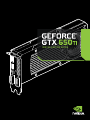
Note: The GeForce GTX 650 Ti card is double-wide so it will
require removing two slot covers.