1
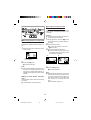
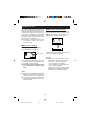
ABOUT TRACK NUMBERS
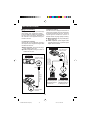
When recording, track numbers will be
created automatically.
(Auto marker function/Synchro marker
function)
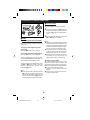
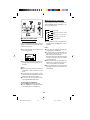
When recording from digital inputs:
(CDs/MiniDiscs only)
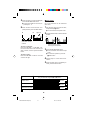
Track numbers will be created automatically
for each track at the same point where track
numbers already exist on the CD or
MiniDisc.
(Synchro marker function)
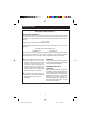
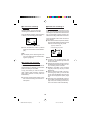
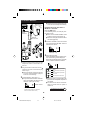
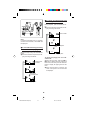
When recording from analogue inputs:
(Including digital inputs other than
CDs or MiniDiscs)
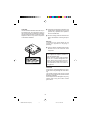
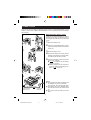
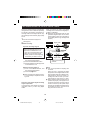
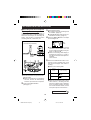
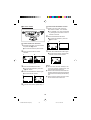
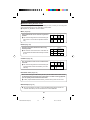
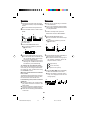
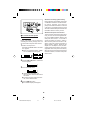
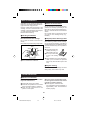
A new track number will automatically be
created whenever 1 second or more of silence occurs in the source.
(Auto marker function)
First track
Playback
side
About 1
second
Playback
side
Second track
Track A
First track
Recording
side
Silence
First
track
Second
track
Track B
Second track
Track A
Track B
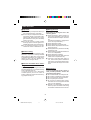
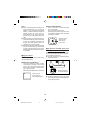
● If there is some noise in the “silent”
spaces from the source, the track numbers may not be created at the correct
position, depending on the contents of
the source being recorded.
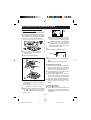
● You can also record a series of tracks
without using the auto marker function.
20
21
Track C
Third track
Track C
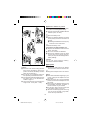
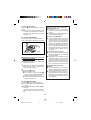
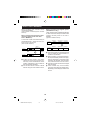
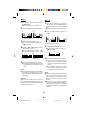
● The track numbers on the playback side
may not match the track numbers recorded on the MiniDisc.
● When recording, if a programmed playback is performed by the source or playback is performed by selecting tracks
manually, the MiniDisc track numbers
may not be the same as on the source.
● The track numbers can also be changed
after recording.
● Track numbers may not be created,
even when recording from digital inputs,
depending on the CD player used for the
source.
Recording
side
* MD-MT20H FOR UK(01-21)
Third track
99.3.11, 2:29 PM