1
Part names
2.3 Part names
STANDBY
/ON
1
2
INPUT
3
MENU
4
ADJUST
5
SET
6
<Terminals and power supply section>
(The terminals and power supply section are located at the back of the plasma
display main body.)
7
OFF
8
ON
REMOTE
9 0
OFF
RGB-2
ON 75 (Ω) 2.2k
G ON SYNC
SYNC
-
VD
=
~
!
@
#
HD
B
G
R
C
(H/V SYNC) RGB-1 (ON SYNC)
Y/C
$
%
^
Y
OUT
VIDEO
IN
&
*
(
RS-232C
<Control Panel>
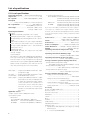
1 STANDBY/ON indicator
The indicator is red when in standby mode and turns
RGB-1 input terminals
0 Sync Signal Input Impedance switch (75 Ω/2,2 kΩ)
green when the power to the display is turned on.
2 STANDBY/ON button
- Vertical Sync Signal Input terminal: (75 Ω/2,2 kΩ,
switchable with the Sync Signal Input Impedance
Press to turn the power to the display on and off.
3 INPUT button
switch)
= Horizontal or Composite Sync Signal Input terminal:
Press to switch the various input functions.
4 MENU button
(75 Ω/2,2 kΩ, switchable with the Sync Signal Input
Impedance switch)
Press to enter the menu screen and exit from it.
5 ADJUST button
~ Blue Signal Input terminal: 75 Ω
! Green or Green with Sync Signal Input terminal (ON
Use the +/– buttons to adjust picture quality.
6 SET button
SYNC) :75 Ω
@ Red Signal Input terminal: 75 Ω
Press to finalize menu selections when adjusting
picture quality.
<Rear Panel Terminals/Connections to Power Source>
RGB-2 input terminals
7 Remote control out switch (ON/OFF)
This switch will output remote control commands from
the RGB-2 (D-SUB 15-pin) terminal to control external
peripheral devices planned for future sales release.
Normally be sure to use set to OFF.
8 MINI D-SUB 15-pin terminal
9 G on Sync mode selection switch (ON/OFF)
If the images become greenish when an external
device is connected to the RGB-2 input terminal, turn
ON the G on SYNC mode. Normally set to OFF.
8
Y/C input terminals
# Color Signal Input terminal: 75 Ω
$ Luminance Signal Input terminal: 75 Ω
VIDEO input/output terminals
% Video Output terminal: 75 Ω
^ Video Input terminal: 75 Ω
& Control Signal Input terminal (RS-232C)
* AC inlet
( MAIN POWER switch