1
OPERATION
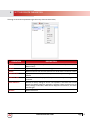
DESCRIPTION
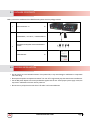
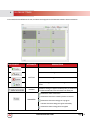
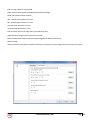
Change TX
User can select which TX (source to be displayed) from the search devices on each
Monitor- Matrix /Videowall Function
Change RX
User can select which RX (Monitor) to be configured Matrix/Videowall Function
Remove TX
Deletes the TX source from the search devices below in the devices column.
Remove RX
Deletes the RX Monitor from the search devices below in the devices column.
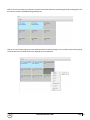
Select All
This selects all the Cells in the Scene window dialog box.To perform quick and easy
split function (1) one TX to all Monitors
Combine
After all is selected this function combine al the cells to enable the Videowall Mode.
Split
This function cancels the combine function to re-enable the Matrix Mode and have
each monitor single.
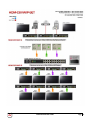
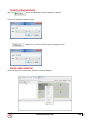
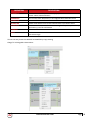
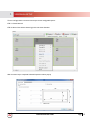
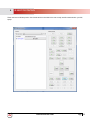
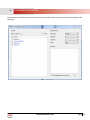
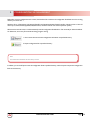
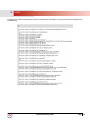
The user can easily choose what SOURCE or MONITOR by simply choosing:
Change TX or Change RX as shown below:
www.avenview.com
Page
18