1
N
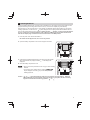
5 Tax Programming
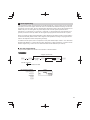
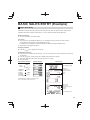
If you program the VAT/tax, the cash register can calculate the sales tax. In the VAT system, the tax is included
in the price you enter in the register, and the tax amount is calculated when tendered according to the VAT rate
programmed. In the tax system, the tax is calculated when tendered according to the tax rate programmed, and
added to the price. The cash register can provide totally 6 kinds of VAT/tax systems (automatic VAT1-4,
automatic tax 1-4, manual VAT 1-4, manual VAT 1, manual tax 1-4, and automatic VAT1 and automatic tax 2-4
systems) and 4 kinds of rates. By default, the cash register is pre-programmed as automatic VAT1-4 system.
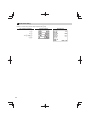
When you program tax rate(s) and taxable status for each department (by default, VAT1/tax1 is set to taxable.),
tax will be automatically added to sales of items assigned to the department according to the programmed tax
status for the department and the corresponding tax rate(s).
For details of the tax systems, refer to “Computation of VAT (Value Added Tax)/tax” section in “FULL DETAILED
INSTRUCTION MANUAL”. To change the tax system, please refer to “Other programming” of “Various Function
Selection Programming 1” section in “FULL DETAILED INSTRUCTION MANUAL” (Job code 69).
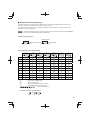
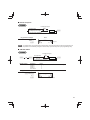
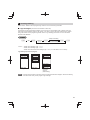
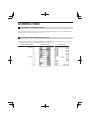
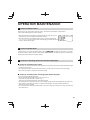
■ Tax rate programming
The percent rate specified here is used for tax calculation on taxable subtotals.
To program other kind of tax
To program “0.0000”
s
9
@
Tax number
(1 to 4)
@
*Tax rate
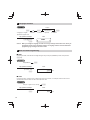
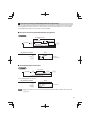
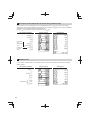
To delete a tax rate
v
s
A
*Tax rate: YYYYYYY
Tax rate=0.0000 to 100.0000
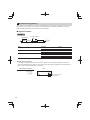
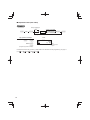
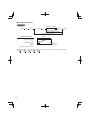
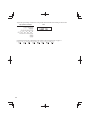
Key operation example
Print
s9@
2@
0070000
s
A
13