1
9
Renders video to MPEG-2
intra-frame format with alpha using the 4:2:2 Profile @ Main Level at a
selected data rate (SD resolution only).
$
Matrox MPEG-2 I-frame + Alpha
$
Matrox MPEG-2 I-frame HD
$
Matrox MPEG-2 I-frame HD + Alpha
$
Matrox Uncompressed SD
uncompressed SD format.
$
Matrox Uncompressed SD + Alpha
uncompressed SD format with alpha.
$
Matrox Uncompressed HD
Renders video to MPEG-2 intra-frame
format using the 4:2:2 Profile @ High Level at a selected data rate.
Renders video to MPEG-2
intra-frame format with alpha using the 4:2:2 Profile @ High Level at a
selected data rate.
Renders video to 8-bit or 10-bit
Renders video to 8-bit or 10-bit
Renders video to 8-bit or 10-bit
uncompressed HD format.
¦
$
Matrox Uncompressed HD + Alpha
uncompressed HD format with alpha.
$
Matrox Offline HD
Renders video to 8-bit or 10-bit
Renders video to a proxy HD video format for
offline editing purposes.
Note The Matrox M-JPEG codec will also be available to create clips for
use on Matrox DigiSuite or DigiSuite LE. For information about configuring
the Matrox M-JPEG codec, see your Matrox DigiSuite documentation.
2 If you’ve selected a Matrox codec that requires configuration, such as to
select a data rate (video quality), click the Configure button. For details, see
the following sections.
Configuring the Matrox Uncompressed codecs
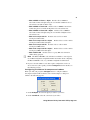
When you click your program’s Configure button to configure a Matrox
Uncompressed (SD or HD resolution, with or without alpha), a dialog box
similar to the following appears:
1 Under Bit Depth, select the bit depth you want for your video.
2 Under Scan Mode, select the scan mode of your video.
Using Matrox M.Key/100 with VFW programs