1
Introduction
Key Features
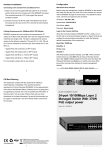
Micronet SP3508A is an EoVDSL (Ethernet over VDSL)
• Compliant with ETSI, ITU, ANSI standards
clustering switch that aggregates 8 VDSL lines into 2 Gigabit
Ethernet uplinks. It delivers cost-effective and high-performance
• Compliant with IEEE802.3 10BASE-T, IEEE802.3u 100BASE• TX and IEEE 802.3ab 1000BASE-T standards
broadband / multimedia services to multiunit building
environments, such as enterprise, campus, hospital, hotel, and
telecom. With QAM-based 4-band VDSL technology, the VDSL
solution dramatically extends Ethernet and supports
• Support 8 x RJ-11 VDSL ports and 8 x RJ-11 POTS ports
• Support 2 x RJ-45 ports of 10/100/1000M for Gigabit uplink
• QAM-based 4-band VDSL
5M/15M/25Mbps symmetrical bandwidth over existing
• Data rate up to symmetrical bandwidth of 25Mbps
telephone-grade wiring up to 1.7 /1.1/0.6KM.
• Wiring range up to 1.7 KM
• Auto-speed function for VDSL link
Package Contents
Prior to the installation of the device, please verify the following
• Built-in POTS/ISDN splitter for POTS/ISDN telephone service
• Support detection of wiring quality with SNR(Signal to Noise
items are in the package:
• Ratio) indications
• SP3508A VDSL Managed Switch
• Full function of Layer 2 managed switch: IEEE 802.1q/p Tag-
• Quick Installation Guide
• based VLAN, IEEE 802.1v Protocol-based VLAN,
• Manual CD
• IEEE802.3ad LACP, IEEE 802.1d Spanning tree, IGMPv2,
• Mounting Accessories
• MAC/IP filtering, Port Mirror, and Broadcast Storm Control
• AC Power Cord
• SNMPv1 and MIBs support: Bridge MIB, Ethernet MIB, MIB II
• Support management via Console Port, Telnet and Web• Based
1
2
LED definition
Physical Description
LED
Status
Operation
PWR
Steady/Green
Device is powering on or reset
ok
Steady/Green
Light on when device is
booting
Off
Turn off when booting is
finished
Steady/Green
Each VDSL port has a LED and
lights up to show good linkage
Steady/Green
Light up steadily to show good
linkage at 10 Mbps
Flash/Green
Flashing to show data
transmission
Steady/Green
Light up steadily to show good
linkage at 100 Mbps
Flash/Green
Flashing to show data
transmission
Steady/Green
Light up steadily to show good
linkage at 1000 Mbps
Flash/Green
Flashing to show data
transmission
(Power LED)
POST
(Power On Self
Testing)
Modem Connectors
Connectors
Description
Type
VDSL (1~8)
Connecting to the VDSL Modem via
a RJ-11 cable
RJ-11
POTS (1~8)
Connecting to the telephone, Fax or
ISDN modem
RJ-11
LINK
(VDSL LED)
10/ACT
Gigabit Ethernet Connecting to an Ethernet network
device
Reset
RJ-45
(Ethernet LED)
Restart the switch
100/ACT
Cabling Requirements
(Ethernet LED)
Connection Type
Cable Requirements
Maximum Length
Ethernet Port
(RJ-45)
100 Mbps: Cat 5 UTP
100 meters max
for MUX or HUB
to endpoint.
10 Mbps: Cat 3-4 UTP
1000/ACT
(Ethernet LED)
VDSL Port
(RJ-11)
18-26 Gauge phone wiring. 5M/5M: 1.7km
Do not recommend 28 or
above Gauge.
3
15M/15M: 1.1km
25M/25M: 600m
4