1
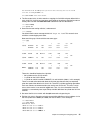
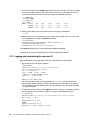
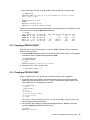
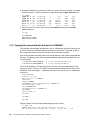
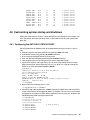
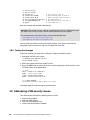
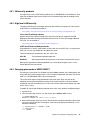
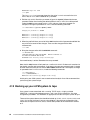
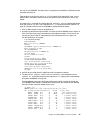
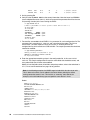
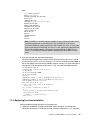
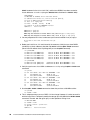
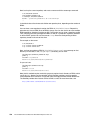
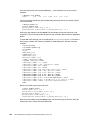
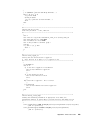
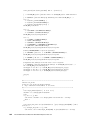
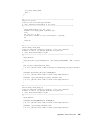
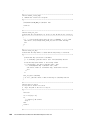
12.1.6 Apache resources The following Web sites contain additional information about Apache: http://www.samspublishing.com/articles/article.asp?p=30115&seqNum=4 http://www.sitepoint.com/article/securing-apache-2-server-ssl http://www.securityfocus.com/infocus/1786 12.2 Creating a virtual LDAP server The Lightweight Directory Access Protocol (LDAP) is commonly implemented using the OpenLDAP package, which comes standard with most Linux distributions. Among other directory functions, OpenLDAP allows for centralized login authentication and user and group ID resolution. In this section you will install Linux manually and set up login authentication to a new virtual LDAP server. Then you will go back to the virtual Web server you just created and point it to the new LDAP server. The following steps are documented in this section: Cloning a Linux virtual server Installing the OpenLDAP server Configuring the OpenLDAP server Migrating existing users to LDAP Configuring an LDAP client Adding new user accounts 12.2.1 Cloning a Linux virtual server Start an SSH session as root to the controller and clone the golden image to the LINUX02 user ID: # clone rhel52 linux02 100-101 Invoking CP command: QUERY rhel52 Invoking CP command: QUERY linux02 This will copy disks from rhel52 to linux02 Host name will be: virtc532.itso.ibm.com IP address will be: 9.12.5.32 Do you want to continue? (y/n): y ... Booting linux02 Successfully cloned rhel52 to linux02 You should now have a fresh RHEL 5.2 system running on LINUX02. 12.2.2 Installing the OpenLDAP server Start an SSH session to the IP address of the new virtual server running on LINUX02. Use the yum command to install the OpenLDAP client and server RPMs: # yum -y install openldap-clients openldap-servers ... ============================================================================= Package Arch Version Repository Size 164 The Virtualization Cookbook for Red Hat Enterprise Linux 5.2