1
Installation
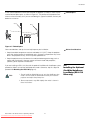
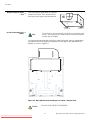
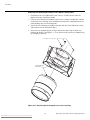
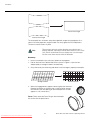
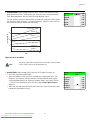
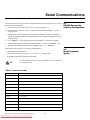
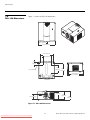
In rear-screen applications where space behind the projector is limited, a mirror may be
used to fold the optical path, as shown in Figure 3-5. The position of the projector and
mirror must be accurately set. If you are considering this type of installation, contact your
dealer for assistance.
Folded Optics
Screen
Figure 3-5. Folded Optics
EL
IM
IN
A
R
Y
Mirror
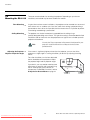
Other considerations and tips that can help improve your installation:
Other Considerations
• Keep the ambient temperature constant and below 35°C (95°F). Keep the projector
away from heating and/or air conditioning vents. Changes in temperature may cause
drifts in the projector circuitry, which may affect performance.
• Keep the projector away from devices that radiate electromagnetic energy such as
motors and transformers. Common sources of these include slide projectors,
speakers, power amplifiers and elevators.
Note
PR
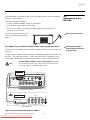
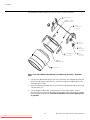
If you are installing an RS-1100 Ultra with the optional CineWide with AutoScope system,
proceed as follows to install the AutoScope lens motor. Otherwise, skip this step and
proceed with Mounting the RS-1100 (page 24).
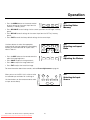
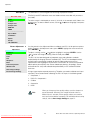
1. Do not install the CineWide lens yet, only the AutoScope lens
motor. You will install the CineWide lens after you install the
projector and adjust the primary lens.
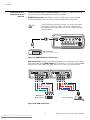
2. Some components may differ slightly from what is shown in
these instructions.
Runco RS-1100 Series Owner’s Operating Manual
Downloaded From projector-manual.com Runco Manuals
21
3.4
Installing the Optional
CineWide/AutoScope
Lens Motor (RS-1100
Ultra only)