1
Downloading Cutting Data
Cutting starts when the machine receives cutting data sent from the computer.
NOTICE
If the material becomes dislodged or there is a problem in operation, then immediately press the [PAUSE] key
or turn off the power switch on the right side of the machine.
The CAMM-1 driver is necessary to perform cutting with this machine using data created by another program.
The CAMM-1 driver is found on the included CD-ROM. For information on how to install it, take a look at the included Setup
Guide.
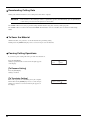
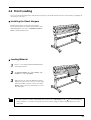
To Sever the Material
With this machine, it is possible to cut off the material after performing cutting.
Holding down the [SHEET CUT] key for 0.5 seconds or longer severs the material.
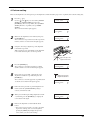
Pausing Cutting Operations
If you want to pause cutting, follow the procedure described below.
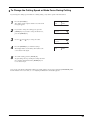
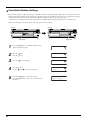
Press the [PAUSE] key.
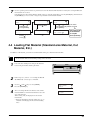
Cutting is paused and the screen shown in the figure appears
on the display.
CONTINUE
STOP
PAUSE
ENTER
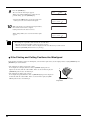
[To Resume Cutting]
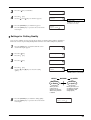
Press the [PAUSE] key.
Cutting is resumed.
[To Terminate Cutting]
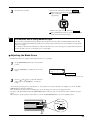
First of all, stop the flow of data being sent by the computer.
Then hold down the [ENTER] key for 0.5 seconds or longer.
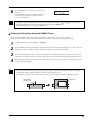
Cutting stops and the screen shown in the figure appears on
the display.
28
20cm/s
50gf 0.250mm
A