1
IVX 128 Plus: additional features
Enter remote-access IP address
The remote-access IP address is the address the Remote IP Feature Phone and other IP PBXs connected
via Esi-Link will use to access the local IP PBX. (If remote access to the IP PBX is not planned, this
parameter can be left at default.) If a gateway device is used to connect an IP PBX on a private network
to a public or WAN connection, the remote access IP address is the public or WAN address of the
gateway. If a public IP address is assigned as the PBX Private IP Address, the same IP address will be
entered here.
Enter the remote-access IP address in dotted-quad notation, using the # key as the dot between the
octets. Press # again when finished.
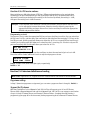
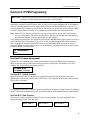
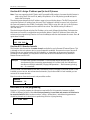
RMT ACCESS IP
0.0.0.0
Assign UDP port
UDP ports are used to provide security to the system; only traffic destined for a specific UDP port will be
allowed to pass through the gateway device. The administrator will choose a UDP port range 10000–
65000, inclusive, but will enter only the first two digits of that range. For example, the range of 10000–
10999 would be entered as 10; the range of 56000–56999 would be entered as 56. The default is 59.
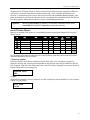
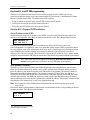
BASE UDP PORT
??000: 59
The IP PBX will automatically be assigned the first port in that range (in this example, 59001) and the IP
phones will automatically have their extension number appended to the first two digits (e.g., extension
123 will be assigned a UDP port of 59123). In fact, upon entering the second digit of the base number
(in this case, the 9), the display will automatically populate the remaining three places in the number
with the digits 001. Press # when finished.
Note that only the first 195 ports within that range are actually used. The gateway router will need to be
programmed to open UDP ports xx001–xx195, inclusive, where xx represents the two-digit number that
designates the UDP port range.
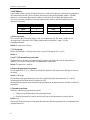
Example:
The System Administrator for IP PBX 705 in Chicago realizes that he is already using
UDP port 59123, which falls in the default range, so he decides instead to use 56000
as the base UDP port. He will use F82 to assign that range by pressing 5 6 #. The IP
PBX will automatically be assigned a UDP port of 56001. Extension 100 will
automatically be assigned a UDP port 56100, x121 will have a UDP port of 56121,
and so on. (In a multisite environment, the administrator in Chicago must ensure that
all other administrators in the company know that he is using 56000 as his base UDP
port, so that they can program their IP PBXs accordingly.)
17