1
Chapter 5 – Gatekeeper Software
Calls
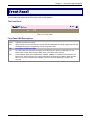
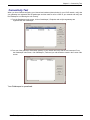
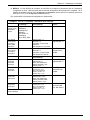
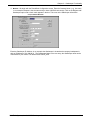
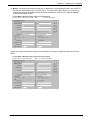
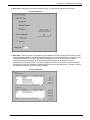
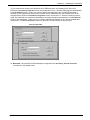
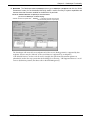
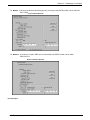
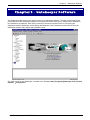
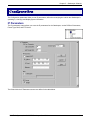
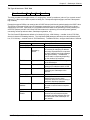
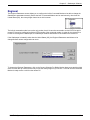
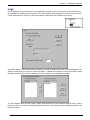
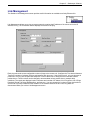
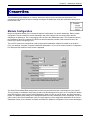
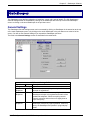
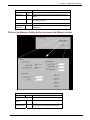
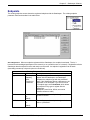
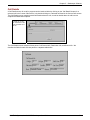
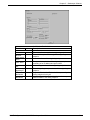
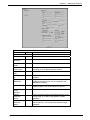
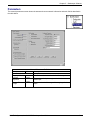
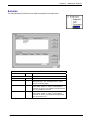
The current calls are displayed in the Current Calls screen with the originating IP address, the originating alias
name, and the destination IP address. The details of a current call can be viewed by clicking on the Call Details
button. The current calls are displayed in the following screens and described in the tables below.
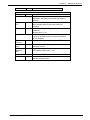
The Calls window displays a list of all the calls currently taking place and the basic details of the calls:
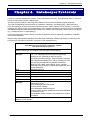
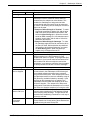
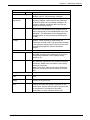
Field Name
No
ORIG IP
Values
numeric
n.n.n.n
0-255
ORIG ALIAS
DEST IP
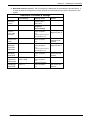
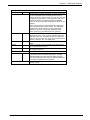
Current Calls Field Definitions
Description
Number. A sequential number for identification in the
list.
Originating IP Address. IP Address of endpoint
originating the call.
Originating Alias. The first alias given by the call’s
origin. The H.323 ID alias of the endpoint originating
the call.
n.n.n.n
0-255
Destination IP Address. The IP Address of the
endpoint completing the call.
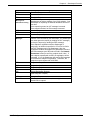
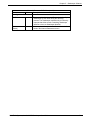
Disconnect
Call (button)
Disconnects the selected call.
Disconnect
All (button)
Causes all current calls to disconnect.
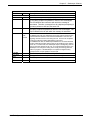
Call Details
Launches Call Details screen that presents technical
particulars of an ongoing call.
Multi-Tech Systems, Inc. MultiVOIP Gatekeeper User Guide
69