1
17. Driver and Flash Update
17.1 Driver Installation
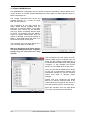
First fit the card (see 5. Hardware Installation), then switch on the computer and install the drivers from the RME Driver CD. The driver file is located in the folder HDSPe FX. Installation
works automatically by a double-click on the file hdspe_fx.pkg.
RME recommends to download the latest driver version from the RME website. If done, the
procedure is as follows:
Double-click onto hdspe_fx_mac_xxx.zip to expand the archive file to the folder
hdspe_xxx_mac which includes the driver file hdspe_fx.pkg. Installation works automatically
by a double-click on this file. Reboot the computer when installation is done.
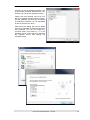
During driver installation the programs HDSPe FX Settings and Totalmix (TotalMix FX) are
copied to the Applications folder. They will automatically start into the dock.
Driver Updates do not require to remove the existing drivers. Simply install the new driver over
the existing one.
17.2 De-installing the Drivers
In case of problems the driver files can be deleted manually by dragging them to the trash bin:
/Applications/Totalmix
/Applications/HDSPe FX Settings
/Library/Audio/MIDI Drivers/HDSPe FX MIDI.plugin
/System/Library/Extensions/HDSPe_FX.kext
/Users/username/Library/Preferences/RME TotalMix FX folder
/Users/username/Library/Preferences/de.rme-audio.TotalmixFX.plist
/Users/username/Library/Preferences/com.rme.HDSPe FX Settings.plist
/Library/LaunchAgents/de.rme-audio.hdspe_FX_Launcher.plist
Under the latest Mac OS the User/Library folder is not visible in the Finder. To unhide it start
Finder, click on the menu item Go. Hold down the option (alt) key, then click on Library.
17.3 Firmware Update
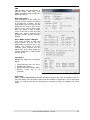
The Flash Update Tool updates the HDSPe MADI FX card to the latest firmware version. It requires an already installed driver.
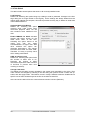
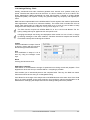
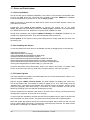
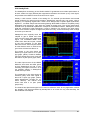
Start the program HDSPe FX Flash Update. The Flash Update Tool displays the current revision of the HDSPe card, and whether it needs an update or not. If so, then simply press the
'Update' button. A progress bar will indicate when the flash process is finished. The bar moves
slowly first (program), then faster (verify). If more than one card is installed, all cards can be
flashed by changing to the next tab and repeating the process.
After the update the PCI Express card needs to be reset. This is done by powering down and
shutting off the computer. A warm boot is not enough!
To reduce the time needed for the flash process the tool updates only the parts of the firmware
that are present in a newer version. The option Flash All forces the tool to update all parts.
When the update fails (status: failure), the card's second BIOS will be used from the next cold
boot on (Secure BIOS Technology). Therefore the card stays fully functional. The flash process
should then be tried again on a different computer.
28
User's Guide HDSPe MADI FX © RME