1
25.5.1 View Options
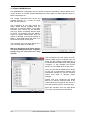
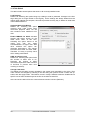
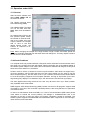
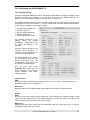
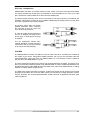
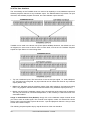
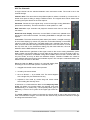
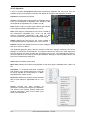
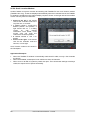
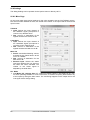
View Options. This area combines different functions of routing, the level meters and the mixer view.
Routing Mode
¾
Submix. The Submix view (default) is the preferred view and delivers
the quickest overview, operation and understanding of TotalMix. The
click on one of the Hardware Output channels selects the respective
submix, all other outputs are darkened. At the same time all routing
fields are set to this channel. With Submix view, it is very easy to
generate a submix for any output: select the output channel, then
adjust the fader and pans of first and second row – finished.
¾
Free. The Free view is for advanced users. It is used to edit several
submixes simultaneously, without the need to change between them.
Here one works with the routings fields of the input and playback
channels only, which then show different routing destinations.
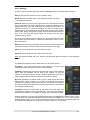
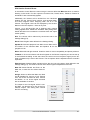
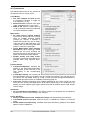
Level Meters
¾
Post FX. Switches all level meters before (pre) or after (post) the effects. Level changes by
these can be easily checked using this feature. Additionally the input signal can be checked
for overloads. It is recommended to use Post FX as default setting, as the extreme reduction of a signal by LC/EQ is very seldom. Also all over displays of all level meters operate
both pre and post, efficiently preventing overloads going unnoticed.
¾
RMS. The numerical level display in the channels displays peak or RMS.
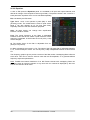
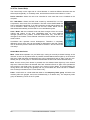
Show
¾
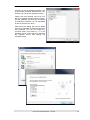
FX. Opens the window to set up the effects Reverb and Echo.
¾
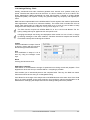
Trim. Activates all Trim buttons on all channels. TotalMix thus behaves like a conventional,
simple mixing desk. Each fader affects all active routings of the channel simultaneously, as
if the fader were a trim-pot in the hardware input.
¾
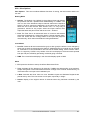
2 Row. Switches the mixer view to 2 rows. Hardware Inputs and Software Playbacks are
placed side by side. This view saves a lot of space, especially in height.
¾
Names. Display of the original names of channels when they had been renamed by the
user.
User's Guide HDSPe MADI FX © RME
53