1
3. Program and Operation
3.4.4 Image Setup
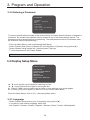
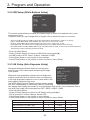
IMAGE SETUP
MI R R O R : N O R MAL
SAVE
BAC K
: O PEN
: C LO SE
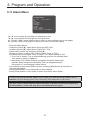
This menu is for changing displayed image settings.
- Enter into {Main Menu}
- Select {Display} and move to {Image Setup} using joystick[▶].
- Using joystick [▶], Normal image, Horizontal image, Vertical image or
H / V image can be selected.
- Press [Open] button or use joystick to save settings.
- Press [Close] button or use joystick to return to previous menu (Back).
3.4.5 MD(Motion Detection)
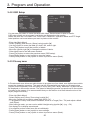
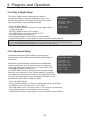
MOTION DETECTION
MD : O F F
SEN SI T I VI T Y :
ALAR M :
AT I ME :
SAVE
BAC K
: O PEN
: C LO SE
The dome camera can monitor the movement of image, and it sends an alarm message with
OSD and Alarm Out action. The level for sensitivity can be changeable.
* Note: To stop alarming temporarily (about 10sec), press [ESC] button or [96+preset].
- Set sensitivity for 0~100. The higher value, the more sensitive.
- Set alarm mode for OSD/Alarm out/Both using joystick.
- Press [Open] button or use joystick to save settings.
- Press [Close] button or use joystick to return to previous menu (Back).
3.4.6 Resolution Setup
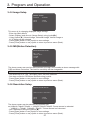
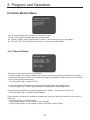
RESOLUTION SETUP
R ESO LU T I O N : 1080P30H z
SAVE
BAC K
: O PEN
: C LO SE
The dome camera can be rebooted by resolution set.
ex)1080p30,720p60,720p30 -> 1080p25,720p50,720p25 : Dome camera is rebooted.
1080p30 -> 720p60 , 1080p25->720p50 : Dome camera isn't rebooted.
- Set a Resolution using the joystick [▶].
- Press [Open] button or use joystick to save settings.
- Press [Close] button or use joystick to return to previous menu (Back).
21