1
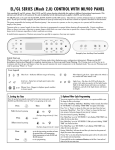
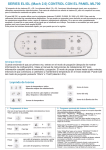
EL/GL SERIES (Mach 3) CONTROL WITH ML400 PANEL
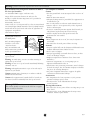
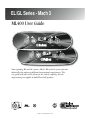
The ML400 panel can be used as a main panel
with the EL2000 and EL1000 systems, but only as a
remote/additional panel for the EL8000 and EL5000
systems. This reference card lists all features that are
available. Your spa may not respond as described in this
document as specific operation varies by system and
equipment used. If your spa is not fully equipped, the
panel buttons on your spa control may not be laid out
as shown. Functions not accessible by this panel may
be accessible by a larger panel such as the ML700 or
the ML900. One such example: This panel can be used
with EL2000 systems equipped with two pumps plus a
blower, but the blower cannot be controlled with this
panel unless the system does not have a pump 2. In
this case, the blower can be controlled with an optional
auxiliary panel.
The pump responsible for heating and filtration (pump 1
low on non-circ systems, or the circ pump on circ
systems) will be referred to simply as the pump.
Timeouts refer to a preset length of time that a
function is programmed to operate before shutting off
automatically. Certain conditions (filters or freeze) can
cause a function to operate longer, while faults can
cause a function to operate for a shorter length of time.
The system keeps track of timeouts regardless of other
conditions occurring.
In multi-button sequences, if buttons are pressed too
quickly in sequence, they may not register.
Table of Contents
EL/GL SERIES (Mach 3) CONTROL
Initial Start-up . . . . . . . . . . . . . . .
Temp Set . . . . . . . . . . . . . . . . . .
Temp . . . . . . . . . . . . . . . . . . . . .
Mode . . . . . . . . . . . . . . . . . . . . . .
Standby Mode . . . . . . . . . . . . . . .
Jets . . . . . . . . . . . . . . . . . . . . . . .
Jets 2 . . . . . . . . . . . . . . . . . . . . .
Blower . . . . . . . . . . . . . . . . . . . .
Circ Pump . . . . . . . . . . . . . . . . . .
Light . . . . . . . . . . . . . . . . . . . . . .
Ozone . . . . . . . . . . . . . . . . . . . . .
Clean-up Cycle . . . . . . . . . . . . . .
.
.
.
.
.
.
.
.
.
.
.
.
.
.
.
.
.
.
.
.
.
.
.
.
.
.
.
.
.
.
.
.
.
.
.
.
.
.
.
.
.
.
.
.
.
.
.
.
.
.
.
.
.
.
.
.
.
.
.
.
.
.
.
.
.
.
.
.
.
.
.
.
.
.
.
.
.
1
1
2
2
2
2
2
2
2
2
3
3
3
Initial Start-up
When your spa is first actuated, it will go into Priming
mode (after displaying some configuration information).
Please see the M-7 Installation Instruction Manual for
complete instructions on Power-up and Pump Priming.
Freeze Protection . . . . . . . . . . . . . . . .
Locking Features . . . . . . . . . . . . . . . . .
Preset Filter Cycles . . . . . . . . . . . . . . .
Displaying Information About Your Spa
User Preferences . . . . . . . . . . . . . . . . .
Editing User Preferences . . . . . . . . . . .
Periodic Reminder Messages . . . . . . . .
GFCI Protection . . . . . . . . . . . . . . . . . .
GFCI Trip Test Procedure . . . . . . . . . .
Diagnostic Messages . . . . . . . . . . . . . .
Optional Auxiliary Panels . . . . . . . . . .
Basic Installation Guidelines . . . . . . . .
CSA Compliance . . . . . . . . . . . . . . . . .
.
.
.
.
.
.
.
.
.
. 3
. 3
. 3
. 3
. 4
. 4
. 5
. 5
. 5
6-7
.. 8
.. 9
.. 9
then the spa will begin to heat and maintain the water
temperature in the Standard mode. You can exit Priming
mode early by pressing “Temp”.
The Priming mode will last for up to 4 minutes and
Page 1