1
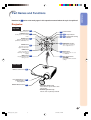
refer to the main pages in this operation manual where the topic is explained.
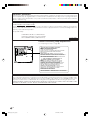
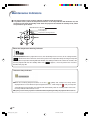
Projector (Rear View)
Terminals
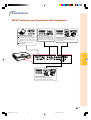
Refer to “INPUT Terminals and Connectable Main Equipment” on page 19.
INPUT 2 terminal
21
24
Component signals.
INPUT 1 terminal
Connect video
equipment.
21
Component signals.
24
Digital input type switch
22
23
INPUT 5/DIGITAL
terminal
22
25
23
26
25
7
Rear adjustment feet
RS-232C terminal
(Serviceman only).
53
31
INPUT 3 terminal
Connect video
equipment with an
S-video terminal.
26
7
53
Intake vent
INPUT 4 terminal
Exhaust vent
The speed and pitch of
the cooling fan may
change during operation
in response to internal
temperature changes.
This is normal operation
and does not indicate a
malfunction.
13
Remote control sensor
11
Kensington Security
Standard connector
28
AC socket
Connect the supplied
Power cord.
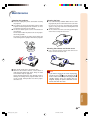
Using the Kensington Lock
• This projector has a Kensington Security Standard connector for use with a Kensington MicroSaver Security
System. Refer to the information that came with the system for instructions on how to use it to secure the
projector.
-11
DT400_E_P06_15.p65
11
04.10.18, 1:14 PM
Introduction
Numbers in