1
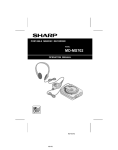
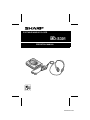
PORTABLE MINIDISC PLAYER
MODEL
MD-S301
OPERATION MANUAL
MD-MS200-HYOSHI
INTRODUCTION
Thank you for purchasing this SHARP product.
To obtain the best performance from this product please read this manual carefully.
It will guide you in operating your SHARP product.
CONTENTS
Page
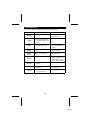
ACCESSORIES ...................................... 1
SPECIAL NOTES ................................... 2
PRECAUTIONS ................................... 3-4
NAMES OF CONTROLS AND
INDICATORS ....................................... 5
POWER SOURCE ............................... 6-7
PLAYING A MINIDISC ........................ 8-9
CONVENIENT PLAYBACK
FUNCTIONS ................................. 10-12
Page
CONVENIENT OPERATION
OF THE UNIT ................................13-15
USING EXTERNAL UNITS ...................16
WHAT IS A MINIDISC? ........................17
TROUBLESHOOTING .....................17-18
ERROR MESSAGES ............................19
MAINTENANCE ....................................20
SPECIFICATIONS ...........................20-21
LIMITED WARRANTY .......... Back cover
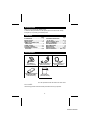
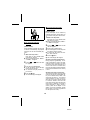
ACCESSORIES
AC Adaptor x 1
[RADPA3406AFZZ]
Remote Control Unit x 1
[RRMCW0024AFZZ]
Rechargeable lithium-Ion
Battery (AD-S30BT)
[UBATi0060AFSA]
Carrying Bag x 1
[UBAGC0076AFSA]
Stereo Headphones x 1
[RPHoH0168AFZZ]
Note:
Parts and equipment mentioned in this operation manual other than those shown above
are not included.
US and foreign patents licensed from Dolby laboratories licencing Corporation.
1
MD-MS200-ENGLISH
SPECIAL NOTES
● Contains Lithium-Ion Battery. Must be
Disposed of properly. Contact Local
Environmental Officials for disposal instructions.
Caution - use of controls or adjustments or performance of procedures other than those specified
herein may result in hazardous
radiation exposure.
FOR YOUR RECORDS
For your assistance in reporting this unit in case of loss or theft, please record below
the model number and serial number which are located on the bottom of the unit.
Please retain this information.
Model number
Serial number
Date of purchase
Place of purchase
Note:
This equipment has been tested and found to comply with the limits for a Class B digital
device, pursuant to Part 15 of the FCC Rules.
These limits are designed to provide reasonable protection against harmful interference
in a residential installation.
This equipment generates, uses, and can radiate radio frequency energy and, if not
installed and used in accordance with the instructions, may cause harmful interference
to radio communications.
However, there is no guarantee that interference will not occur in a particular installation.
If this equipment does cause harmful interference to radio or television reception, which
can be determined by turning the equipment off and on, the user is encouraged to try to
correct the interference by one or more of the following measures:
● Reorient or relocate the receiving antenna.
● Increase the separation between the equipment and receiver.
● Connect the equipment into an outlet on a circuit different from that to which the
receiver is connected.
● Consult the dealer or an experienced radio/TV technician for help.
WARNING
FCC Regulations state that any unauthorized changes or modifications to this equipment
not expressly approved by the manufacturer could void the user’s authority to operate
this equipment.
2
MD-MS200-ENGLISH
PRECAUTIONS
■ Important
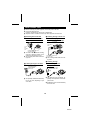
■ Storing the unit
● Do not wear your headphones when
you are crossing streets or near traffic.
● Do not use your headphones while
driving a motor vehicle, it may create a
dangerous traffic hazard and may be
illegal. Remember to obey all of the
safety rules in your area.
● Do not play the unit at a high volume.
Hearing experts advise against extended play at high volume levels.
● If you experience ringing in your ears,
reduce the volume or discontinue use.
Avoid using or leaving the unit in the
following places.
● Places exposed to direct sunlight for
many hours (especially in cars with the
doors and windows closed) or near
heaters.
(The cabinet may deform, change color
or the unit may malfunction).
● Places exposed to water.
● Places exposed to excessive dust.
● Places where temperatures are excessively high or low.
● Places (bathrooms) where the humidity
is extremely high.
● Places with strong magnetic fields such
as TVs or loudspeakers.
● Places exposed to vibration.
● Places where sand can easily enter the
inside of the unit (beaches etc.).
● If the unit is used near radio tuners or
TVs, noise and/or picture interference
may result. If you experience these
problems, move the unit away from
such devices.
■ Volume setting
Reduce the volume before starting to play.
MiniDiscs, compared to ordinary cassette
tapes, have very little noise. If the volume
is adjusted according to your usual expectations of noise, you may damage your
hearing due to the high volume.
■ Concern for others when
listening to MiniDiscs
■ Precautions
To avoid accidental electric shock or
other possible problems, observe the
precautions listed below.
● Do not disassemble or modify the unit.
● Do not drop or subject the unit to shock.
● Do not use the unit near open flames.
● Do not spill liquid on the unit.
● Do not use an external power supply,
other than the 5V DC supplied with this
unit, as it may damage it.
● SHARP is not responsible for damage
due to improper use. Refer all servicing
to a SHARP authorized service center.
While listening to music, the sound escaping from your headphones may disturb
people around you.
If you are using the unit in particularly
crowded places (such as on trains or
buses), reduce the volume to avoid annoying people around you.
3
MD-S301
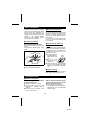
■ Notes about the rechargeable battery
● A rechargeable lithium-ion battery is
the only kind that can be used.
Even if the battery supplied with the
unit is not used, you should charge it at
least once every three months because
of the special quality of this battery.
● The rechargeable battery can be
charged approximately 300 times.
● Do not use any battery other than that
specified. Use of other batteries may
cause malfunctions.
● When the operating time is reduced to
about half the normal amount of time,
even after a full charge is performed,
replace the battery with a new one.
● When charging or when using the rechargeable battery, use it within an ambient temperature range of 41°F - 95°F
(5°C - 35°C ).
● If the rechargeable battery is used in a
cold environment, the operating time
will decrease.
Since the rechargeable battery is
vulnerable to damage, please note the
following.
● Do not carry the battery in your pocket
or in a bag together with metal objects
(keys, coins, jewelry, etc.).
The battery may short out and generate
significant amounts of heat.
● Do not short-circuit the terminals as
they will become very hot and will damage the battery.
● Do not dip the battery in water, do not
dispose of it in a fire, and do not take it
apart.
To avoid damaging the battery and
shortening its service life, please note
the following.
● Do not drop or subject the battery to
shock.
● Do not insert objects (metal etc.) into
the battery compartment of this product
or into the rechargeable battery. Do not
get the terminals dirty. If the rechargeable terminals are dirty, the operating time may be shortened or it may
not be possible to charge the battery.
4
MD-S301
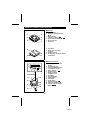
NAMES OF CONTROLS AND INDICATORS
■ Main unit
1
4
2
5
3
6
7
1. Volume Buttons: +, –
2. Stop/Power Off/Charge Button:
■:OFF
3. Power Indicator
4. Fast Reverse Button:
5. Play/Fast Forward Button: /
6. 5V DC Input Jack
7. Eject Lever
5
8. Hold Switch
9. Battery Case Connection
Terminals
10. Headphones Jack
11. Rechargeable Lithium-Ion Battery
Compartment
8
10
11
9
04
■ Remote control unit
1. Character/Time Information
Display
2. Disc Mode Indicator
3. Total Track Number Display
4. Track Number Indicator
5. Battery Indicator:
6. Repeat Indicator:
7. Random Indicator
8. Headphones Jack
9. Hold Switch
10. Play Mode Button
11. Volume Buttons: +, –
12. Bass Button
13. Display Button
14. Play/Pause Button:
15. Stop/Power Off Button: ■
16. Fast Reverse/Fast Forward
Buttons:
/
1
1
RANDOM
2
TOTAL
3
4
5
6
7
R
8
9
13
06
10
14
11
54
15
16
12
5
MD-S301
POWER SOURCE
This unit can be used with 4 different power sources: a rechargeable battery, an AC
adaptor, an optionally available battery case (AD-S30BC), and an optionally available car
adaptor (AD-CA20X).
■ Rechargeable battery power
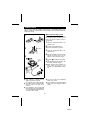
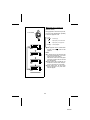
1
OPEN
When the rechargeable battery is used for
the first time or when you want to use it
after a long period of disuse, be sure to
charge it fully.
EN
OP
1 Open
the rechargeable battery compartment cover.
2 Insert the rechargeable battery.
2
● Insert the side with the arrow first.
Mark
OPEN
3 Close the rechargeable battery compartment cover.
4 Plug the AC adaptor into the AC outlet,
and then insert the plug on the AC
adaptor cord into the DC IN 5V jack.
5
OFF
5 Press the ■:OFF button to begin charg-
To the
DC IN 5V
jack
POWER
ing.
● The POWER indicator will flash, and
the battery will begin charging.
● Battery charging will be complete in 3
hours. When the battery is fully
charged, the POWER indicator will go
out.
4
Insert
securely,
all the way
in.
AC 120V, 60 Hz
Notes:
● After charging is complete, the AC
adaptor may be left connected.
(For example, when charging at night)
● The battery will not be charged whenever the power to the main unit is
turned on.
● If the operation in step 5 is performed
without inserting the rechargeable battery, the POWER indicator will flash for
5 seconds. This is normal.
● Do not force open the rechargeable
battery cover too far.
● Do not attach the optionally available
battery case when charging the internal
battery.
6
MD-S301
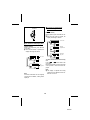
■ Alkaline battery power
1
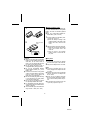
Use of the optionally available alkaline battery case combined with the rechargeable
battery will result in extended playback
times.
● Use one, commercially available alkaline battery (LR6, “AA” size).
1 Insert the battery into the battery case.
2
(1) Open the case cover.
(2) Insert the battery according to the
polarity marked on the inside of the
battery case. Then, close the case
cover.
Back of the MD
player
2 Attach the battery case to the main unit.
RELEASE
(1) Match the convex part of the battery
case to the concave area in the
main unit.
(2) Turn the screw in the direction
marked “LOCK” to secure the battery case.
LOCK
■ AC power
Cautions:
● While you are using the rechargeable
battery and the alkaline battery at the
same time, do not remove either of
them. If you do, playback will stop, and
the power may be disconnected.
● Do not replace the battery or the rechargeable battery during operation.
● Do not use rechargeable batteries
(nickel-cadmium battery etc.) in the
battery case.
● If the unit is not used for a long period
of time, remove the battery. (Even if the
power is turned off, the battery will
drain slowly but continuously.)
● Be sure to hold the plug when removing
it. If you pull on the cord, it may break,
or the unit may malfunction.
● Do not use any car adaptor except for
the optionally available AD-CA20X.
● For information about the battery life,
see the battery item in the SPECIFICATIONS on page 20.
● This unit should only be used within the
range of 32°F - 104°F (0°C - 40°C).
1 Connect the cord from the AC adaptor
to the DC IN 5V jack on the main unit.
2 Plug the AC adaptor into an AC outlet.
Notes:
● If there is an electrical storm in your
vicinity, unplug the AC adaptor from the
AC outlet.
● When the unit is not in use for extended
periods, remove the AC adaptor from
the AC outlet.
● Never use an AC adaptor other than
the one specified. Otherwise, malfunctions or serious safety hazards may result.
● Do not bend, twist or tie the power cord
or put heavy objects on top of it.
7
MD-S301
PLAYING A MINIDISC
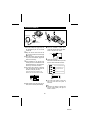
Headphones
To the
jack
BASS
For the
left (L)
For the
right (R)
Remote
control unit
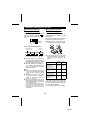
1 Insert the headphones plug firmly into 4 Press
the VOLUME + button to increase the volume and the VOLUME –
button to decrease the volume.
the headphones jack on the remote
control unit.
2 Plug the remote control unit into the
(0 - 30)
jack on the main unit. Push the plug
all the way in.
● Since the remote control unit plug has
only one correct orientation, plug it in as
shown in the drawing.
5 Adjust the bass level.
Each time the BASS button is pressed,
the tone will be switched as follows:
3 Load a MiniDisc in the direction indicated by the arrow on the MiniDisc, with
the label side facing up. (Insert the MiniDisc firmly, until a click is heard.)
● The power will be turned on automatically, and playback will start from the
first track. (Auto-play function)
BASS 1
Bass is emphasized a little.
BASS 2
Bass is emphasized more.
BASS 3
BASS 0
When track names are included on the
MiniDisc, the track names will be scrolled.
Bass is emphasized still
more.
Bass emphasis is canceled.
● The most recent volume or bass settings are saved when the power is
turned off.
Track number
● After playback of the last track has finished, the unit will stop automatically.
Note:
● Whenever any button is pressed, the
remote control display will light for
about 4 seconds.
8
MD-S301
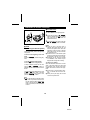
To interrupt playback:
06
To turn off the power:
Press the ■:OFF (■) button while in the stop
mode.
● If the unit is not operated for at least 2
minutes while in the stop mode, the power
will be turned off automatically.
Press the
button on the remote control
unit during playback.
● To resume playback, press the
button
again.
To stop playback:
06
0 4 06
To remove the MiniDisc:
Press the ■:OFF (■) button.
● When you press the /
(
) button
to resume playback, it will start at the point
on the disc where playback was halted
(Resume function). However, if the MiniDisc is removed and reinserted, playback
will start from the first track.
Turn off the power and move the EJECT lever
in the direction indicated by the arrow.
When using the unit with just the
battery in the battery case:
When the sound is distorted:
● If the volume is too high while the bass
is being emphasized, the sound may be
distorted, depending on the music on
the track. If this happens, decrease the
bass level or lower the volume level.
● If the volume is increased to “23" or
higher, the bass level will be adjusted
automatically.
(This is done to reduce the distortion in
the sound.)
04
● The auto-play function will not work.
● To start playback, hold down the /
06) button for about 1 second.
(
● Even if a MiniDisc is replaced while the
power is turned off, the random or repeat play settings will remain unchanged in memory.
Precautions when making connections:
Cautions:
● Do not use any remote control unit, ex-
● When the unit is not to be used imme-
cept for the one included with this unit.
● Insert each plug securely, all the way
in.
● Be sure to hold the plug when removing
it. If you pull on the cord, it may break,
or the unit may malfunction.
diately after a MiniDisc has been inserted, or when you plan to carry the
unit, turn off the power or cancel the
auto-play function. Otherwise, the autoplay function will be activated and the
battery will run down.
● When a MiniDisc is inserted, if any resistance is felt, do not force the MiniDisc into the unit. It may cause more
problems. If resistance is felt, remove
the MiniDisc and try reloading it.
● Since the main unit and the AC adaptor
can heat up during use, you should
avoid allowing the unit to be in direct
contact with your skin for any length of
time.
Interrupted sound:
● This product is designed to eliminate
interruptions in the sound which can be
caused by vibrations. However, if the
unit is continuously exposed to vibrations or mechanical shock, the sound
may be interrupted momentarily.
Note while in the playback mode:
If you do any of the following during playback, the volume and the tone settings may
not be stored correctly.
● Plug or unplug the AC adaptor.
● Remove the rechargeable battery or
the alkaline battery.
● Plug or unplug the car adaptor or turn
off the car’s ignition key.
When using the unit with a car
adaptor:
● When switching off the ignition during
playback, the power to this unit will also
be turned off. When the ignition is
switched on, playback will start from the
beginning of the track where playback
was halted (Resume auto-play function). However, the power to the unit
may not be turned off when the ignition
is turned off, depending on the type of
car.
9
MD-S301
CONVENIENT PLAYBACK FUNCTIONS
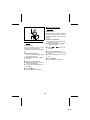
■ Cue and review
1 Load a MiniDisc and begin playback.
2 Press and hold down the 0/4 (4)
button for audible fast forward, or press
and hold down the 5 button for
audible fast reverse.
3 Normal playback will resume when the
5 or 0/4 (4) button is released.
■ APSS
(Auto Program Search System)
APSS automatically locates the beginning
of any track.
To move to the beginning of the next
track:
Press the /
(
) button during playback.
04 4
5
To re-start the track being played:
Press the
button during playback.
Notes:
● When the end of the last track is
reached during fast forward, the unit
will enter the pause mode. When the
beginning of the first track is reached
during fast reverse, the unit will enter
the playback mode.
● When the unit is in the all track repeat
mode, the search will wrap around from
the last track to the first, or vice versa.
● Depending on the contents recorded
on a MiniDisc, some sounds may be
skipped while cueing and reviewing.
To search very quickly:
When fast forward or fast reverse is used
while in the pause mode, the search will
be performed more quickly than during
audible fast forward or fast reverse playback.
● In this mode, no sound is heard. Therefore, you should refer to the time display.
● When you lift your finger, the unit will
re-enter the pause mode.
5 04 4
To skip a number of tracks at one time,
press the
or /
(
) button repeatedly until the desired track number is
shown.
5 4
0 4 06
To begin playback at a desired track, press
the
or
button while in the stop
mode to select the track number. Then
press the /
(
) button.
Note:
● When the first track is selected and the
button is pressed, the last track on
the disc will be located. When the last
track is selected and the /
(
)
button is pressed, the first track will be
located.
5
04 4
10
MD-S301
■ Random play or repeat play
(Remote control)
During playback or while in the stop mode,
press the PLAY MODE button repeatedly
to select the playback mode.
PLAY MODE
RANDOM .... Random play
R
1R
....... Repeat play of all of the tracks
....... Repeat play of a single track
No display ... Normal playback
● If the playback mode is selected while
stopped, press the
button to start
playback.
06
RANDOM
Notes:
● In random play the unit will select and
play tracks automatically. (You cannot
select the order of the tracks.)
After all of the tracks have been played
once each in random order, the unit will
stop automatically.
● During random play or repeat play of a
single track, cue and review of the previous or next tracks are not possible.
● During random play, the unit cannot
find the beginning of any track which
has been played.
1
11
MD-S301
■ To check the elapsed time
and remaining time of the
track
DISPLAY
(Remote control)
During playback, press the DISPLAY button.
● Each time the button is pressed, the
display will change as follows:
Track name
■ To check the total playing time
(Remote control)
While in the stop mode, press the DISPLAY button.
● Each time the button is pressed, the
display will change as follows:
Elapsed
playback time
Remaining
play time
Disc name
5 4
To check individual track names one by
one:
Press the
or
button while in the
stop mode.
Each time the button is pressed, the name
of the previous or next track will be displayed.
TOTAL
Total
playing time
TOTAL
Note:
● The display of elapsed time during
playback may be different from the actual time on a clock.
Note:
If character information was not originally
recorded on the MiniDisc, nothing will be
displayed.
12
MD-S301
CONVENIENT OPERATION OF THE UNIT
■ Checking the remaining
amount of battery charge
■ To prevent the unit from
being operated by mistake
The remaining amount of battery charge is
shown by the battery indicator (
) on
the remote control display during operation.
To avoid operations being started by accidentally pressing the buttons, use the
hold function.
Move the HOLD switch to the safety position (direction indicated by the arrow).
● When the unit is in the safety mode,
pressing the buttons will have no effect.
Battery
indicator
LD
HO
How to read the battery indicator
When the battery is
completely charged
Charging is
needed.
● To cancel the safety mode, move the
HOLD switch away from the safety position (the opposite direction of the
arrow).
● When the battery is completely discharged, the whole battery indicator will
flash. Recharge the battery or replace
the alkaline battery with a new one.
● When the battery has completely run
out, “Lo BATT” will appear in the display. Then, the power will be disconnected automatically.
Can be operated
from either the
remote control unit or
the main unit.
Can only be operated
from the remote control unit.
Can only be operated
from the main unit.
Cannot be operated
from either the
remote control unit or
the main unit.
Notes:
● When the AC adaptor included with this
unit or an optionally available car adaptor
is used, the battery indicator will not be
shown.
● The number of bars shown in the battery
indicator may increase or decrease, depending on the operation being performed. This is normal.
● When the rechargeable battery and the
alkaline battery are used at the same time,
the rechargeable battery is used first, and
then the alkaline battery.
Since the battery indicator shows the remaining amount of the particular battery
being used, the number of bars will increase when the unit switches to the alkaline battery.
Remote
control unit
Main
unit
Cancel
Cancel
Cancel
Hold
Hold
Cancel
Hold
Hold
If the hold function is active while the
power is turned off, the power cannot be
turned on by mistake and the battery will
not be accidentally drained.
(The auto-play function will be activated.)
13
MD-S301
■ To turn off the display
backlight
PLAY MODE
(Remote control)
Whenever you press a button, the display
will light for about 4 seconds, so that you
can read it in the dark. You can turn off the
backlight.
1 While in the stop mode ...
■ To eliminate the confirmation
sound
Hold down the PLAY MODE button
until “SET UP” appears.
● When you release the button, “BEEP 1”
or “BEEP 0” will appear.
(Remote control)
2 Press the
Every time a button is pressed, a “beep”
will be heard in the headphones.
To silence the “beep” sound, do the following:
5 4
or
button until “EL
on” appears.
3 Press the PLAY MODE button.
● “EL off” will appear, and the backlight
will go out.
● To turn the backlight back on, select
“EL on”.
1 While in the stop mode ...
Hold down the PLAY MODE button
until “SET UP” appears.
● When you release the button, “BEEP 1”
will appear.
4 Press the ■ button.
● The normal display will reappear.
2 Press the PLAY MODE button.
● “BEEP 0” will appear, and the confirmation sound will disappear.
● To restore the confirmation sound, select “BEEP 1”.
3 Press the ■ button.
● The normal display will reappear.
14
MD-S301
■ To cancel the auto power
save function
PLAY MODE
(Remote control)
Power consumption can be reduced by
controlling the memory storage time. You
can cancel the auto power save function.
1 While in the stop mode ...
Hold down the PLAY MODE button
until “SET UP” appears.
● When you release the button, “BEEP 1”
or “BEEP 0” will appear.
■ To cancel the auto-play
function
2 Press the
● “PS off” will appear, and the auto power
save function will be canceled.
● To restore the auto power save function, select “auto PS”.
1 While in the stop mode ...
4 Press the ■ button.
Hold down the PLAY MODE button
until “SET UP” appears.
● When you release the button, “BEEP 1”
or “BEEP 0” will appear.
5 4
or
button until the
3 Press the PLAY MODE button.
When a MiniDisc is inserted, the power will
be turned on automatically, and playback
will begin. You can cancel automatic playback.
2 Press the
5 4
or
“auto PS” appears.
(Remote control)
● The normal display will reappear.
About the sound skip guard memory:
During playback, approximately 10 seconds of information is stored in the semiconductor memory. Therefore, even when
the pickup cannot read information for a
second or two due to an external shock,
the sound will continue without interruption
because the information stored in memory
is used.
button until “auto
PL” appears.
3 Press the PLAY MODE button.
● “PL off” will appear, and the auto-play
function will be canceled.
● To restore the auto-play function, select “auto PL”.
About the auto power save function:
This is a function used to save power when
using the unit with the rechargeable battery or the alkaline battery. While in the
auto power save mode, 5 - 10 seconds of
sound information is stored in memory.
When the unit is used in places exposed
to excessive vibration, cancel the auto
power save function. When the auto power
save function is disabled, 10 seconds of
sound information is always stored in
memory. (When the AC adaptor or a car
adaptor is used, the information storage
time is always 10 seconds, regardless of
the auto power save mode.)
4 Press the ■ button.
● The normal display will reappear.
15
MD-S301
USING EXTERNAL UNITS
● Before connecting any other equipment, turn off the power to all units.
● Connect the plugs securely.
Improper connections may cause noise or malfunctions.
● Adjust the volume on both this unit and any other equipment connected to it.
■ Recording both sound and
character information on another MiniDisc at the same time
■ Listening through a stereo or a
radio cassette player or
recording on a cassette tape
To the line
input jacks
To the left (L),
White
To the
MD
To the
IN/AUX 1
jack
Optionally available MD to MD
edit cable (AD-M5AC)
jack
To the right
(R), Red
0
● To make an MD
MD edit recording,
check the operation manual for the
equipment connected to this unit.
● The recording will be made in the analog mode.
To the
● The recording will be made in the analog mode.
■ Listening through
commercially available
headphones
■ Listening through a car stereo
Optionally available
cassette adaptor
(AD-CT14)
To the
jack
Commercially available audio
connecting cable
With a 1/8" (3.5 mm)
diameter stereo mini
plug
jack
To the
jack
● The battery life may be different, depending on the impedance of the headphones used.
● The optionally available cassette adaptor may not work, depending on your
car’s stereo.
● Headphones can be connected directly
to the main unit.
16
MD-S301
WHAT IS A MINIDISC?
■ Where not to store discs
A MiniDisc is a disc inside a protective
cartridge. You can handle it freely without
worrying about dust, fingerprints, etc.
However, if dust enters the opening of the
cartridge, or there is excessive dirt on the
cartridge, or the cartridge becomes
warped, you may experience malfunctions. Please note the following.
Do not store discs in places with high temperatures or humidity. Specifically, do not
leave discs in places exposed to direct
sunlight or in cars with the doors and windows closed.
Do not leave discs in places where sand
or dust can get into the cartridge easily
(e.g., beaches).
■ Handling the MiniDisc
■ Helpful tip when attaching a
label
Do not touch the disc directly!
Do not open the shutter or touch the disc
directly.
If the shutter is opened forcibly, it may
break.
When attaching a label to an MD cartridge,
be sure to note the following. If the label is
not attached properly, the MiniDisc may
jam inside the unit and it may not be
possible to remove it.
Disc
Shutter
Cartridge
● If the label peels off
or partially lifts away,
replace it with a new
one.
● Do not put a new
label on top of an
existing one.
● Attach the label only in the specified
location. (If it is not within the specified
area, it may cause the disc to jam in the
unit.)
● Never disassemble a MiniDisc.
■ Regular cleaning
If the surface of the cartridge becomes
dusty or dirty, clean it with a dry cloth.
TROUBLESHOOTING
■ Moisture condensation
In the following cases, condensation
may form inside the unit.
When the unit has condensation inside,
the disc signals cannot be read, and the
unit may not function properly.
● If this happens, remove the disc.
The condensation should evaporate in
approximately 1 hour. The unit will then
function properly.
● Shortly after turning on a heater.
● When the unit is placed in a room
where there is excessive steam or
moisture.
● When the unit is moved from a cool
place to a warm place.
17
MD-S301
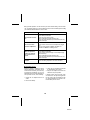
Many potential “problems” can be resolved by the owner without calling a service technician. If something seems to be wrong with this product, check the following before calling
your authorized SHARP dealer or service center.
PROBLEM
CAUSE
The unit does not turn
on.
● Is the AC adaptor disconnected?
● Is the battery exhausted?
● Is the unit in the safety mode?
● Has condensation formed inside the unit?
● Is the unit being influenced by mechanical shock or by
static electricity?
No sound is heard
from the headphones.
● Is the volume set too low?
● Is the remote control unit or the headphones plugged
in?
● Are you trying to play a MiniDisc with data on it
instead of a MiniDisc containing music?
When the operation
buttons are pressed,
the unit does not respond.
● Is the unit in the safety mode?
● Is the battery exhausted?
● Is the remote control unit plug or the headphone plug
inserted firmly?
● Has condensation formed inside the unit?
● Is the unit being influenced by mechanical shock or by
static electricity?
Some sounds are
skipped.
● Is the battery exhausted?
● Is the unit being subjected to excessive vibration?
■ If trouble occurs
When this product is subjected to strong
external interference (mechanical shock,
excessive static electricity, abnormal supply voltage due to lightning, etc.) or if it is
operated incorrectly, it may malfunction. If
such a problem occurs, do the following:
3. Leave the unit completely unpowered
for approximately 30 seconds.
4. Plug the AC adaptor back into the AC
outlet and retry the operation.
If strange sounds, smell or smoke come
out of the unit or an object is dropped into
the unit, remove the AC adaptor from the
AC outlet immediately and contact an authorized Sharp service center.
1. Unplug the AC adaptor from the AC
outlet.
2. Remove the battery.
18
MD-S301
ERROR MESSAGES
When an error message is displayed on the display, proceed as follows:
Display
Meaning
Remedy
● Nothing is recorded.
● Replace the disc with a
recorded disc.
● The disc is damaged or
the music information is
not written properly on the
disc.
● Replace the disc.
● The unit is malfunctioning
and will require service.
● For service, contact your
local Sharp authorized
servicer.
● The temperature is too
high.
● Turn off the power, and
wait for a while.
● The disc is damaged.
● Replace the disc.
● The battery has run down.
● Charge the rechargeable
battery or replace the
alkaline battery (or use
the AC adaptor for power).
No DISC
● A disc has not been
loaded.
● Load a disc.
POWER?
● Improper power is being
supplied.
● Use one of the specified
power sources.
?DISC
● There is an error in the
signal from the disc.
● Replace the disc.
BLANK
E-DISC
E-SYS
E-TEMP
E-TOC
E-UTOC
Lo BATT
19
MD-S301
MAINTENANCE
■ Cleaning
● Clean the battery case connection
terminals.
Wipe them with a dry cotton swab.
(Never use water or alcohol.)
● When the unit becomes dirty
Clean it with a soft cloth.
When the unit is excessively dirty, use
a soft cloth dampened in water.
(External surfaces only)
Notes:
● Do not use chemicals for cleaning (gasoline, paint thinner, etc.)
It may affect the quality or color.
● Do not apply oil to the inside of the unit.
It may cause malfunctions.
● Clean the headphone plug.
This will prevent noise.
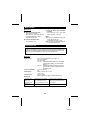
SPECIFICATIONS
As a part of our policy of continuous improvement, SHARP reserves the right to make
design and specification changes for product improvement without prior notice. The
performance specification figures indicated are nominal values of production units.
There may be some deviations from these values in individual units.
■ General
Power source:
Power consumption:
Output power:
Charging time:
DC 3.6V (rechargeable lithium-ion battery x 1)
DC 5V (AC adaptor)
AC 120V, 60 Hz
DC 1.5V: Optionally available battery case, AD-S30BC
(commercially available, “AA” size, alkaline
battery x 1)
DC 4.5V: Optionally available car adaptor, AD-CA20X
(for cars with a 12-24V DC negative ground
electrical system)
0.15 A (AC adaptor)
4W
RMS; 10 mW (5 mW + 5 mW)
(0.2% T.H.D.)
Approx. 3 hours
(When using the AC adaptor included with the unit)
Battery life:
When using the
rechargeable
battery (fully
charged) included
with the unit
Approx. 6 hours
When using one, commercially
available, high capacity, “AA”
size, alkaline battery (in the
optionally available battery case)
Approx. 3.5 hours
When using one, commercially
available, high capacity, “AA” size,
battery with the rechargeable battery
(fully charged)
Approx. 9.5 hours
20
MD-S301
● Volume level: “VOL 15”
● The above values are the standard values when the unit is charged and used at an
ambient temperature of 68˚F (20˚C).
● The playing time when using an alkaline battery may be different, depending on the
type and manufacturer of the battery and on the operating temperature.
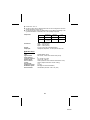
Output level:
Specified output
Maximum
output level
Load
impedance
–
5 mW + 5 mW
32 ohms
250 mV
(–12 dB)
–
50 kohms
Headphones
LINE
Dimensions:
Weight:
Output jack:
Width: 3-7/16" (87 mm)
Height: 31/32" (24 mm)
Depth: 3-3/32" (78 mm)
0.41 lbs. (184 g) with rechargeable battery
Headphones (impedance: 19 ohms)/remote control unit
■ MiniDisc Player
Type:
Signal readout:
Audio channels:
Frequency response:
Rotation speed:
Error correction:
Coding:
D/A converter:
Sampling frequency:
Modulation system:
Wow and flutter:
Portable MiniDisc player
Non-contact, 3-beam semi-conductor laser pick-up
2
20 – 20,000 Hz (± 3 dB)
Approx. 400 – 900 rpm
ACIRC (Advanced Cross Interleave Reed-Solomon Code)
ATRAC (Adaptive TRansform Acoustic Coding)
1 bit
44.1 kHz
EFM (Eight to Fourteen Modulation)
Unmeasurable (less than ±0.001% W. peak)
21
MD-S301
MEMO
LIMITED WARRANTY
SHARP ELECTRONICS CORPORATION warrants to the first consumer purchaser that this Sharp brand product
(the “Product”), when shipped in its original container, will be free from defective workmanship and materials, and
agrees that it will at its option, either repair the defect or replace the defective Product or part thereof with a new or
remanufactured equivalent at no charge to the purchaser for parts or labor for the period(s) set forth below.
This warranty does not apply to any appearance items of the Product nor to the additional excluded item(s) set forth
below nor to any Product the exterior of which has been damaged or defaced, which has been subjected to misuse,
abnormal service or handling, or which has been altered or modified in design or construction.
In order to enforce the rights under this limited warranty, the purchaser should follow the steps set forth below and
provide proof of purchase to the servicer.
The limited warranty described above is in addition to whatever implied warranties may be granted to purchasers
by law. ALL IMPLIED WARRANTIES INCLUDING THE WARRANTIES OF MERCHANTABILITY AND FITNESS
FOR USE ARE LIMITED TO THE PERIOD(S) FROM THE DATE OF PURCHASE SET FORTH BELOW. Some
states do not allow limitations on how long an implied warranty lasts, so the above limitation may not apply to you.
Neither the sales personnel of the seller nor any other person is authorized to make any warranties other than those
described above, or extend the duration of any warranties beyond the time period described below on behalf of
Sharp.
The warranties described above shall be the sole and exclusive warranties granted by Sharp and shall be the sole
and exclusive remedy available to the purchaser. Correction of defects, in the manner and for the period of time
described herein, shall constitute complete fulfillment of all liabilities and responsibilities of Sharp to the purchaser
with respect to the Product, and shall constitute full satisfaction of all claims, whether based on contract, negligence,
strict liability or otherwise. In no event shall Sharp be liable, or in any way responsible, for any damages or defects
in the Product which were caused by repairs or attempted repairs performed by anyone other than an authorized
servicer. Nor shall Sharp be liable or in any way responsible for any incidental or consequential economic or property
damage. Some states do not allow the exclusion of incidental or consequential damages, so the above exclusion
may not apply to you.
THIS WARRANTY GIVES YOU SPECIFIC LEGAL RIGHTS. YOU MAY ALSO HAVE OTHER RIGHTS WHICH
VARY FROM STATE TO STATE.
Product Model Number: See your product for specific model number and have it available when requesting service
for your Product.
Warranty Period for this Product: 90 Days parts and labor from date of purchase. The warranty period continuous
for a total of one year for parts only; labor and service are not provided free of charge for this additional period.
Additional item(s) excluded from warranty coverage (if any): non-functional accessories, supplies and consumable
items.
Where to obtain service: At a Sharp Authorized Servicer located in the United States. To find the location of the
nearest Sharp Authorized Servicer call Sharp toll free at 1-800-BE-SHARP.
What to do to obtain service: Ship prepaid or carry in your Product to a Sharp Authorized Servicer. Be sure to have
proof of purchase available; If you ship the Product be sure it is packaged carefully.
TO OBTAIN SUPPLY, ACCESSORY OR PRODUCT INFORMATION CALL 1-800-BE-SHARP.
SHARP ELECTRONICS CORPORATION
Sharp Plaza, Mahwah, New Jersey 07430-2135
SHARP CORPORATION
TINSZ1357AFZZ
Printed in Japan
A9711.1.0MYM.HK
MD-MS200-HYOSHI