1
Inserting Chassis Management Modules
Inserting Chassis Management Modules
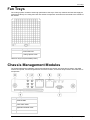
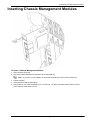
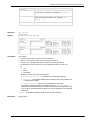
To insert a Chassis Management Module:
1. Open the latch at the top
2. Insert the Chassis Management Module into the allocated slot.
Note - If you have only one CMM, we recommend inserting it into the lower chassis slot
3. Fasten the latch.
4. Close the two tumble screws tightly.
5. After power up, all LEDs must light up for 1-2 seconds. The ACT and PWR LEDs continue to show
green after the other LEDs turn off.
Step 3: Installing Components and Connecting Power Cables
Page 21