1
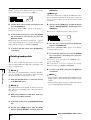
Contents
Contents
Introduction
3
•••••••••••••••••••••••••••••••••••••••••••
Information for users of the MRS-1044CD model
••••
3
MRS-1044 Operation Manual • • • • • • • • • • • • • • • • • • • • • • • • 3
MRS-1044CD / MRS-1044 version 2.0 Supplemental
Manual (this document) • • • • • • • • • • • • • • • • • • • • • • • • • • • • • 3
Information for users who have upgraded from
MRS-1044 version 1.x to version 2.0 • • • • • • • • • • • • • • • • 3
Conventions used in this manual
•••••••••••••••••••••
3
Project Backup/Restore
•••••••••••••••••••••••••••••••••
4
•••••••••••••••••••••••••••••••••••••••••••••
4
Rear panel
••••••••••••••••••••••••••••••••••••••••••••
4
Front panel
••••••••••••••••••••••••••••••••••••••••••••
5
Top panel
CD-R/RW drive section
•••••••••••••••••••••••••••••
5
21
Storing single projects on external media
(backup by project) • • • • • • • • • • • • • • • • • • • • • • • • • • • • • • • • 21
Storing all projects on external media
(backup of entire hard disk) • • • • • • • • • • • • • • • • • • • • • • • • 23
Reading a stored project from external media
(restore) • • • • • • • • • • • • • • • • • • • • • • • • • • • • • • • • • • • • • • • • • • • • 25
Deleting backup data
Parts and Functions
••••••••••••••••••••••••••
•••••••••••••••••••••••••••••••
28
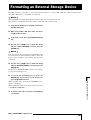
Formatting an External Storage Device • • • • • • • 29
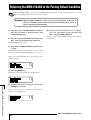
Returning the MRS-1044CD to the Factory
Default Condition • • • • • • • • • • • • • • • • • • • • • • • • • • • • • • • • • • 30
Side panel • • • • • • • • • • • • • • • • • • • • • • • • • • • • • • • • • • • • • • • • • • • • • 5
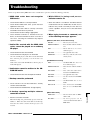
Troubleshooting • • • • • • • • • • • • • • • • • • • • • • • • • • • • • • • • • • • • • 31
Features of MRS-1044 Series version 2.0
6
••••••
Connection of External SCSI Devices • • • • • • • • • • • 7
Compatible drives
••••••••••••••••••••••••••••••••••••
7
•••••••••••••••••••••••••
7
Master Track Operation
••••••••••••••••••••••••••••
9
What is the master track?
••••••••••••••••••••••••••••
9
Connection of SCSI Devices
Basic master track operation
•••••••••••••••••••••••••
Mixdown using master track
••••••••••••••••••••••••
List of Additional Effect Patches in MRS-1044CD/
MRS-1044 Version 2.0
9
10
Selecting the master track V-take • • • • • • • • • • • • • • • • • • • • 10
Bouncing onto the master track • • • • • • • • • • • • • • • • • • • • • 11
Master track playback
••••••••••••••••••••••••••••••
11
Changing the Length of a V-take
(Trimming) • • • • • • • • • • • • • • • • • • • • • • • • • • • • • • • • • • • • • • • • • • 12
Creating an Audio CD • • • • • • • • • • • • • • • • • • • • • • • • • • • • • • 14
Writing audio data
••••••••••••••••••••••••••••••••••
About CD-R/CD-RW discs
••••••••••••••••••••••••••
••••••••••••••••••••
14
16
•••••••••••••••••••••
17
••••••••••••••••••••••••••••••
18
Finalizing a CD-R/CD-RW Disc
Erasing a CD-RW Disc
Recording audio data by album
2
14
••••••••••••••••••••••••••••••••
Recording audio data by project
Playing an Audio CD
14
••••••••••••••••••••
18
MRS-1044CD/MRS-1044 ver2.0