1
Contents
Introduction.................................................................................................................................. 5
1.
What is WebEye 2.0 E10?.................................................................................................... 5
2.
Supplied accessories .......................................................................................................... 6
3.
Descriptions & Function...................................................................................................... 8
4.
Installing & Connecting ....................................................................................................... 9
4.1.
Installing WebEye 2.0 setup program............................................................................. 9
4.2.
System requirements of PC ............................................................................................ 9
4.3.
Installig program ........................................................................................................... 10
5.
Connecting & Running ...................................................................................................... 13
5.1.
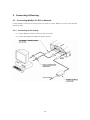
Connecting WebEye 2.0 E10 to Network ..................................................................... 13
5.1.1.
Connecting to PC directly ...................................................................................... 13
5.1.2.
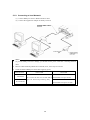
Connecting to local Network.................................................................................. 14
5.2.
Changing IP address & Login ....................................................................................... 15
5.3.
Setting Network............................................................................................................. 16
5.3.1.
When connected to Ethernet ................................................................................. 16
5.3.2.
When connected to xDSL...................................................................................... 16
5.3.3.
When connected to PSTN ..................................................................................... 16
5.3.4.
Setting WRS(Dynamic IP registration) .................................................................. 17
5.4.
Setting video ................................................................................................................. 18
5.5.
Changing admin password & Registering user............................................................. 19
5.6.
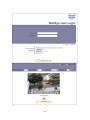
Viewing image via browser ........................................................................................... 20
Appendix ................................................................................................................................... 23
#1.
Specification ................................................................................................................... 24
#2.
How to recognize manufacturing date ......................................................................... 26
4