1
Right Side
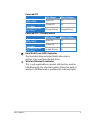
Refer to the diagram below to identify the components on this
side of the Eee PC.
1
1
USB Port (2.0/1.1)
3
15 pin D-Sub Display (Monitor) Output
3
4
Memory Card Slot
The built-in memory card reader can read SD/SDHC/MMC
cards.
2
4
2
Kensington® Lock port
The Kensington® lock port allows the Eee PC to be secured
using Kensington® compatible security products. These
security products usually include a metal cable and lock
that prevent the Eee PC to be removed from a fixed object.
ASUS Eee PC