1
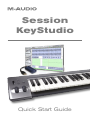
Session KeyStudio Quick Start Guide
|
1
Introduction
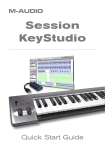
Congratulations on your purchase of the M-Audio Session KeyStudio: a 49-key
full-size, velocity sensitive USB keyboard, audio interface, and software package
designed for easy integration with your Windows XP or Mac OS X computer.
Session KeyStudio is ideal for use with a multitude of music creation applications,
including GarageBand and Session. We recommend you spend a few minutes
reviewing this Quick Start Guide to ensure proper setup.
Session KeyStudio Features
KeyStudio Keyboard:
< Pitch Bend wheel
< E
dit Mode button for advanced
functions and programming
< Modulation wheel; MIDI re-assignable
< Sustain foot pedal input
< Volume slider; MIDI re-assignable
< n
o driver installation needed
– simply connect and power on
< 49-key velocity-sensitive keyboard
< O
ctave up/down buttons; MIDI
re‑assignable
< bus-powered through USB
Micro USB Audio Interface (PC only):*
< seamless Session compatibility
< low latency performance through
ASIO driver architecture
< 1
/8” stereo output for headphones
or powered monitors
< bus-powered through USB
< 1
/8” stereo input for instruments,
microphones, and line-level devices
*M-Audio Micro circumvents potential high-latency monitoring issues on Windows
PCs. The built-in audio hardware on Apple computers enables low latency
monitoring without the need for additional hardware. If you are using a Mac, you
should simply use your computer’s built-in audio inputs and outputs.
Session Software (PC only):
< C
D-quality multi-track audio and MIDI
recording software
< b
uilt-in virtual synthesizer with
hundreds of instrument sounds
< built-in studio quality effects
< includes over 3.5 GB of content
for professional music creation
English