1
Network Installation
Windows
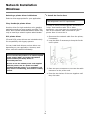
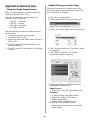
Selecting a printer driver in Windows
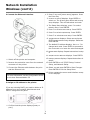
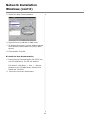
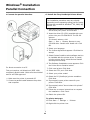
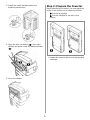
1 Install the Ferrite Core
Select a driver appropriate for your application.
IMPORTANT!
This safeguard is an FCC requirement.
Fiery PostScript printer driver
In order to reduce electromagnetic interference—
”noise” that interferes with TVs or other
appliances—you must place the enclosed ferrite
core on the network cable connected to your
printer. Here is how to do it:
Use this driver for high-resolution color graphics
applications and pre-press graphic proofing. This
driver also includes advanced features which may
only be used by a network system administrator.
PCL printer driver
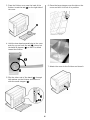
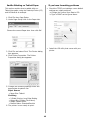
1. Disconnect the network cable from the printer,
if necessary.
PCL and PCL6 printer drivers are included mainly
for compatibility with legacy systems.
2. Loop the cable if necessary to keep the ferrite
core in place.
You can install both drivers and use either one
depending on your application. However, each
driver must be installed individually.
CAUTION!
Do not connect this product to an uninterruptible
power supply (UPS). For further information
please contact your Sharp dealer or
www.sharpusa.com.
Be sure to use the 15A AC power cord supplied
with the printer. Use of a power cord NOT
supplied with this printer, or an extension cord,
may result in overheating, and could be a safety
hazard.
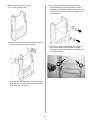
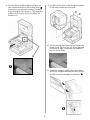
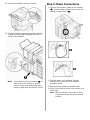
3. Place the open core about 1 inch from the cable
connector on the printer end.
4. Press the two halves of the core together until
they click shut.
2