1
Section 4 - Advanced setup
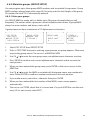
How to display and navigate menus
1.
Hold down CALL/MENU key for more than 1 second to enter the set up menu.
2.
Press CH / to scroll up and down the menu until the cursor is positioned at the
desired items. Press ENTER softkey to select the item.
3.
Make any changes then press ENTER softkey to confirm changes. Otherwise, press
EXIT softkey to ignore.
4.
Press EXIT softkey to go back or exit. Any changes are activated as soon as you
enter/exit the screen.
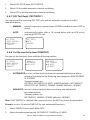
How to enter Alphanumeric data
Use the CH
/
key to enter characters.
1.
Press to enter and count through numbers and letters, and hold down to select
the desired character.
2.
Press to go through letters of the alphabet, and hold down to select the desired
character.
3.
Press ENTER to confirm.
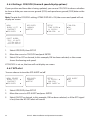
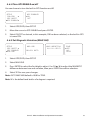
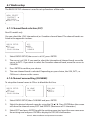
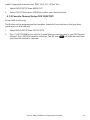
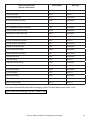
The following options are available through MENU:
• UIC (non EU)
MENU
• CH NAME
• WAYPOINT
• RING VOLUME
• BACKLIGHT
• KEY BEEP
• USER MMSI
• LAMP
• UNITS
• GROUP SETUP
• BUDDY LIST
• WATCH MODE (US only)
• INDIV REPLY
• WX ALERT (US only)
• DSC SELECT
• NMEA OUT
• LL REPLY
• FAV CH SETUP (non US)
• AUTO SWITCH
• CONTRAST
• GPS/DATA
• MANUAL L/L
• SETUP
• RADIO SETUP
• DSC SETUP
• ATIS SETUP (EU only)
• GET BUDDY)
• TRACK LOG
• TEST REPLY
• ATIS MMSI (EU only)
• TIMEOUT
• ATIS SELECT (EU only)
• ERASE TRACK
• RESET
Simrad - HH36 Installation and Operation Instructions
21