1
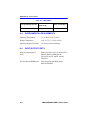
Port Redirect Function Screen
5.16
PORT REDIRECT FUNCTION SCREEN
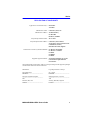
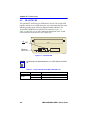
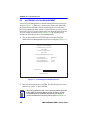
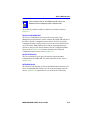
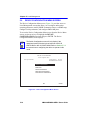
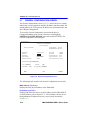
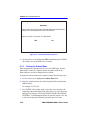
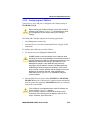
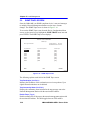
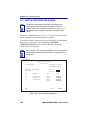
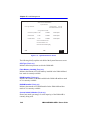
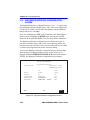
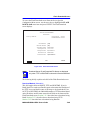
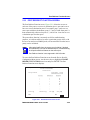
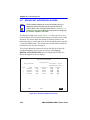
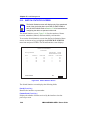
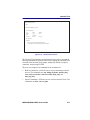
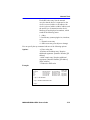
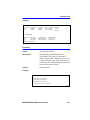
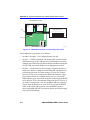
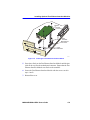
The Port Redirect Function screen, Figure 5-21, allows the user to set
each one of the ports as a source or destination port. A port can be set to
have one or more destination ports. For example, port 1 can be set as a
source port with three destinations, ports 2, 3, and 4. Traffic from port 1 is
then automatically redirected to ports 2, 3, and 4. Port 1 can also serve as
a destination port for other ports.
The port redirect function is extremely useful for troubleshooting
purposes, as it allows traffic to be sent to a particular port(s) where, with
the use of an analyzer or RMON probe, all current traffic from the source
port(s) can be examined.
NOTE
Although all traffic from the source port (including, if desired,
errored frames) is sent to the destination port, normal switching
is still performed for all frames on the source port.
Port Redirect function is not supported in 802.1Q mode.
To access the Port Redirect Function screen from the Device Specific
Configuration Menu screen, use the arrow keys to highlight the PORT
REDIRECT FUNCTION menu item and press ENTER. The Port
Redirect Function screen displays.
Event Message Line
2M46-04R LOCAL MANAGEMENT
Port Redirect Function
Firmware Revision:
Device Type: 2M46-04R
XX.XX.XX
BOOTPROM Revision: XX.XX.XX
Source Port [1]
Source Port
Destination Port
Remap Errors
----------------1
---------------------2
-----------------ON
1
3
ON
1
4
ON
2
1
OFF
2
3
ON
--
--
--
--
--
--
--
--
--
Destination Port [1]
Errors [ON]
Status [ADD]
EXIT
SAVE
RETURN
RETURN
2314-22
Figure 5-21
Port Redirect Function Screen
2M46-04R/2M46-04RDC User’s Guide
5-53