1
Safety Precautions
To keep you safe and to install the hardware properly, please read and follow these safety precautions.
ONLY qualified service personnel should service or disassemble this device;
When installing the device, note the followings:
-
Do NOT use a metal ladder;
-
Do NOT work on a windy or raining day;
-
Do NOT install, use or service the device during a thunderstorm, as this may cause a remote
risk of electric shock from lightning;
-
Wear shoes with rubber soles and heels, rubber gloves, long sleeved shirt or jacket.
-
When the system is operational, avoid standing directly in front of the antenna. Strong RF
fields are present when the transmitter is on.
Ground the device properly with grounding wire to protect against lightning;
Use ONLY appropriate accessories for the device.
If the temperatures of the unit surface exceeds the limit, be precautious not to continuous held or
touch the device for a certain period of time.
Installation Precautions
To keep the R1 Extender well while you are installing it, please read and follow these installation
precautions.
1. Users MUST use a proper and well-installed surge arrestor and grounding kit with R1 Extender;
otherwise, a random lightening could easily cause fatal damage to R1 Extender.
EMD
(Lightning) DAMAGE IS NOT COVERED UNDER WARRNTY.
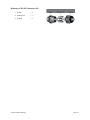
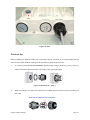
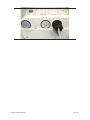
2. Make sure PoE is correctly connected to the RJ-45 port on the R1 Extender labeled PoE+Data.
DO NOT CONNECT TO THE PORT LABELED “Warning!! No POE”,
otherwise the extender
will be severely damaged!
Chapter 3 Basic Settings
Page 17